地圖優化關鍵在於切片:將大地圖切成同尺寸小圖,按主角位置按需載入。例:20000×20000 地圖切 400×400 共 2500 片,視窗 800×600 僅需載入中心 9 片(1200×900),效能遠優於整圖切割。本節為地圖編輯器加入自訂切片與導出功能。
原用 Grid.ShowGridLines 效能極差,改用 Line 繪製障礙物單元格與切片邊線:
private void SetGridLines(Canvas carrier, double totalWidth, double totalHeight,
    double singleWidth, double singleHeight, Color lineColor, double dashWidth, double dashSpace) {
    carrier.Children.Clear();
    int sectionXNum = (int)(totalWidth / singleWidth);
    int sectionYNum = (int)(totalHeight / singleHeight);
    for (int x = 1; x <= sectionXNum; x++) {
        carrier.Children.Add(new Line() {
            X1 = x * singleWidth, X2 = x * singleWidth, Y1 = 0, Y2 = totalHeight,
            Stroke = new SolidColorBrush(lineColor),
            StrokeDashArray = new DoubleCollection() { dashWidth, dashSpace }
        });
    }
    for (int y = 1; y <= sectionYNum; y++) {
        carrier.Children.Add(new Line() {
            X1 = 0, X2 = totalWidth, Y1 = y * singleHeight, Y2 = y * singleHeight,
            Stroke = new SolidColorBrush(lineColor),
            StrokeDashArray = new DoubleCollection() { dashWidth, dashSpace }
        });
    }
}
Stroke 設線色,StrokeDashArray 定義虛線寬與間距。
為切片尺寸加入可調整選擇器,選用 WinForms NumericUpDown:
WindowsFormsIntegration、System.Windows.Forms。xmlns:WinFormHost=... xmlns:WinForm=...WindowsFormsHost 包裹 NumericUpDown:<WinFormHost:WindowsFormsHost Canvas.Left="820" Canvas.Top="170" Height="20" Width="101">
<WinForm:NumericUpDown x:Name="SectionWidth" Maximum="500" Minimum="100" Increment="10" Value="300" ValueChanged="SectionSize_ValueChanged" />
</WinFormHost:WindowsFormsHost>
<WinFormHost:WindowsFormsHost Canvas.Left="820" Canvas.Top="196" Height="20" Width="101">
<WinForm:NumericUpDown x:Name="SectionHeight" Maximum="500" Minimum="100" Increment="10" Value="300" ValueChanged="SectionSize_ValueChanged" />
</WinFormHost:WindowsFormsHost>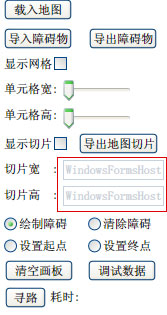
設計器僅顯示 Host,執行時見真身。同樣用 Line 繪製切片邊線,配合 ValueChanged 即時預覽。
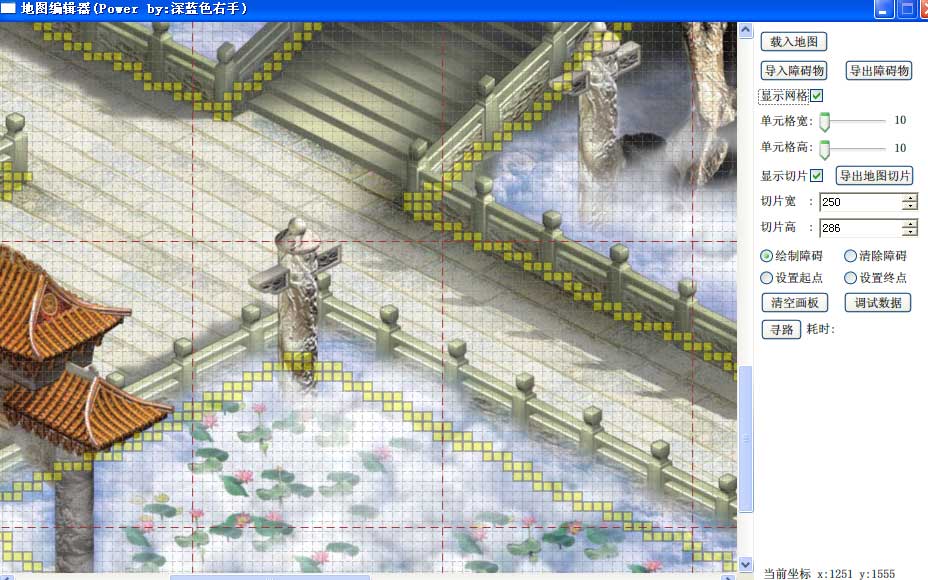
用 FolderBrowserDialog 選資料夾,配合 CroppedBitmap + JpegBitmapEncoder 導出:
int sectionXNum = (int)(mapWidth / (double)SectionWidth.Value);
int sectionYNum = (int)(mapHeight / (double)SectionHeight.Value);
for (int x = 0; x < sectionXNum; x++) {
    for (int y = 0; y < sectionYNum; y++) {
        CroppedBitmap croppedBitmap = new CroppedBitmap(mapSource,
            new Int32Rect(x * (int)SectionWidth.Value, y * (int)SectionHeight.Value, (int)SectionWidth.Value, (int)SectionHeight.Value));
        FileStream fileStream = new FileStream(string.Format(@"{0}/{1}_{2}.jpg", outputSection.SelectedPath, x, y), FileMode.Create);
        JpegBitmapEncoder encoder = new JpegBitmapEncoder();
        encoder.Frames.Add(BitmapFrame.Create(croppedBitmap));
        encoder.Save(fileStream);
        fileStream.Close();
    }
}
產出整齊切片:
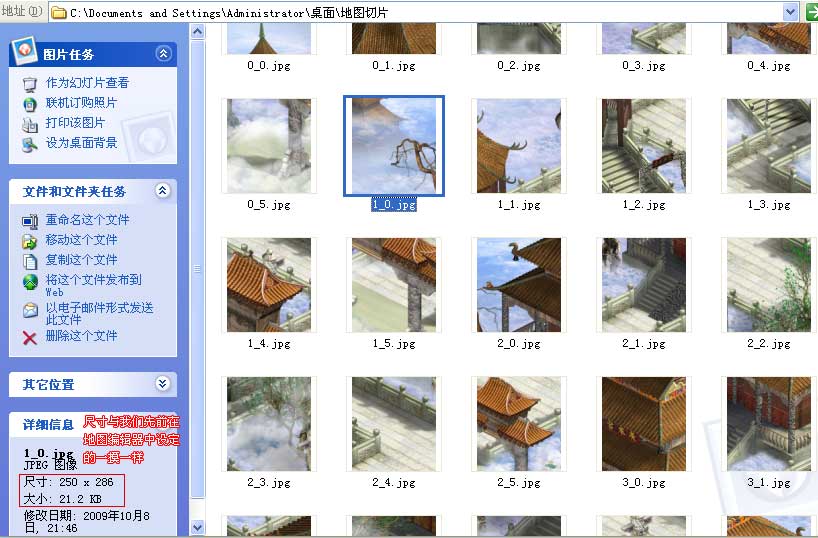
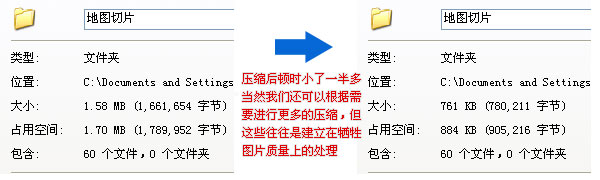
下一節將講解如何在遊戲中使用切片實現區域性按需載入。敬請關注。