地圖編輯器已能切片,本節實作切片自適應填充遊戲視窗,以最少切片實現無縫填充,提升效能。視窗 800×600,切片單位 400×300。
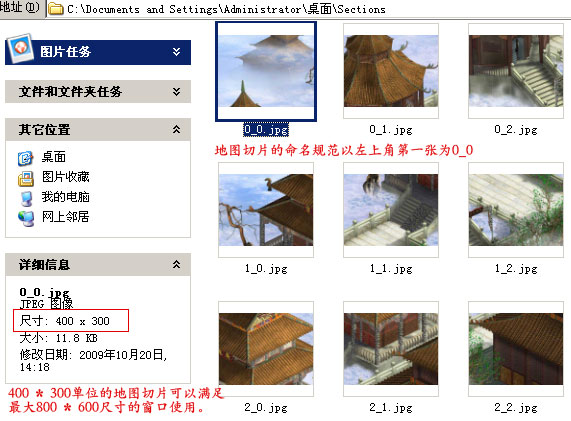
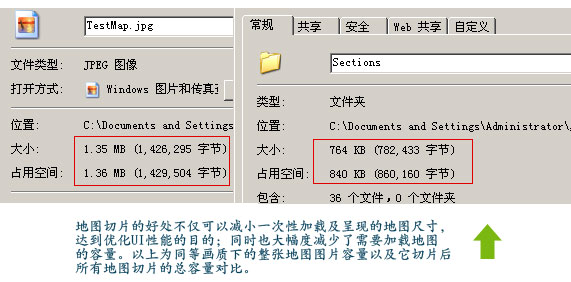
切片後總容量較整圖減少近半。網遊採按需下載,縮短載入時間、降低伺服器負擔。
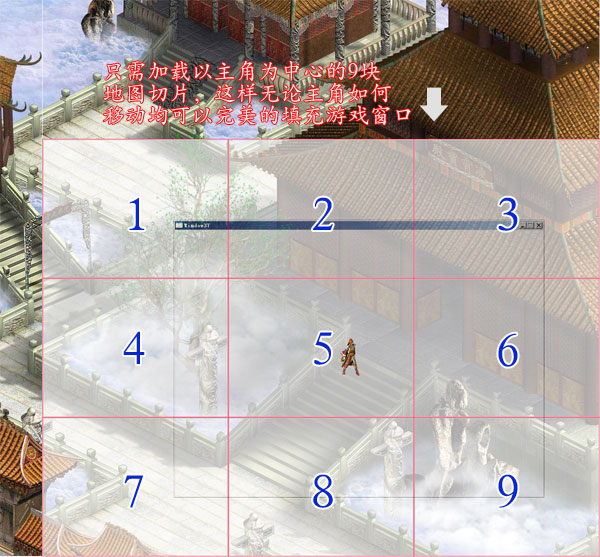
主角永置視窗中心(距左 400、上 300)。依主角座標計算所在切片代號,載入該切片及周邊 8 片(共 9 片)即可完美填充視窗。
Canvas MapSurface;
int mapSectionWidth, mapSectionHeight, mapSectionXNum, mapSectionYNum;
private void InitMapSurface(XElement args) {
    MapSurface = new Canvas() {
        Width = Convert.ToDouble(args.Attribute("Width").Value),
        Height = Convert.ToDouble(args.Attribute("Height").Value)
    };
    Add(MapSurface);
    mapSectionWidth = Convert.ToInt32(args.Attribute("SectionWidth").Value);
    mapSectionHeight = Convert.ToInt32(args.Attribute("SectionHeight").Value);
    mapSectionXNum = (int)(MapSurface.Width / mapSectionWidth);
    mapSectionYNum = (int)(MapSurface.Height / mapSectionHeight);
}int _leaderSectionX;
public int leaderSectionX {
get { return _leaderSectionX; }
set { if (_leaderSectionX != value) { _leaderSectionX = value; ChangeMapSection(); } }
}
int _leaderSectionY;
public int leaderSectionY {
get { return _leaderSectionY; }
set { if (_leaderSectionY != value) { _leaderSectionY = value; ChangeMapSection(); } }
}
Image mapSection;
int startSectionX, startSectionY, endSectionX, endSectionY;
private void ChangeMapSection() {
MapSurface.Children.Clear();
if (leaderSectionX == 0) { startSectionX = 0; endSectionX = 2; }
else if (leaderSectionX == mapSectionXNum - 1) { startSectionX = leaderSectionX - 2; endSectionX = leaderSectionX; }
else { startSectionX = leaderSectionX - 1; endSectionX = leaderSectionX + 1; }
if (leaderSectionY == 0) { startSectionY = 0; endSectionY = 2; }
else if (leaderSectionY == mapSectionYNum - 1) { startSectionY = leaderSectionY - 2; endSectionY = leaderSectionY; }
else { startSectionY = leaderSectionY - 1; endSectionY = leaderSectionY + 1; }
for (int x = startSectionX; x <= endSectionX; x++) {
for (int y = startSectionY; y <= endSectionY; y++) {
mapSection = new Image() {
Source = Super.getImage(string.Format("Map/{0}/Surface/{1}_{2}.jpg", mapCode.ToString(), x, y)),
Width = mapSectionWidth, Height = mapSectionHeight, Stretch = Stretch.Fill
};
MapSurface.Children.Add(mapSection);
Canvas.SetLeft(mapSection, x * mapSectionWidth);
Canvas.SetTop(mapSection, y * mapSectionHeight);
}
}
}每次清除重建 9 片,簡單但非最優。優化方向:① 依移動方向僅替換 3 片;② 全部載入但隱藏非必要切片(Visibility.Collapsed 不參與佈局)。
leaderSectionX = (int)(Leader.X / mapSectionWidth);
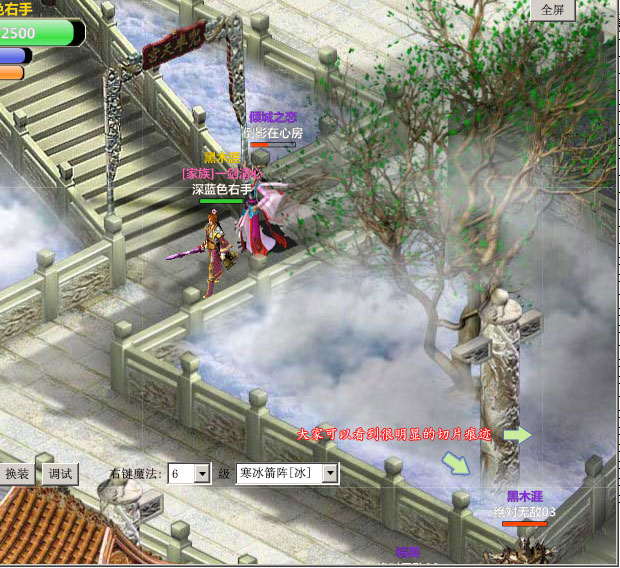
leaderSectionY = (int)(Leader.Y / mapSectionHeight);切片邊緣出現白線?PS 對接其實完美,原因在 WPF 佈局。解法:切片寬高各加 1 像素覆蓋。
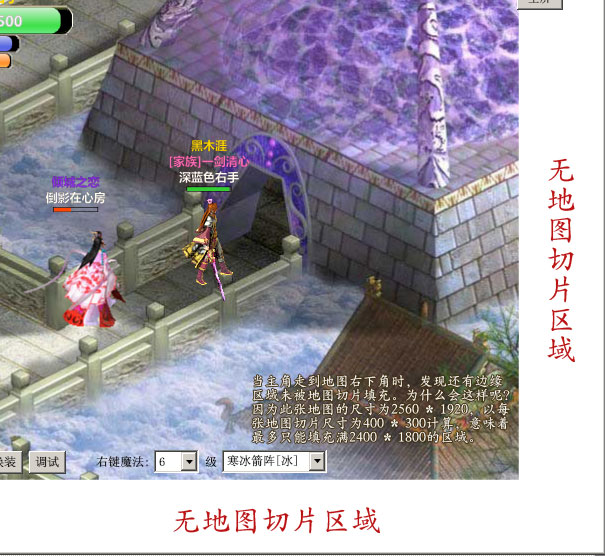
Width = mapSectionWidth + 1, Height = mapSectionHeight + 1修改後右下角出現無圖區域,因示例地圖 2560×1920 非 400×300 整數倍,編輯器不切割不足尺寸切片。解決方案:規範地圖尺寸為切片單位整數倍,或邏輯處理非標準邊緣切片。
地圖自適應區域載入完成,下一節講解地圖切換與傳送。敬請關注。