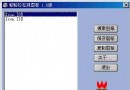
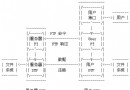
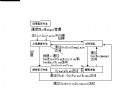
RealPlayer 提供「正常」、「簡潔」、「精簡」三種視窗模式,使用者可依需求切換。本文實作同樣功能:動態計算視窗尺寸、顯示/隱藏選單列、工具列、狀態列、檢視區,實現無縫模式切換。


關鍵在於取得各 UI 元素的螢幕座標矩形,並依模式重新計算視窗高度 (寬度保持不變):
| 模式 | 可見元素 | 高度計算公式 |
|---|---|---|
| 正常 (0) | 選單列、工具列、檢視區、狀態列 | 原始視窗高度 |
| 簡潔 (1) | 選單列、工具列、檢視區 (隱藏狀態列) | 視窗高度 - 客戶區高度 + 工具列高度 - 邊框高度 |
| 精簡 (2) | 工具列 (隱藏選單列、狀態列、檢視區) | 標題列高度 + 工具列高度 + 邊框高度 × 2 |
void CMainFrame::ViewMode(int nViewType)
{
    // 1. 取得各元素矩形 (螢幕座標)
    CRect rectWindow, rectClient, rectToolbar, rectStatusbar;
    GetWindowRect(&rectWindow);           // 整個視窗
    GetClientRect(&rectClient);           // 客戶區 (不含標題列、選單、邊框)
    m_wndToolBar.GetWindowRect(&rectToolbar); // 工具列

    // 狀態列需透過 ID 取得指標
    CStatusBar* pStatus = (CStatusBar*)AfxGetApp()->m_pMainWnd->GetDescendantWindow(AFX_IDW_STATUS_BAR);
    if (pStatus) pStatus->GetWindowRect(&rectStatusbar);

    // 系統度量
    int cxBorder = GetSystemMetrics(SM_CXBORDER);
    int cyBorder = GetSystemMetrics(SM_CYBORDER);
    int cyCaption = GetSystemMetrics(SM_CYCAPTION);
    int cyMenu = GetSystemMetrics(SM_CYMENU); // 選單列高度

    // 確保工具列停靠狀態
    DockControlBar(&m_wndToolBar);

    int newWidth = rectWindow.Width();  // 寬度不變
    int newHeight = rectWindow.Height(); // 預設
    HMENU hOldMenu = NULL;              // 用於精簡模式保存選單

    switch (nViewType)
    {
        case 0: // 正常模式
        {
            // 還原選單
            if (m_hSavedMenu) ::SetMenu(m_hWnd, m_hSavedMenu);

            // 顯示狀態列
            if (pStatus) pStatus->ShowWindow(SW_SHOW);

            // 還原工具列可見性 (若之前隱藏)
            m_wndToolBar.ShowWindow(SW_SHOW);

            newHeight = rectWindow.Height(); // 原始高度
            break;
        }

        case 1: // 簡潔模式:隱藏狀態列
        {
            // 確保選單存在
            if (m_hSavedMenu) ::SetMenu(m_hWnd, m_hSavedMenu);

            // 隱藏狀態列
            if (pStatus) pStatus->ShowWindow(SW_HIDE);

            // 高度 = 視窗高 - 客戶區高 + 工具列高 - 邊框
            // 邏輯:移除檢視區與狀態列,保留標題列+選單列+工具列+邊框
            newHeight = rectWindow.Height() - rectClient.Height() + rectToolbar.Height() - cyBorder;
            break;
        }

        case 2: // 精簡模式:僅工具列
        {
            // 保存並移除選單
            if (!m_hSavedMenu) m_hSavedMenu = ::GetMenu(m_hWnd);
            ::SetMenu(m_hWnd, NULL);

            // 隱藏狀態列與工具列 (工具列稍後在計算高度後顯示)
            if (pStatus) pStatus->ShowWindow(SW_HIDE);
            m_wndToolBar.ShowWindow(SW_HIDE); // 先隱藏避免閃爍

            // 高度 = 標題列 + 工具列 + 上下邊框
            newHeight = cyCaption + rectToolbar.Height() + cyBorder * 2;

            // 重新顯示工具列 (位於客戶區頂端)
            m_wndToolBar.ShowWindow(SW_SHOW);
            RecalcLayout(); // 重新佈局
            break;
        }
    }

    // 2. 套用新尺寸 (保持左上角位置)
    SetWindowPos(&wndTop, rectWindow.left, rectWindow.top, newWidth, newHeight, SWP_SHOWWINDOW | SWP_NOZORDER);
}
class CMainFrame : public CFrameWnd
{
    // ...
protected:
    HMENU m_hSavedMenu = NULL; // 精簡模式時保存的選單控制代碼
    // ...
};
// MainFrm.cpp 訊息對映
ON_COMMAND(ID_VIEW_NORMAL, &CMainFrame::OnViewNormal)
ON_COMMAND(ID_VIEW_COMPACT, &CMainFrame::OnViewCompact)
ON_COMMAND(ID_VIEW_MINIMAL, &CMainFrame::OnViewMinimal)
ON_UPDATE_COMMAND_UI(ID_VIEW_NORMAL, &CMainFrame::OnUpdateViewMode)
ON_UPDATE_COMMAND_UI(ID_VIEW_COMPACT, &CMainFrame::OnUpdateViewMode)
ON_UPDATE_COMMAND_UI(ID_VIEW_MINIMAL, &CMainFrame::OnUpdateViewMode)

void CMainFrame::OnViewNormal()  { ViewMode(0); }
void CMainFrame::OnViewCompact() { ViewMode(1); }
void CMainFrame::OnViewMinimal() { ViewMode(2); }

void CMainFrame::OnUpdateViewMode(CCmdUI* pCmdUI)
{
    // 單選狀態同步 (需成員變數 m_nCurrentMode 記錄)
    pCmdUI->SetRadio(pCmdUI->m_nID == ID_VIEW_NORMAL + m_nCurrentMode);
}
void CMainFrame::AnimateToHeight(int targetHeight, int durationMs = 300)
{
    CRect rect; GetWindowRect(&rect);
    int startHeight = rect.Height();
    int steps = 20;
    int stepMs = durationMs / steps;
    int delta = (targetHeight - startHeight) / steps;

    for (int i = 1; i <= steps; ++i)
    {
        int h = startHeight + delta * i;
        SetWindowPos(NULL, rect.left, rect.top, rect.Width(), h, SWP_NOZORDER | SWP_NOMOVE);
        Sleep(stepMs); // 或使用 Timer 避免阻塞 UI 執行緒
    }
    // 確保精確最終值
    SetWindowPos(NULL, rect.left, rect.top, rect.Width(), targetHeight, SWP_NOZORDER | SWP_NOMOVE);
}

// ViewMode 中呼叫
// SetWindowPos(...) → 改為 AnimateToHeight(newHeight);
| 框架 | 對應機制 | 關鍵 API |
|---|---|---|
| WPF | VisualStateManager + Grid.RowDefinitions Height=Auto/* | VisualStateManager.GoToState, GridLength |
| WinUI 3 | VisualState + XAML 控制項 Visibility | VisualStateManager, UIElement.Visibility |
| WinForms | TableLayoutPanel + Control.Visible/Dock | Control.Visible, Form.ClientSize |
| Qt | QStackedWidget / QWidget::setVisible + Layout | QWidget::setVisible, QLayout |
| Web (CSS) | CSS Grid/Flex + Class 切換 | display: none, grid-template-rows |
必須在移除前 m_hSavedMenu = ::GetMenu(m_hWnd) 保存,恢復時 ::SetMenu(m_hWnd, m_hSavedMenu)。若直接傳 NULL 給 SetMenu 且未保存,選單永久遺失。
模式切換前呼叫 DockControlBar(&m_wndToolBar) 確保停靠;切換後呼叫 RecalcLayout() 重新計算佈局。
使用 AfxGetApp()->m_pMainWnd->GetDescendantWindow(AFX_IDW_STATUS_BAR) 而非直接存取成員,因 MDI/SDI 架構下狀態列可能屬於框架視窗而非主視窗。
啟用 Per-Monitor DPI Awareness (Manifest 設定),所有 GetSystemMetrics、GetWindowRect 均回傳邏輯像素,計算一致。若混用實體像素需手動縮放。
多模式視窗介面的核心在於幾何計算精確與UI 元素狀態同步。透過 GetWindowRect/GetClientRect/GetSystemMetrics 取得基準尺寸,依模式組合公式計算新高度,配合選單保存/恢復、工具列停靠/重佈局、狀態列顯示/隱藏,即可實現 RealPlayer 風格的動態介面切換。此技術對於資訊密度調適、觸控裝置適配、無障礙縮放等現代應用場景同樣適用。