分割條 是 Explorer 風格應用程式常用控制項,但鮮有完整實作教學。本文從視窗類別註冊、建立、訊息處理完整示範如何用純 SDK 打造分割條。
擁有自己的視窗類別、視窗程序,需經過 RegisterClass 與 CreateWindow。
WNDCLASS wc = {0};
wc.cbClsExtra = 0;
wc.cbWndExtra = 0;
wc.hbrBackground = (HBRUSH)COLOR_BTNSHADOW;  // 背景色
wc.hCursor = LoadCursor(NULL, IDC_SIZEWE);   // 水平調整游標
wc.hIcon = NULL;
wc.hInstance = hInstance;
wc.lpfnWndProc = (WNDPROC)SplitterProc;      // 視窗程序
wc.lpszClassName = _T("MySplitter");         // 類別名稱
wc.lpszMenuName = NULL;
wc.style = 0;
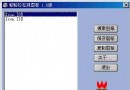
RegisterClass(&wc);示範介面包含:樹狀檢視、分割條、列表檢視、狀態列。所有子視窗控制代碼宣告為全域變數:hTree, hSplitter, hList, hStatus。
case WM_SIZE:
{
    HDWP hdwp = BeginDeferWindowPos(4);
    RECT rc, rcStatus, rcTree;
    GetClientRect(hDlg, &rc);
    GetClientRect(hStatus, &rcStatus);
    GetWindowRect(hTree, &rcTree);

    // 狀態列置底
    DeferWindowPos(hdwp, hStatus, NULL, 0, rc.bottom - rcStatus.bottom,
        rc.right, rcStatus.bottom, SWP_NOZORDER);
    // 樹狀檢視:固定寬度,高度扣除狀態列
    DeferWindowPos(hdwp, hTree, NULL, 0, 0,
        rcTree.right - rcTree.left, rc.bottom - rcStatus.bottom,
        SWP_NOMOVE | SWP_NOZORDER);
    // 分割條:緊鄰樹狀檢視右側,寬度 2 像素
    DeferWindowPos(hdwp, hSplitter, NULL,
        rcTree.right - rcTree.left, 0, 2, rc.bottom - rcStatus.bottom,
        SWP_NOZORDER);
    // 列表檢視:佔滿剩餘空間
    DeferWindowPos(hdwp, hList, NULL,
        rcTree.right - rcTree.left + 2, 0,
        rc.right - (rcTree.right - rcTree.left) - 2,
        rc.bottom - rcStatus.bottom, SWP_NOZORDER);

    EndDeferWindowPos(hdwp);
}
break;
使用 DeferWindowPos 批次更新,避免多次重繪閃爍。
LRESULT CALLBACK SplitterProc(HWND hwnd, UINT msg, WPARAM wParam, LPARAM lParam)
{
    switch (msg)
    {
    case WM_LBUTTONDOWN:
        SetCapture(hwnd);  // 捕捉滑鼠
        break;
    case WM_LBUTTONUP:
        ReleaseCapture();  // 釋放滑鼠
        break;
    case WM_MOUSEMOVE:
        if ((wParam & MK_LBUTTON) && GetCapture() == hwnd)
        {
            HDWP hdwp = BeginDeferWindowPos(3);
            RECT rc, rcStatus, rcTree;
            GetClientRect(GetParent(hwnd), &rc);
            GetClientRect(hStatus, &rcStatus);
            GetWindowRect(hTree, &rcTree);

            int dx = (short)LOWORD(lParam); // 滑鼠水平位移

            // 樹狀檢視寬度改變
            DeferWindowPos(hdwp, hTree, NULL, 0, 0,
                (rcTree.right - rcTree.left) + dx, rc.bottom - rcStatus.bottom,
                SWP_NOMOVE | SWP_NOZORDER);
            // 分割條位置跟隨
            DeferWindowPos(hdwp, hSplitter, NULL,
                (rcTree.right - rcTree.left) + dx, 0, 0, 0,
                SWP_NOSIZE | SWP_NOZORDER);
            // 列表檢視寬度相對調整
            DeferWindowPos(hdwp, hList, NULL,
                (rcTree.right - rcTree.left) + dx + 2, 0,
                rc.right - (rcTree.right - rcTree.left) - dx - 2,
                rc.bottom - rcStatus.bottom, SWP_NOZORDER);

            EndDeferWindowPos(hdwp);
        }
        break;
    default:
        return DefWindowProc(hwnd, msg, wParam, lParam);
    }
    return 0;
}SetCapture/ReleaseCapture 確保拖曳期間滑鼠訊息專屬分割條DeferWindowPos 批次移動,避免中間狀態閃爍MoveWindow 等單獨移動函式,因會觸發多次重繪