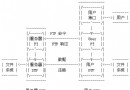
在 Visual C++ 中使用 MFC 的 WinInet 類別開發 FTP 功能,核心流程可分為四個關鍵步驟:建立網際網路會話、建立 FTP 連線、操作遠端檔案、讀寫資料流。以下將詳細說明各步驟的實作要點與進階技巧。
所有 WinInet 作業的起點是 CInternetSession 物件,它管理網際網路連線的全域設定與狀態。
CInternetSession session;呼叫 GetFtpConnection 方法建立與 FTP 伺服器的連線,需提供伺服器位址、帳號、密碼、連接埠及是否為被動模式等參數。成功時回傳 CFtpConnection* 指標,後續操作皆透過此指標進行。
CFtpConnection* pFTP = session.GetFtpConnection(
    _T("ftp.microsoft.com"),
    _T("user"),
    _T("password"),
    21,
    FALSE // 主動模式
);透過 CFtpConnection::OpenFile 取得 CInternetFile* 指標,即可像操作本地檔案一樣讀取或寫入資料。CInternetFile 繼承自 CStdioFile,支援 Read、Write、Seek 等完整檔案操作介面。
CInternetFile* pFile = pFTP->OpenFile(_T("abc.exe"), GENERIC_READ);
if (pFile) {
    BYTE buffer[1024];
    UINT nRead = pFile->Read(buffer, sizeof(buffer));
    // 處理資料...
    pFile->Close();
    delete pFile;
}若只需整個檔案的上傳或下載,直接使用 CFtpConnection::GetFile(下載)與 PutFile(上傳)更為便捷,無需手動管理資料流。
// 下載檔案
pFTP->GetFile(_T("remote.txt"), _T("local.txt"), FALSE);
// 上傳檔案
pFTP->PutFile(_T("local.dat"), _T("remote.dat"), FALSE);CFtpFileFind 類別用法與 CFileFind 幾乎相同,可輕鬆遞迴列出遠端目錄結構。
CFtpFileFind finder(pFTP);
BOOL bFound = finder.FindFile(_T("*.*"));
while (bFound) {
    bFound = finder.FindNextFile();
    if (!finder.IsDots()) {
        TRACE(_T("檔案: %s, 大小: %u\n"), finder.GetFileName(), finder.GetLength());
    }
}利用 CInternetFile::Seek 移動檔案指標即可實作斷點續傳。但需注意:若伺服器不支援 REST 指令,呼叫 Seek 會拋出例外,必須以 try-catch 捕捉 CInternetException 並妥善處理。
try {
    pFile->Seek(offset, CFile::begin);
    // 續傳邏輯...
} catch (CInternetException* e) {
    e->ReportError();
    e->Delete();
    // 降級為重新下載...
}MFC 的 CHttpConnection 使用方式與 CFtpConnection 高度一致,開發者可快速移植 FTP 經驗至 HTTP 應用開發。
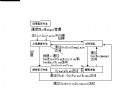
MFC 封裝的 WinInet 類別讓 FTP 客戶端開發變得直觀且強大。掌握 CInternetSession、CFtpConnection、CInternetFile 三大核心類別的協作關係,即可輕鬆實現從簡單檔案傳輸到複雜的目錄同步、斷點續傳等企業級功能。