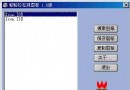
預設熱鍵 Ctrl+Shift+J,於表單載入時註冊,關閉時解除:
// Form Load
bool success = RegisterHotKey(this.Handle, 100,
    KeyModifiers.Control | KeyModifiers.Shift, Keys.J);

// Form Closing
UnregisterHotKey(this.Handle, 100);GetForegroundWindow()。GetWindowText()。protected void ProcessHotkey()
{
IntPtr hwnd = NativeWIN32.GetForegroundWindow();
if (hwnd != IntPtr.Zero)
{
NativeWIN32.STRINGBUFFER title;
NativeWIN32.GetWindowText(hwnd, out title, 256);
if (title.szText.Length > 0)
AddWindowTitle(title.szText); // 加入 ListView 或直接關閉
}
}
// WndProc 攔截 WM_HOTKEY
protected override void WndProc(ref Message m)
{
if (m.Msg == 0x0312) // WM_HOTKEY
ProcessHotkey();
base.WndProc(ref m);
}public class NativeWIN32
{
[DllImport("user32.dll", CharSet = CharSet.Auto)]
public static extern bool RegisterHotKey(IntPtr hWnd, int id,
uint fsModifiers, uint vk);
[DllImport("user32.dll", CharSet = CharSet.Auto)]
public static extern bool UnregisterHotKey(IntPtr hWnd, int id);
[DllImport("user32.dll", CharSet = CharSet.Auto)]
public static extern IntPtr GetForegroundWindow();
// STRINGBUFFER、GetWindowText、SendMessage 同前文
}結合定時自動掃描與熱鍵手動觸發,構成完整的彈出視窗攔截方案。熱鍵機制亦可應用於其他需全域快速啟動功能的工具程式。