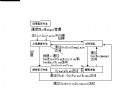
MSFlexGrid 本身不支援直接編輯,解法是在滑鼠點選儲存格時,動態顯示一個隱藏的 CEdit 或 CComboBox,精確覆蓋該儲存格,造成「直接編輯」的假象。
OnClick),判斷該欄採用文字編輯或下拉選單。MoveWindow 至該矩形並 ShowWindow(SW_SHOW)。OnKillFocus),回寫新值至 MSFlexGrid,隱藏編輯控件。CRect rectGrid;
m_FlexGrid.GetWindowRect(&rectGrid);
ScreenToClient(&rectGrid);
CDC* pDC = GetDC();
int twipsPerPixelX = 1440 / pDC->GetDeviceCaps(LOGPIXELSX);
int twipsPerPixelY = 1440 / pDC->GetDeviceCaps(LOGPIXELSY);
long row = m_FlexGrid.GetRowSel();
long col = m_FlexGrid.GetColSel();
long x = m_FlexGrid.GetColPos(col) / twipsPerPixelX;
long y = m_FlexGrid.GetRowPos(row) / twipsPerPixelY;
long w = m_FlexGrid.GetColWidth(col) / twipsPerPixelX + 1;
long h = m_FlexGrid.GetRowHeight(row) / twipsPerPixelY + 1;
CRect rcCell(x, y, x + w, y + h);
rcCell.OffsetRect(rectGrid.left + 1, rectGrid.top + 1); // 轉為對話框客戶區座標
CString strVal = m_FlexGrid.GetTextMatrix(row, col);

if (m_ChangeCombo.GetCount() > 0) // 該欄用下拉選單
{
    m_ChangeCombo.ShowWindow(SW_SHOW);
    m_ChangeCombo.MoveWindow(&rcCell);
    m_ChangeCombo.SelectString(-1, strVal);
    m_ChangeCombo.SetFocus();
}
else // 文字編輯
{
    m_Change.ShowWindow(SW_SHOW);
    m_Change.SetWindowText(strVal);
    m_Change.SetFocus();
    m_Change.SetSel(0, -1);
    m_Change.MoveWindow(&rcCell);
}
void OnKillFocusEdit()
{
    UpdateData(TRUE);
    m_FlexGrid.SetText(m_sChange);
    m_Change.ShowWindow(SW_HIDE);
    UpdateData(FALSE);
}

void OnKillFocusCombo()
{
    UpdateData(TRUE);
    CString str;
    m_ChangeCombo.GetWindowText(str);
    m_FlexGrid.SetText(str);
    m_ChangeCombo.ShowWindow(SW_HIDE);
    UpdateData(FALSE);
}
CListCtrl + LVS_EX_LABELTIP 等現代替代方案。此法雖屬經典技巧,但在維護舊專案或輕量需求時仍具實用價值。