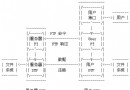
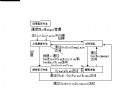
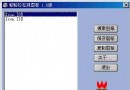
開發常駐系統匣的工具,定期掃描並關閉 IE 彈出視窗,並支援熱鍵手動觸發。採用 C# 實作,視窗搜尋效能優於傳統 C++ 方案。
NotifyIcon)System.Timers.Timer)EnumThreadWindows、FindWindowEx)RegisterHotKey)// 主視窗隱藏不顯示在工作列
this.ShowInTaskbar = false;
this.Visible = false;
// 關閉鈕改為最小化到匣
protected override void OnClosing(CancelEventArgs e)
{
e.Cancel = true;
this.WindowState = FormWindowState.Minimized;
this.Hide();
}
// 匣圖示右鍵選單動態啟用/停用
private void menu_App_BeforePopup(object sender, EventArgs e)
{
if (this.WindowState == FormWindowState.Minimized)
{
App_Show.Enabled = true;
App_Hide.Enabled = false;
}
else
{
App_Show.Enabled = false;
App_Hide.Enabled = true;
}
}m_Timer = new System.Timers.Timer();
m_Timer.Elapsed += OnTimerKillPopup;
m_Timer.Interval = 3000; // 3 秒
m_Timer.Enabled = true;
protected void OnTimerKillPopup(object source, ElapsedEventArgs e)
{
m_Timer.Enabled = false;
FindPopupToKill();
m_Timer.Enabled = true;
}Process[] ies = Process.GetProcessesByName("IEXPLORE");
foreach (Process p in ies) FindPopupToKill(p);
void FindPopupToKill(Process p)
{
foreach (ProcessThread t in p.Threads)
{
NativeWIN32.EnumThreadProc cb = MyEnumThreadWindowsProc;
NativeWIN32.EnumThreadWindows(t.Id, cb, IntPtr.Zero);
}
}
bool MyEnumThreadWindowsProc(IntPtr hwnd, IntPtr lParam)
{
NativeWIN32.STRINGBUFFER title;
NativeWIN32.GetWindowText(hwnd, out title, 256);
string s = title.szText;
if (s.Length == 0) return true;
foreach (ListViewItem item in listView1.Items)
if (s.StartsWith(item.Text))
NativeWIN32.SendMessage(hwnd, NativeWIN32.WM_SYSCOMMAND,
NativeWIN32.SC_CLOSE, IntPtr.Zero);
return true;
}FindWindowEx 直接尋找 IEFrame 類別(更簡潔高效)void FindPopupToKill()
{
IntPtr hParent = IntPtr.Zero, hNext = IntPtr.Zero;
const string IE_CLASS = "IEFrame";
do
{
hNext = NativeWIN32.FindWindowEx(hParent, hNext, IE_CLASS, IntPtr.Zero);
if (hNext != IntPtr.Zero)
{
NativeWIN32.STRINGBUFFER title;
NativeWIN32.GetWindowText(hNext, out title, 256);
string s = title.szText;
if (s.Length > 0)
{
foreach (ListViewItem item in listView1.Items)
if (s.StartsWith(item.Text))
NativeWIN32.SendMessage(hNext, NativeWIN32.WM_SYSCOMMAND,
NativeWIN32.SC_CLOSE, IntPtr.Zero);
}
}
} while (hNext != IntPtr.Zero);
}public class NativeWIN32
{
[DllImport("user32.dll", CharSet = CharSet.Auto)]
public static extern bool EnumThreadWindows(int threadId,
EnumThreadProc pfnEnum, IntPtr lParam);
[DllImport("user32.dll", CharSet = CharSet.Auto)]
public static extern IntPtr FindWindowEx(IntPtr parent, IntPtr next,
string className, IntPtr windowTitle);
[StructLayout(LayoutKind.Sequential, CharSet = CharSet.Auto)]
public struct STRINGBUFFER
{
[MarshalAs(UnmanagedType.ByValTStr, SizeConst = 256)]
public string szText;
}
[DllImport("user32.dll", CharSet = CharSet.Auto)]
public static extern int GetWindowText(IntPtr hWnd,
out STRINGBUFFER lpString, int nMaxCount);
[DllImport("user32.dll", CharSet = CharSet.Auto)]
public static extern int SendMessage(IntPtr hWnd, int msg,
int wParam, int lParam);
public const int WM_SYSCOMMAND = 0x0112;
public const int SC_CLOSE = 0xF060;
public delegate bool EnumThreadProc(IntPtr hwnd, IntPtr lParam);
}