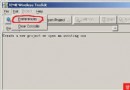
在 WTK 目錄下的裝置屬性檔(如 DefaultColorPhone.properties)中,將 touch_screen=false 改為 touch_screen=true。
Canvas 提供三個觸控相關方法:
pointerPressed(int x, int y):手指按下pointerReleased(int x, int y):手指釋放pointerDragged(int x, int y):手指拖曳(暫未深入研究)座標 (x, y) 為螢幕絕對位置。
protected void pointerPressed(int x, int y) {
    switch (status) {
        case Consts.S_MENU:
            int menuWidth = 90;
            int menuItemHeight = 17;
            int menuBarHeight = 16;
            int menuNum = 10;
            if (x < menuWidth && y > (screenHeight - (menuItemHeight * menuNum + menuBarHeight))) {
                int menuIndex = (y - (screenHeight - (menuItemHeight * menuNum + menuBarHeight))) / menuItemHeight;
                doMenuOK(menuIndex);
            }
            break;

        case Consts.S_DRAW_DIBIAO_LIST:
        case Consts.S_LOCAL_SEARCH_RESULT:
        case Consts.S_MAP_VIEW:
            // 左右軟鍵區域:左下角 40x20、右下角 40x20
            if (x < 40 && y > (screenHeight - 20)) {
                doCommandLeft();   // 左軟鍵
            }
            if (x > (screenWidth - 40) && y > (screenHeight - 20)) {
                doCommandRight();  // 右軟鍵
            }
            break;
    }
}
pointerReleased 處理點擊確認,避免誤觸。透過簡單的設定與事件覆寫,即可在 J2ME 應用中支援觸控操作,為使用者帶來更直觀的互動體驗。