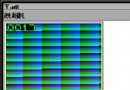
MIDP 2.0 提供 Image.getRGB() 與 Graphics.drawRGB() 實現像素級讀寫。每像素為 32 位 ARGB 格式:0xAARRGGBB(Alpha 佔最高 8 位)。
>> 右移(無號右移用 >>>)<< 左移& 位元 AND| 位元 ORimage.getRGB(argb, 0, w, 0, 0, w, h)int a = (argb[i] >> 24) & 0xFFargb[i] = (newAlpha << 24) | (argb[i] & 0x00FFFFFF)g.drawRGB(argb, 0, w, x, y, w, h, true)public class TCanvas extends Canvas {
private Image image;
private int[] argb;
public TCanvas() {
try {
image = Image.createImage("/test.png");
} catch (IOException e) { e.printStackTrace(); }
argb = new int[image.getWidth() * image.getHeight()];
image.getRGB(argb, 0, image.getWidth(), 0, 0,
image.getWidth(), image.getHeight());
int alpha = 100; // 設定半透明度 (0-255)
for (int i = 0; i < argb.length; i++) {
argb[i] = (alpha << 24) | (argb[i] & 0x00FFFFFF);
}
}
protected void paint(Graphics g) {
// 先畫背景圖以觀察半透明疊加效果
g.drawImage(image, 0, 0, Graphics.TOP | Graphics.LEFT);
// 再畫半透明像素陣列(偏移 100 像素避免完全重疊)
g.drawRGB(argb, 0, image.getWidth(), 0, 100,
image.getWidth(), image.getHeight(), true);
}
}同樣在迴圈中操作 RGB 分量:
int gray = (r + g + b) / 3; argb[i] = (a<<24) | (gray<<16) | (gray<<8) | gray;