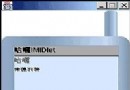
MMAPI (JSR 135) 增強 Java ME 多媒體支援,包含音訊、視訊播放與擷取。大多數支援 JTWI 1.0 的手機皆內建 MMAPI。本文示範如何使用 MMAPI 直接播放 GIF 動畫,流程類似播放視訊檔案。
image/gif 內容類型。Manager.createPlayer(InputStream, "image/gif") 建立 Player。player.realize() 預載資源。VideoControl,使用 USE_GUI_PRIMITIVE 模式取得 Item 並加入 Form 顯示。player.start() 開始播放。player.close()、設為 null。package com.j2medev.gif;
import java.io.IOException;
import java.io.InputStream;
import javax.microedition.lcdui.Display;
import javax.microedition.lcdui.Form;
import javax.microedition.lcdui.Item;
import javax.microedition.media.Manager;
import javax.microedition.media.MediaException;
import javax.microedition.media.Player;
import javax.microedition.media.control.VideoControl;
import javax.microedition.midlet.*;
public class GifPlayer extends MIDlet {
private Display display = null;
private Player player = null;
public void startApp() {
if (display == null) display = Display.getDisplay(this);
Form form = new Form("gif player");
InputStream is = getClass().getResourceAsStream("/a.gif");
createPlayer(is);
if (player == null) {
form.append("can not play image/gif");
} else {
VideoControl vc = (VideoControl) player.getControl("VideoControl");
if (vc != null) {
form.append((Item) vc.initDisplayMode(VideoControl.USE_GUI_PRIMITIVE, null));
}
}
display.setCurrent(form);
try { player.start(); }
catch (MediaException ex) { ex.printStackTrace(); }
}
private void createPlayer(InputStream is) {
String[] contents = Manager.getSupportedContentTypes(null);
for (int i = 0; i < contents.length; i++) {
if (contents[i].toLowerCase().indexOf("image/gif") != -1) {
try {
player = Manager.createPlayer(is, "image/gif");
player.realize();
} catch (IOException | MediaException ex) {
ex.printStackTrace();
}
}
}
}
public void pauseApp() {}
public void destroyApp(boolean unconditional) {
if (player != null) { player.close(); player = null; }
}
}
res 目錄並隨 JAR 打包。image/gif,createPlayer 會失敗,需提供替代方案(如幀動畫)。VideoControl.USE_GUI_PRIMITIVE 回傳 Item,可直接加入高階 UI 容器(Form)。MMAPI 讓 GIF 動畫播放變得簡單,無需自行解析幀與計時,適合簡單動畫呈現。若需更精細控制(如暫停、跳幀),仍建議自行實作幀動畫邏輯。