在 WTK 目錄下的 DefaultColorPhone.properties 中將 touch_screen=false 改為 true 即可啟用模擬器觸控模擬。
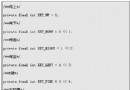
pointerDragged(int x, int y):拖曳事件pointerPressed(int x, int y):按下事件,座標為觸控點位置pointerReleased(int x, int y):釋放事件protected void pointerPressed(int x, int y) {
switch (status) {
case Consts.S_MENU:
int menuWidth = 90;
int menuItemHeight = 17;
int menuBarHeight = 16;
int menuNum = 10;
if (x < menuWidth && y > (screenHeight - (menuItemHeight * menuNum + menuBarHeight))) {
int menuIndex = (y - (screenHeight - (menuItemHeight * menuNum + menuBarHeight))) / menuItemHeight;
doMenuOK(menuIndex);
}
break;
case Consts.S_DRAW_DIBIAO_LIST:
case Consts.S_LOCAL_SEARCH_RESULT:
case Consts.S_MAP_VIEW:
// 左右軟鍵區域:左下 40x20、右下 40x20
if (x < 40 && y > (screenHeight - 20)) {
doCommandLeft();
}
if (x > (screenWidth - 40) && y > (screenHeight - 20)) {
doCommandRight();
}
break;
}
}
關鍵點:根據遊戲狀態(status)劃分不同互動區域,利用螢幕寬高(screenWidth/screenHeight)計算相對座標,實現虛擬按鍵與選單項目點擊判斷。