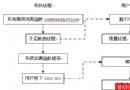
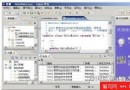
本範例實現一個經典的藍牙回聲服務:服務端將收到的字串轉為大寫後回傳。包含三個核心類別:StupidBTMIDlet(主控制器)、ServerBox(服務端 UI)、ClientBox(客戶端 UI)。已在 WTK 2.2 模擬器、Nokia 6600/6670 真機驗證通過。
public class StupidBTMIDlet extends MIDlet implements CommandListener {
    private List mainMenu;
    private ServerBox serverBox;
    private ClientBox clientBox;

    protected void startApp() {
        mainMenu = new List("藍牙入門範例", List.IMPLICIT);
        mainMenu.append("客戶端", null);
        mainMenu.append("服務端", null);
        mainMenu.setCommandListener(this);
        Display.getDisplay(this).setCurrent(mainMenu);
    }

    public void commandAction(Command cmd, Displayable disp) {
        if (cmd == List.SELECT_COMMAND) {
            int index = mainMenu.getSelectedIndex();
            if (index == 1) { // 服務端
                if (serverBox == null) serverBox = new ServerBox(this);
                serverBox.setString(null);
                Display.getDisplay(this).setCurrent(serverBox);
            } else { // 客戶端
                clientBox = null; System.gc(); // 強制重建
                clientBox = new ClientBox(this);
                Display.getDisplay(this).setCurrent(clientBox);
            }
        }
    }

    public void showMainMenu() { Display.getDisplay(this).setCurrent(mainMenu); }
    public void showString(String msg) { /* Alert 提示實現 */ }
}public class ClientBox extends Form implements Runnable, CommandListener, DiscoveryListener {
private static final UUID ECHO_SERVER_UUID =
new UUID("F0E0D0C0B0A000908070605040302010", false);
private DiscoveryAgent discoveryAgent;
private Vector devices = new Vector(); // 發現的遠端設備
private Vector records = new Vector(); // 發現的服務記錄
private int[] transIDs; // 服務搜尋事務 ID
public void run() {
// 1. 藍牙初始化
Gauge gauge = new Gauge(null, false, Gauge.INDEFINITE, Gauge.CONTINUOUS_RUNNING);
append(gauge);
showInfo("藍牙初始化...");
try {
LocalDevice local = LocalDevice.getLocalDevice();
discoveryAgent = local.getDiscoveryAgent();
} catch (Exception e) { showInfo("藍牙不可用"); delete(1); return; }
// 2. 設備探查
UUID[] uuidSet = { new UUID(0x1101), ECHO_SERVER_UUID };
try { discoveryAgent.startInquiry(DiscoveryAgent.GIAC, this); }
catch (BluetoothStateException e) {}
try { synchronized(this) { wait(); } } catch (InterruptedException e) {}
showInfo("設備搜尋完成,共 " + devices.size() + " 台,開始服務搜尋");
// 3. 服務搜尋(每台設備獨立事務)
transIDs = new int[devices.size()];
for (int i = 0; i < devices.size(); i++) {
RemoteDevice rd = (RemoteDevice) devices.elementAt(i);
try {
transIDs[i] = discoveryAgent.searchServices(null, uuidSet, rd, this);
} catch (BluetoothStateException e) { continue; }
}
try { synchronized(this) { wait(); } } catch (InterruptedException e) {}
// 4. 顯示發送介面
showInfo("服務搜尋完成,共 " + records.size() + " 項服務");
if (records.size() > 0) {
append(inputField);
addCommand(new Command("發送", Command.OK, 0));
}
delete(1); // 移除進度條
}
// DiscoveryListener 回調實現
public void deviceDiscovered(RemoteDevice btDevice, DeviceClass cod) {
if (devices.indexOf(btDevice) == -1) devices.addElement(btDevice);
}
public void inquiryCompleted(int discType) { synchronized(this) { notify(); } }
public void servicesDiscovered(int transID, ServiceRecord[] servRecord) {
for (ServiceRecord sr : servRecord) records.addElement(sr);
}
public void serviceSearchCompleted(int transID, int respCode) {
// 標記事務完成,全部完成時喚醒主線程
for (int i = 0; i < transIDs.length; i++) {
if (transIDs[i] == transID) { transIDs[i] = -1; break; }
}
boolean finished = true;
for (int id : transIDs) if (id != -1) { finished = false; break; }
if (finished) synchronized(this) { notify(); }
}
// 服務存取與資料傳輸
private boolean accessService(ServiceRecord sr) {
try {
String url = sr.getConnectionURL(ServiceRecord.NOAUTHENTICATE_NOENCRYPT, false);
StreamConnection conn = (StreamConnection) Connector.open(url);
DataOutputStream dos = conn.openDataOutputStream();
dos.writeUTF(inputField.getString());
dos.close();
DataInputStream dis = conn.openDataInputStream();
String echo = dis.readUTF();
dis.close();
showInfo("回傳結果: " + echo);
return true;
} catch (IOException e) { return false; }
}
}public class ServerBox extends TextBox implements Runnable, CommandListener {
private static final UUID ECHO_SERVER_UUID =
new UUID("F0E0D0C0B0A000908070605040302010", false);
private LocalDevice localDevice;
private StreamConnectionNotifier notifier;
private ServiceRecord record;
private boolean isClosed = false;
private ClientProcessor processor;
public void run() {
try {
localDevice = LocalDevice.getLocalDevice();
if (!localDevice.setDiscoverable(DiscoveryAgent.GIAC)) {
showInfo("無法設定可發現模式"); return;
}
// 建立服務 URL:btspp://localhost:UUID;name=Echo Server;authorize=false
StringBuffer url = new StringBuffer("btspp://localhost:");
url.append(ECHO_SERVER_UUID.toString());
url.append(";name=Echo Server;authorize=false");
notifier = (StreamConnectionNotifier) Connector.open(url.toString());
record = localDevice.getRecord(notifier);
showInfo("初始化成功,等待連線...");
removeCommand(publishCmd); addCommand(cancelCmd);
} catch (Exception e) { showInfo("初始化失敗"); return; }
processor = new ClientProcessor();
while (!isClosed) {
try {
StreamConnection conn = notifier.acceptAndOpen(); // 阻塞等待連線
processor.addConnection(conn);
} catch (IOException e) { continue; }
}
}
// 內部類:客戶端連線處理器(生產者-消費者模式)
private class ClientProcessor implements Runnable {
private Vector queue = new Vector();
private Thread thread = new Thread(this);
ClientProcessor() { thread.start(); }
public void run() {
while (!isClosed) {
StreamConnection conn;
synchronized (this) {
while (queue.isEmpty() && !isClosed) {
try { wait(); } catch (InterruptedException e) {}
}
if (isClosed) return;
conn = (StreamConnection) queue.firstElement();
queue.removeElementAt(0);
}
processConnection(conn); // 處理單一連線
}
}
void addConnection(StreamConnection conn) {
synchronized (this) { queue.addElement(conn); notify(); }
}
}
private void processConnection(StreamConnection conn) {
String input = readInputString(conn);
String output = input.toUpperCase(); // 核心業務邏輯:轉大寫
sendOutputData(output, conn);
try { conn.close(); } catch (IOException e) {}
showInfo("客戶端輸入: " + input + ",已回應!");
}
}wait()/notify() 協調探查/搜尋階段;服務端採用生產者-消費者隊列處理並發連線authorize=false 降低配對門檻,提升相容性此範例展示了 JSR-82 核心 API 的標準使用模式,是開發藍牙對戰遊戲、資料同步應用的絕佳起點。