在 ASP 經典開發時代,為了解決腳本語言效能低、維護困難的問題,常見做法是將商業邏輯封裝為 COM 組件。本文詳細示範如何使用 ATL 建立支援 ASP 內建物件的 COM 組件。
ASPCOM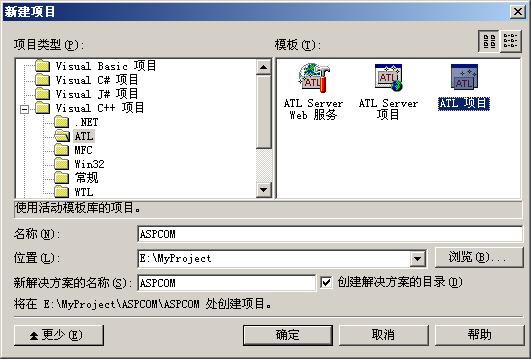
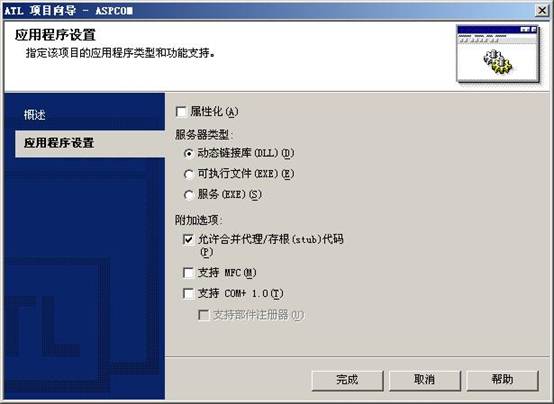
MyTest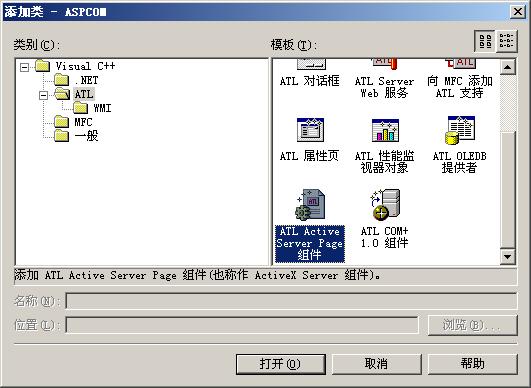
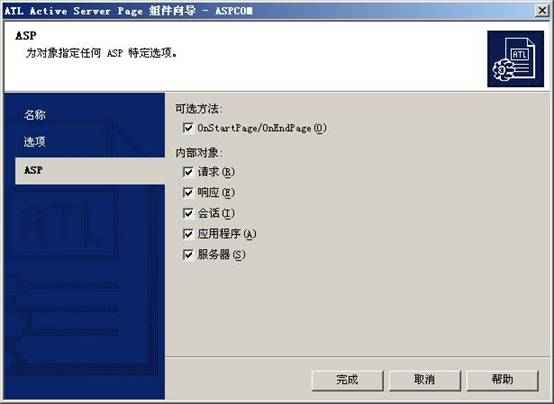
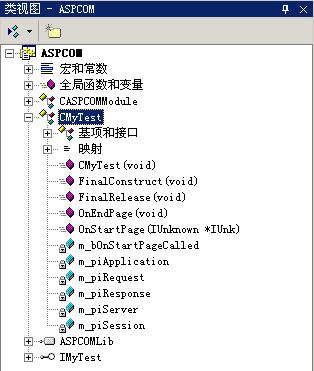
ATL 精靈會自動處理 OnStartPage 與 OnEndPage 事件,完成 ASP 內建物件介面指標的獲取與釋放:
STDMETHODIMP CMyTest::TestASPComp(void)
{
    CComPtr<IRequestDictionary> pDict = NULL;
    HRESULT hr = S_OK;
    _bstr_t str;

    try {
        // 從 Request 物件獲取 Form 集合
        hr = m_piRequest->get_Form(&pDict);
        if (FAILED(hr)) return hr;

        // 讀取表單欄位值
        hr = GetDictItemValue(pDict, L"Name", str);
        if (FAILED(hr)) _com_issue_errorex(hr, pDict, __uuidof(IRequestDictionary));

        // 輸出至 Response
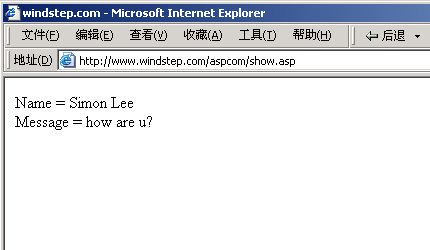
        m_piResponse->Write(_variant_t(L"Name="));
        m_piResponse->Write(_variant_t(str));

        // 讀取第二個欄位
        hr = GetDictItemValue(pDict, L"Message", str);
        if (FAILED(hr)) _com_issue_errorex(hr, pDict, __uuidof(IRequestDictionary));

        m_piResponse->Write(_variant_t(L"<br>\nMessage="));
        m_piResponse->Write(_variant_t(str));
    }
    catch (_com_error e) {
        return e.Error();
    }

    return S_OK;
}<html>
<head>
<meta http-equiv="Content-Type" content="text/html; charset=utf-8" />
<title>ASP COM Component Test</title>
</head>
<body>
<form name="form" method="post" action="show.asp">
<table>
<tr><td>Name:</td><td><input name="Name" type="text" id="Name"></td></tr>
<tr><td>Message:</td><td><input name="Message" type="text" id="Message"></td></tr>
<tr><td></td><td><input type="submit" value="Submit"></td></tr>
</table>
</form>
</body>
</html><%@LANGUAGE="JSCRIPT" CODEPAGE="65001"%>
<%
function TestComponent() {
try {
var obj = new ActiveXObject("ASPCOM.MyTest");
obj.TestASPComp();
delete obj;
}
catch(e) {
Response.Write("Error " + (e.Number & 0xFFFF));
Response.Write(" - " + e.Description);
}
}
%>
<html>
<head><title>Result</title></head>
<body>
<% TestComponent(); %>
</body>
</html>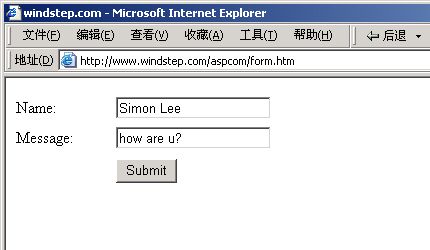
ATL 精靈大幅簡化了 ASP COM 組件的開發流程,自動處理內建物件的生命週期管理。開發者只需專注於商業邏輯實作,即可獲得高效能、易維護的伺服端元件。