無需 CDib 類別,直接以 Win32 API LoadImage、StretchBlt 載入並繪製外部 BMP 檔案,搭配 CFileFind 實現資料夾內多圖瀏覽。
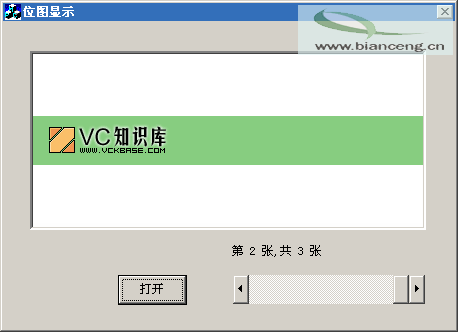
CFileDialog dlg(TRUE, "bmp", "*.bmp", OFN_HIDEREADONLY|OFN_OVERWRITEPROMPT,
                "位圖檔(*.bmp)|*.bmp||");
if (dlg.DoModal() == IDOK) {
    Calculate(); // 掃描同目錄下所有 .bmp

    HWND hPic = GetDlgItem(IDC_PIC)->m_hWnd;
    HDC hDst = ::GetDC(hPic);
    HDC hSrc = CreateCompatibleDC(hDst);

    HBITMAP hBmp = (HBITMAP)LoadImage(AfxGetInstanceHandle(),
        dlg.GetPathName(), IMAGE_BITMAP, 0, 0,
        LR_LOADFROMFILE | LR_CREATEDIBSECTION);

    BITMAP bm; GetObject(hBmp, sizeof(BITMAP), &bm);
    SelectObject(hSrc, hBmp);

    RECT rc; ::GetClientRect(hPic, &rc);
    SetStretchBltMode(hDst, COLORONCOLOR); // 關鍵:高品質縮放
    StretchBlt(hDst, rc.left, rc.top, rc.right, rc.bottom,
               hSrc, 0, 0, bm.bmWidth, bm.bmHeight, SRCCOPY);

    // 更新捲軸與張數顯示
    int pos = FindIndex(dlg.GetPathName());
    m_Scroll.SetScrollRange(0, total-1);
    m_Scroll.SetScrollPos(pos);
    m_Num.Format("第 %d 張, 共 %d 張", pos+1, total);
    UpdateData(FALSE);

    SetTimer(ID_TIMER, 30, NULL); // 避免對話框殘留黑塊
}void Calculate() {
total = 0;
CFileFind finder;
BOOL b = finder.FindFile("*.bmp");
while (b) {
b = finder.FindNextFile();
files[total++] = finder.GetFilePath(); // 絕對路徑
}
}void OnHScroll(UINT code, UINT pos, CScrollBar* bar) {
if (bar->GetDlgCtrlID() == IDC_SCROLL) {
int idx = m_Scroll.GetScrollPos();
LoadBitmapByIndex(idx); // 同開啟邏輯,改用 files[idx]
}
}SetStretchBltMode(hDC, COLORONCOLOR) 必須設定,否則縮放畫質極差SetTimer 強制重繪char FileName[250] 需足夠大,避免截斷