.NET 3.5 雖引入 Send/Receive 活動實現 WCF/WF 整合,但痛點明顯:
ForEach、DoWhile、BreakInvokeMethod、Assign、PersistSendMessage/ReceiveMessage (單向)、ClientOperation/ServiceOperation (請求/回應)、CorrelationScope、InitializeCorrelation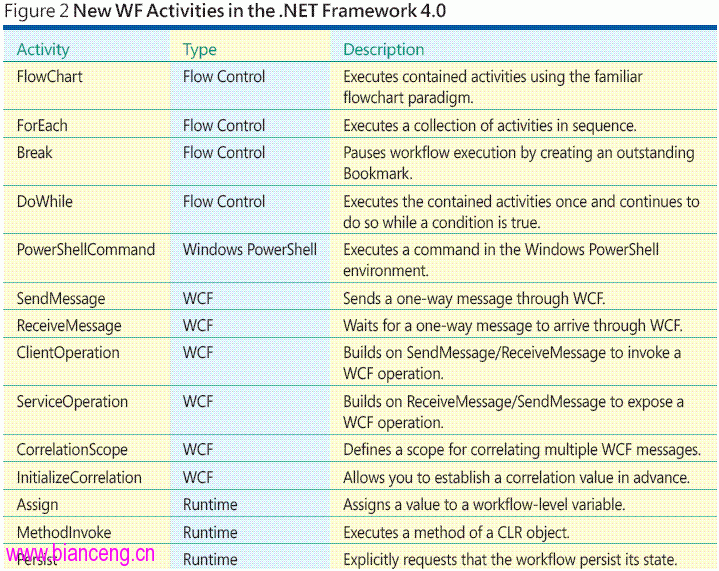
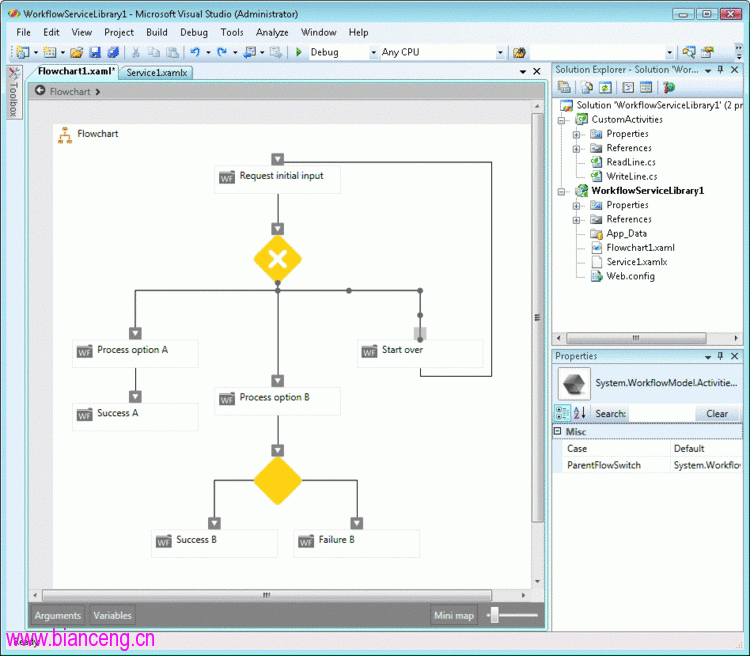
// 基於 Activity 組合現有活動 (無需覆寫 Execute)
public class CopyFile : Activity
{
    public InArgument<string> Source { get; set; }
    public InArgument<string> Destination { get; set; }

    protected override WorkflowElement CreateBody()
    {
        return new PowerShellCommand
        {
            CommandText = "copy-item",
            Parameters = {
                { "path", new InArgument<string>(Source) },
                { "destination", new InArgument<string>(Destination) },
                { "recurse", new InArgument<bool>(false) }
            }
        };
    }
}
全新 InArgument<T>/OutArgument<T>/InOutArgument<T> 類型化參數系統,徹底解決舊版 Queue 序列化痛苦。
<Sequence>
  <Sequence.Variables>
    <Variable Name="message" Type="x:String" />
  </Sequence.Variables>
  <Assign To="[message]" Value="'Audit: something bad'" />
  <local:Audit Text="[message]" />
</Sequence><Service xmlns="clr-namespace:System.ServiceModel;assembly=System.WorkflowServiceModel">
<Service.KnownProjections>
<SoapContractProjection Name="ICalculatorSoap">
<ServiceContract Name="ICalculator">
<OperationContract Name="Add">
<OperationArgument Name="Op1" Type="x:Int32" />
<OperationArgument Name="Op2" Type="x:Int32" />
<OperationArgument Direction="Out" Name="Result" Type="x:Int32" />
</OperationContract>
</ServiceContract>
</SoapContractProjection>
</Service.KnownProjections>
<Service.Implementation>
<WorkflowServiceImplementation> ... </WorkflowServiceImplementation>
</Service.Implementation>
<Service.Endpoints>
<Endpoint Uri="https://localhost:8080/calc" ContractProjection="{x:Reference ICalculatorSoap}">
<Endpoint.Binding><BasicHttpBinding /></Endpoint.Binding>
</Endpoint>
</Service.Endpoints>
</Service>| IIS/WAS 現狀 | Dublin 補足 |
|---|---|
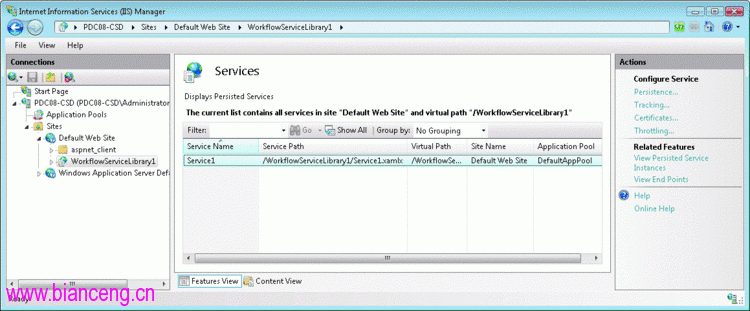
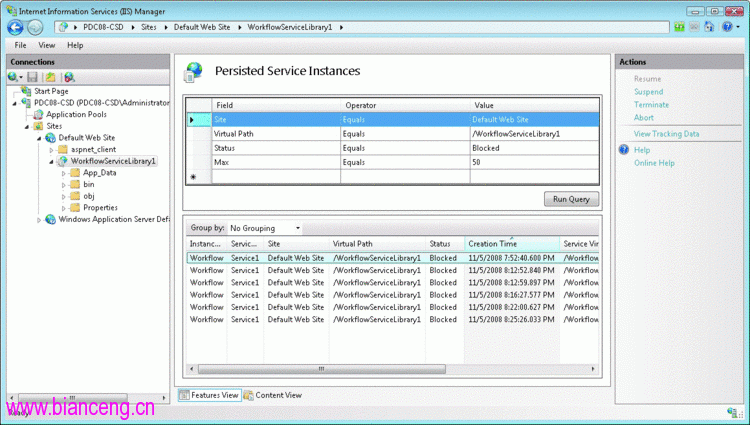
| 通用進程啟動/回收 | WCF/WF 專屬服務管理 (啟動、暫停、終止、中止實例) |
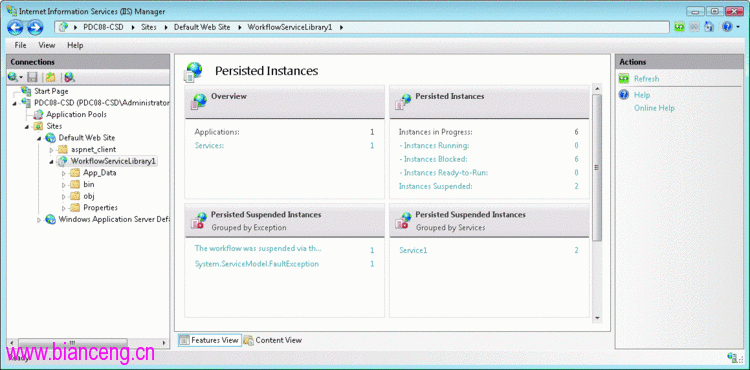
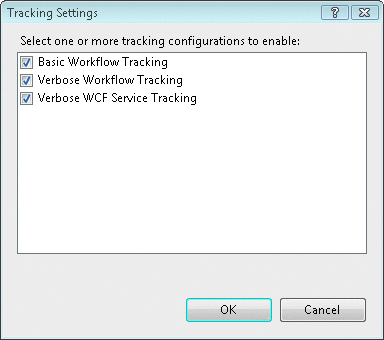
| 無服務級監控/追蹤 | 持久化實例儀表板、ETW 追蹤整合、自訂追蹤設定檔 |
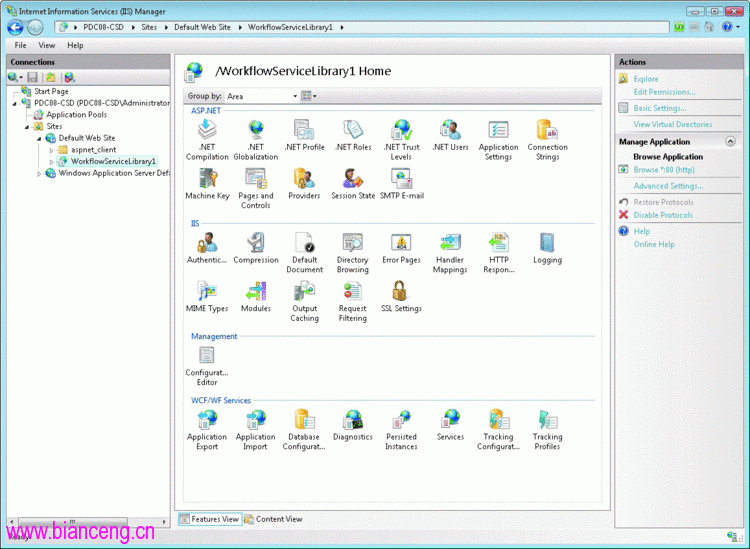
| 配置修改需編輯 XML | IIS 管理器圖形化配置持久化、追蹤、節流、安全性 |
| 部署需開發人員操作 | 應用程式匯出/匯入 (.zip 套件),IT 人員單獨部署 |
| 無優雅離線更新機制 | 「停用協議」/「還原協議」原子切換流量 |
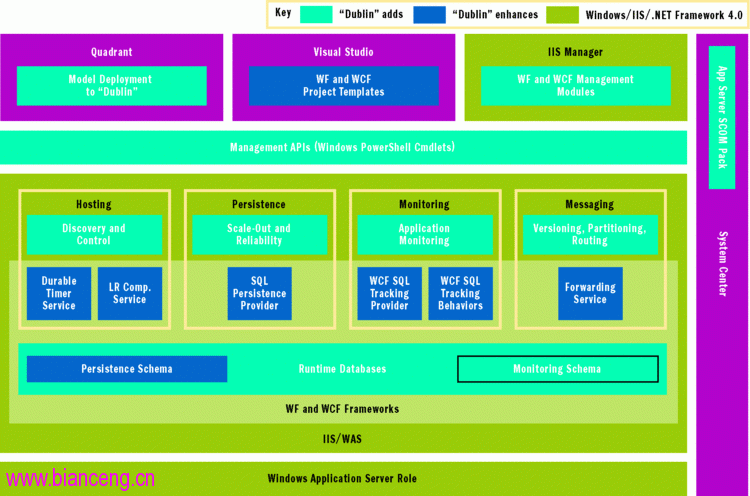
Disable-ApplicationMessageFlow 切斷流量 → 更新資料庫/程式碼 → Enable-ApplicationMessageFlow