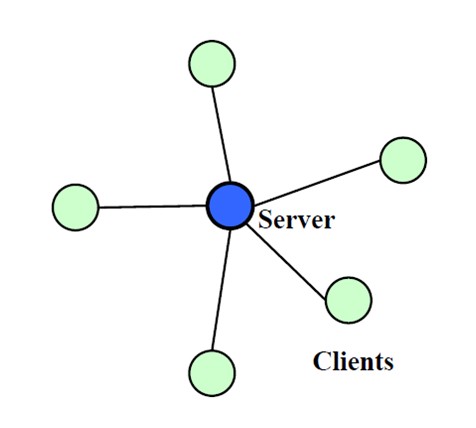
傳統 WCF 架構需中央服務轉發訊息,增加伺服器負擔。WCF NetPeerTcpBinding 提供 P2P (Peer-to-Peer) 通訊模式,每個節點同時是 Client 與 Service,適合區域網路即時資料同步。本文以「跨電腦剪貼簿文字同步」為例,示範完整實作流程。
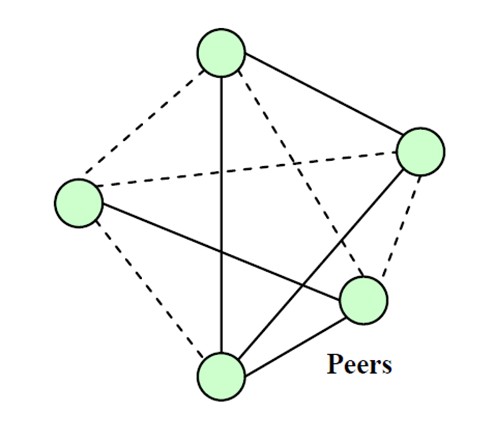
WndProc,攔截 WM_DRAWCLIPBOARD (0x308) 訊息,搭配 SetClipboardViewer / ChangeClipboardChain 維護剪貼簿檢視器鏈結。IShare,使用 NetPeerTcpBinding、SecurityMode.None、端點位址 net.p2p://SimpleP2P。[ServiceContract(CallbackContract = typeof(IShare))]
public interface IShare
{
[OperationContract(IsOneWay = true)]
void ShareClipboard(string type, string message);
}
public class ShareImplementation : IShare
{
private static Form m_receiverForm;
private static ClipEventHandler m_OnClipReceive;
public void ShareClipboard(string type, string message)
{
try { m_receiverForm.Invoke(m_OnClipReceive, type, message); }
catch (Exception e) { MessageBox.Show(e.ToString()); }
}
public void SetForm(Form form, ClipEventHandler callback)
{
m_receiverForm = form;
m_OnClipReceive = callback;
}
}
public delegate void ClipEventHandler(string type, string clipData);
public class Peer
{
    public string Id { get; private set; }
    public IShare Channel;
    public ShareImplementation Host;
    public Form Form;
    public ClipEventHandler ClipEventHandler;

    private DuplexChannelFactory<IShare> _factory;
    private readonly AutoResetEvent _stopFlag = new AutoResetEvent(false);

    public Peer(string id) { Id = id; }

    public void StartService()
    {
        var binding = new NetPeerTcpBinding { Security = { Mode = SecurityMode.None } };
        var endpoint = new ServiceEndpoint(
            ContractDescription.GetContract(typeof(IShare)),
            binding,
            new EndpointAddress("net.p2p://SimpleP2P"));

        Host = new ShareImplementation();
        Host.SetForm(Form, ClipEventHandler);

        _factory = new DuplexChannelFactory<IShare>(new InstanceContext(Host), endpoint);
        var channel = _factory.CreateChannel();
        ((ICommunicationObject)channel).Open();
        Channel = channel;
    }

    public void StopService()
    {
        ((ICommunicationObject)Channel).Close();
        if (_factory != null) _factory.Close();
    }

    public void Run()
    {
        StartService();
        _stopFlag.WaitOne();
        StopService();
    }

    public void Stop() { _stopFlag.Set(); }
}
protected override void WndProc(ref Message m)
{
    const int WM_DRAWCLIPBOARD = 0x308;
    const int WM_CHANGECBCHAIN = 0x030D;
    switch (m.Msg)
    {
        case WM_DRAWCLIPBOARD:
            DisplayClipboardData();
            SendMessage(nextClipboardViewer, m.Msg, m.WParam, m.LParam);
            break;
        case WM_CHANGECBCHAIN:
            if (m.WParam == nextClipboardViewer) nextClipboardViewer = m.LParam;
            else SendMessage(nextClipboardViewer, m.Msg, m.WParam, m.LParam);
            break;
        default: base.WndProc(ref m); break;
    }
}

void DisplayClipboardData()
{
    if (Clipboard.ContainsText() && peer?.Channel != null)
    {
        string msg = Clipboard.GetText();
        peer.Channel.ShareClipboard("text", msg);
    }
}

public void AddToClip(string type, string message)
{
    if (type == "text") richTextBox1.Text = message;
    // 可擴充 RTF、圖片、檔案等格式
}
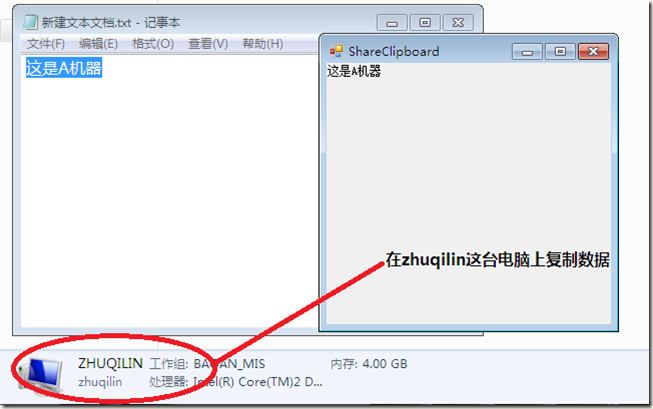
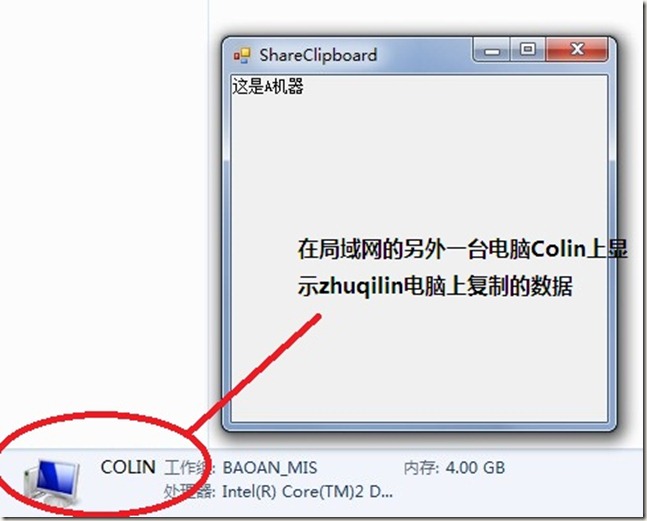
注意: P2P 管道建立需數秒,啟動後請稍候再測試。