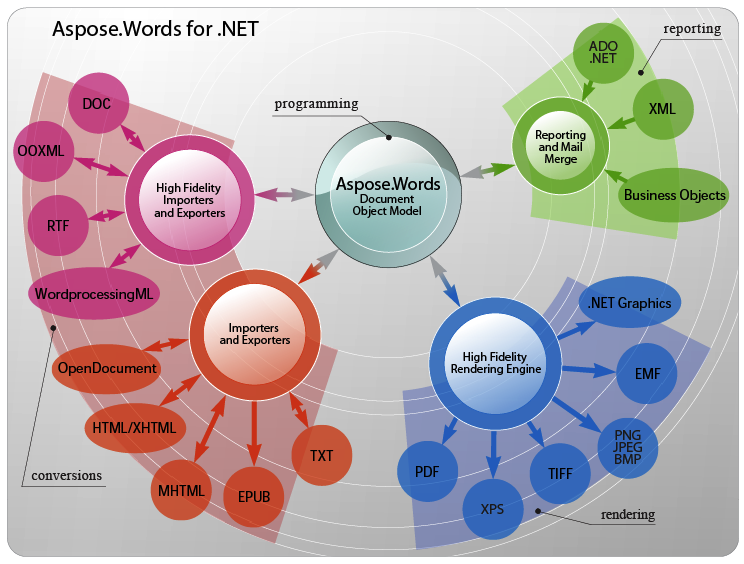
專案需求:匯出 Word 文件,格式由使用者自訂模板,表格欄位動態決定 (如僅勾選「姓名、性別」則僅匯出這兩欄)。Aspose.Words for .NET 不需安裝 Office、支援多種格式 (DOC/DOCX/PDF/HTML...),完美解決此需求。
模板中在需填入資料處插入「書籤」,程式碼透過 Document.Range.Bookmarks 定位並寫入值。
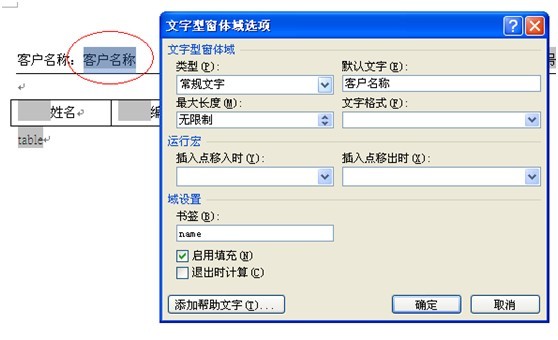
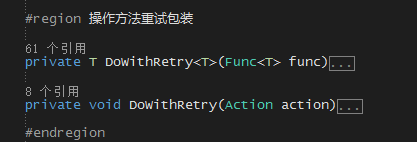
string tmppath = Server.MapPath("~/template.doc");
Document doc = new Document(tmppath);
if (doc.Range.Bookmarks["name"] != null)
{
    Bookmark mark = doc.Range.Bookmarks["name"];
    mark.Text = "張三公司";
}
doc.Save("demo.doc", SaveFormat.Doc, SaveType.OpenInWord, Response);
ProductName、Price)。table 作為資料列插入起點。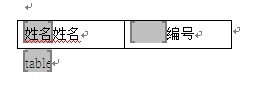
DocumentBuilder builder = new DocumentBuilder(doc);
DataTable products = this.GetData(); // 資料來源
int count = 0;

// 1. 依據資料欄位清除不需顯示的表頭書籤,統計實際顯示欄數
for (int i = 0; i < products.Columns.Count; i++)
{
    string colName = products.Columns[i].ColumnName.Trim();
    if (doc.Range.Bookmarks[colName] != null)
    {
        Bookmark mark = doc.Range.Bookmarks[colName];
        mark.Text = ""; // 清空表頭文字 (稍後重填)
        count++;
    }
}

// 2. 依序讀取表頭列書籤名稱,建立欄位順序清單
List<string> listcolumn = new List<string>(count);
for (int i = 0; i < count; i++)
{
    builder.MoveToCell(0, 0, i, 0); // 移至表格(0) 第0列 第i欄
    if (builder.CurrentNode.NodeType == NodeType.BookmarkStart)
        listcolumn.Add((builder.CurrentNode as BookmarkStart).Name);
}

double width = builder.CellFormat.Width; // 保留欄寬
builder.MoveToBookmark("table"); // 移至資料插入點

// 3. 逐列寫入資料
for (int m = 0; m < products.Rows.Count; m++)
{
    for (int i = 0; i < listcolumn.Count; i++)
    {
        builder.InsertCell();
        builder.CellFormat.Borders.LineStyle = LineStyle.Single;
        builder.CellFormat.Borders.Color = Color.Black;
        builder.CellFormat.Width = width;
        builder.CellFormat.VerticalMerge = CellMerge.None;
        builder.Write(products.Rows[m][listcolumn[i]].ToString());
    }
    builder.EndRow();
}

doc.Range.Bookmarks["table"].Text = ""; // 清除標記
doc.Save("baojiadan.doc", SaveFormat.Doc, SaveType.OpenInWord, Response);
最終文件僅包含使用者勾選的欄位,格式完全套用模板樣式。
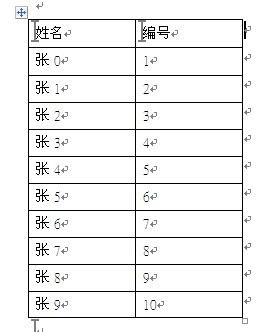
Aspose.Words 以 DocumentBuilder 操作文件 DOM,結合書籤定位,實現「模板外觀固定、欄位動態決定」的靈活報表產生。雖為商業套件,但功能強大、API 直覺,極適合企業級文件自動化需求。