MySQL 是全球最流行的開源關聯式資料庫,具備跨平台、多執行緒、高效能、易管理等優勢。本文針對 Windows 平台(95/98/NT),提供從下載、安裝、配置到啟動驗證的完整步驟。
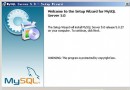
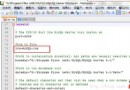
MySQL-shareware-3.22.32-win(免費、無 30 天限制)setup.exe,預設安裝至 C:\mysql,初學者建議採用預設路徑。mysql_example.cnf 複製為 C:\my.cnf,修改 basedir=c:/mysql(正斜線)。C:\mysql\bin,執行 mysqld-shareware --install 安裝為服務。mysqladmin -u root -p password 新密碼(初始密碼為空)。mysql -u root -p 輸入密碼,出現 MySQL> 提示符即成功。Welcome to the MySQL monitor. Commands end with ; or \g. Your MySQL connection id is 6268 to server version: 3.22.32 Type 'help' for help. MySQL>
mysqld-shareware.exe 即可(無服務機制)。/ 而非反斜線 \。my.cnf 的 basedir 與 datadir 設定是否正確。完成上述步驟,您已擁有一個可運作的 MySQL 伺服器。後續可進入資料庫建立、資料表設計、SQL 操作等核心學習階段。