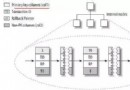
支持多從庫、級聯複製、雙主互備等拓撲。
/etc/my.cnf[mysqld]
server-id = 1
log-bin = mysql-bin
binlog-do-db = db1
binlog-do-db = db2 # 多庫重複配置,勿用逗號
binlog-ignore-db = testGRANT REPLICATION SLAVE ON *.* TO 'repl_user'@'%' IDENTIFIED BY 'StrongPass#2024';/etc/my.cnf[mysqld]
server-id = 2
relay-log = relay-bin
log-bin = mysql-bin # 建議開啟,便於從庫升主
master-host = 192.168.1.100
master-user = repl_user
master-password = StrongPass#2024
master-port = 3306
replicate-do-db = db1
replicate-do-db = db2# 主庫
FLUSH TABLES WITH READ LOCK;
SHOW MASTER STATUS; -- 記錄 File + Position
mysqldump --single-transaction --master-data=2 db1 db2 > init.sql
UNLOCK TABLES;
# 從庫
mysql < init.sql
CHANGE MASTER TO MASTER_LOG_FILE='mysql-bin.000003', MASTER_LOG_POS=370558;
START SLAVE;SHOW SLAVE STATUS\G關鍵指標:
Slave_IO_Running: Yes — I/O 線程正常Slave_SQL_Running: Yes — SQL 線程正常Seconds_Behind_Master: 0 — 無延遲Master_Log_File / Read_Master_Log_Pos — 已讀取 Binlog 位點Relay_Log_File / Relay_Log_Pos — 已執行 Relay Log 位點| 現象 | 原因 | 處理 |
|---|---|---|
| IO_Running=No | 網絡/認證/主庫 Binlog 丟失 | 檢查防火牆、賬戶、SHOW MASTER LOGS |
| SQL_Running=No | 事務執行報錯(主鍵衝突、表不存在等) | 查 Last_Error,修復後 START SLAVE SQL_THREAD |
| 延遲大 | 長事務、大表 DDL、從庫硬件弱 | 並行複製、升級硬件、拆分庫 |
STOP SLAVE;
# 拷貝數據目錄或 LVM 快照
START SLAVE;CHANGE REPLICATION FILTER REPLICATE_DO_DB=(db1,db3);SET GLOBAL SQL_SLAVE_SKIP_COUNTER=1; START SLAVE;啟用 gtid_mode=ON,CHANGE MASTER TO MASTER_AUTO_POSITION=1 自動定位,無需手動管理位點。
auto_increment_offset/auto_increment_increment 避免主鍵衝突Seconds_Behind_Master,防止環狀複製風暴