內網連接另一台機器的 MySQL,輸入密碼提示前需等待數十秒,但 ping 延遲極低。典型的 DNS 反向解析延遲症狀。
MySQL 啟動新連線執行緒時,預設會對客戶端 IP 執行反向 DNS 解析(gethostbyaddr),將 IP 解析為主機名用於權限表匹配。若 DNS 伺服器回應緩慢或失敗,連線執行緒會阻塞等待,導致「連線緩慢」假象。
/etc/resolv.conf,確保 nameserver 指向響應快速的 DNSresolv.conf,同步配置編輯 MySQL 配置檔(Windows my.ini / Linux my.cnf),在 [mysqld] 區段新增:
[mysqld]
skip-name-resolve
重啟 MySQL 服務生效。
| 副作用 | 說明 | 應對 |
|---|---|---|
| 權限表不再支援主機名 | GRANT ... TO 'user'@'hostname' 失效 | 權限表全部改用 IP 地址或通配符 % |
localhost 無法連線 | 本地連線需改用 127.0.0.1 | 應用程式連線字串統一用 IP;或保留 localhost 權限並新增 127.0.0.1 權限 |
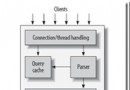
When a new thread connects to mysqld, mysqld will spawn a new thread to handle the request. This thread will first check if the hostname is in the hostname cache. If not the thread will call gethostbyaddr_r() and gethostbyname_r() to resolve the hostname... You can disable DNS host lookup by starting mysqld with --skip-name-resolve. In this case you can however only use IP names in the MySQL privilege tables.
HOST_CACHE_SIZE(預設 128,需重新編譯)--skip-host-cache 禁用主機名快取,配合 FLUSH HOSTS 定期清理skip-name-resolve# 修改前後對比 time mysql -h 192.168.1.x -u user -p -e "SELECT 1;" # 應從「數十秒」降至「毫秒級」
一行配置解決局域網 MySQL 連線緩慢,建議納入標準化部署清單。