使用 Eclipse IDE for Enterprise Java Developers 搭配 Apache Tomcat 建置 JSP/Servlet 開發環境,涵蓋安裝、配置、專案建立、除錯與常見問題。
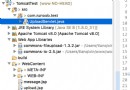
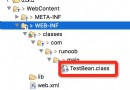
C:\Java\jdk-17)JAVA_HOME = JDK 安裝路徑Path 追加 %JAVA_HOME%\binjava -version、javac -versioneclipse-jee-*.zip 至無中文、無空格路徑 (如 D:\eclipse)eclipse.exe,選擇 Workspace (如 D:\workspace)Window → Preferences → Java → Installed JREs → Add → Standard VM → Directory: JAVA_HOMEGeneral → Workspace → Text file encoding: UTF-8、General → Content Types → Java/HTML/JSP → UTF-8apache-tomcat-10.1.x.zip 至 D:\tomcatWindow → Preferences → Server → Runtime Environments → AddApache Tomcat v10.1 → NextD:\tomcatServers 視圖 → 右鍵 New → ServerTomcat v10.1 Server → NextServer Locations 選 Use Tomcat installation (方便外部存取 webapps)Ports:HTTP/1.1 = 8080 (預設)Modules:稍後自動新增專案File → New → Dynamic Web ProjectJspDemoApache Tomcat v10.16.0 (Servlet 6.0)Default Configuration for Tomcat v10.1Generate web.xml deployment descriptor 勾選 → FinishJspDemo/ ├─ src/main/java/ Java 類別 (Servlet, Bean, Filter) ├─ src/main/webapp/ Web 根目錄 │ ├─ WEB-INF/ │ │ ├─ web.xml 部署描述 (可選,Servlet 3.0+ 多用註解) │ │ └─ lib/ 專用 JAR (Maven 管理時通常空) │ ├─ index.jsp 首頁 │ ├─ css/, js/, images/ 靜態資源 │ └─ META-INF/ └─ pom.xml Maven 專案 (建議啟用)
Configure → Convert to Maven Projectpom.xml 基礎依賴:<project xmlns="https://maven.apache.org/POM/4.0.0" ...>
<modelVersion>4.0.0</modelVersion>
<groupId>com.example</groupId>
<artifactId>JspDemo</artifactId>
<version>1.0-SNAPSHOT</version>
<packaging>war</packaging>
<properties>
<maven.compiler.source>17</maven.compiler.source>
<maven.compiler.target>17</maven.compiler.target>
<project.build.sourceEncoding>UTF-8</project.build.sourceEncoding>
<failOnMissingWebXml>false</failOnMissingWebXml>
</properties>
<dependencies>
<!-- Jakarta Servlet / JSP / EL API (provided by Tomcat) -->
<dependency>
<groupId>jakarta.platform</groupId>
<artifactId>jakarta.jakartaee-api</artifactId>
<version>10.0.0</version>
<scope>provided</scope>
</dependency>
<!-- JSTL 標籤庫 -->
<dependency>
<groupId>org.glassfish.web</groupId>
<artifactId>jstl</artifactId>
<version>2.0.0</version>
</dependency>
<!-- JSON 處理 -->
<dependency>
<groupId>com.fasterxml.jackson.core</groupId>
<artifactId>jackson-databind</artifactId>
<version>2.15.2</version>
</dependency>
<!-- 測試 -->
<dependency>
<groupId>org.junit.jupiter</groupId>
<artifactId>junit-jupiter</artifactId>
<version>5.10.0</version>
<scope>test</scope>
</dependency>
</dependencies>
<build>
<plugins>
<plugin>
<groupId>org.apache.maven.plugins</groupId>
<artifactId>maven-war-plugin</artifactId>
<version>3.3.2</version>
</plugin>
</plugins>
</build>
</project>
<%@ page language="java" contentType="text/html; charset=UTF-8" pageEncoding="UTF-8" %>
<%@ taglib prefix="c" uri="jakarta.tags.core" %>
<!DOCTYPE html>
<html>
<head><meta charset="UTF-8"><title>JSP Demo</title></head>
<body>
  <h1>Hello JSP!</h1>
  <p>時間:<%= new java.util.Date() %></p>
  <p>EL 輸出:${pageContext.request.remoteAddr}</p>
  <hr>
  <form action="hello" method="post">
    姓名:<input name="name"> <button type="submit">送出</button>
  </form>
</body>
</html>
package com.example;

import jakarta.servlet.*;
import jakarta.servlet.annotation.*;
import jakarta.servlet.http.*;
import java.io.IOException;

@WebServlet("/hello")
public class HelloServlet extends HttpServlet {
  @Override
  protected void doPost(HttpServletRequest req, HttpServletResponse resp)
      throws ServletException, IOException {
    req.setCharacterEncoding("UTF-8");
    String name = req.getParameter("name");
    req.setAttribute("name", name);
    req.getRequestDispatcher("/result.jsp").forward(req, resp);
  }
}
<%@ page contentType="text/html;charset=UTF-8" pageEncoding="UTF-8" %>
<!DOCTYPE html>
<html><body>
  <h2>Servlet 轉發結果</h2>
  <p>收到姓名:${requestScope.name}</p>
  <a href="index.jsp">返回</a>
</body></html>
Run As → Run on Server → 選擇 Tomcat → Finishhttps://localhost:8080/JspDemo/Debug As → Debug on ServerDCEVM / HotswapAgentSystem.out.println()、log4j2/slf4j 輸出| 問題 | 原因 | 解決 |
|---|---|---|
| Port 8080 已被佔用 | 其他 Tomcat/程式佔用 | 修改 Server Ports、或 netstat -ano | findstr 8080 找 PID 終止 |
| JSP 編譯錯誤 | JDK 版本不符、缺少 JSTL JAR | 確認 Project Facets Java 版本、Maven 依賴 scope |
| 404 Not Found | URL 錯誤、專案未部署、Context Path 錯誤 | 檢查 Server Modules 是否包含專案、web.xml/註解路徑 |
| 中文亂碼 | 編碼未統一 | pageEncoding、request.setCharacterEncoding、Tomcat URIEncoding、DB 連線 |
| ClassNotFound: jakarta.servlet.* | Tomcat 10+ 使用 jakarta.*,舊碼用 javax.* | 更新 import、Maven 依賴用 jakartaee-api |
spring-boot-starter-web 內嵌 Tomcat,零配置、生產級預設@RestController),前端用 Vue/React/ViteDockerfile 打包 maven:3.9-eclipse-temurin-17 建置 → tomcat:10.1-jre17 運行Checkstyle、SpotBugs、SonarLint Eclipse 外掛