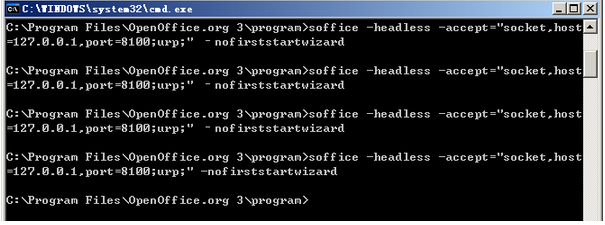
安裝完成後,以命令行啟動服務(端口 8100):
soffice -headless -accept="socket,host=127.0.0.1,port=8100;urp;" -nofirststartwizard
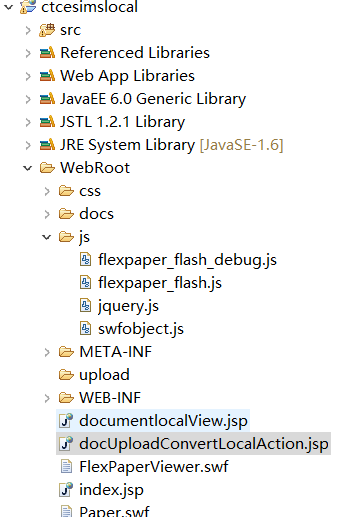
將 FlexPaper 的 js/ (含 flexpaper_flash.js, jquery.js) 及 FlexPaperViewer.swf 複製至 Web 根目錄。
public class DocConverterLocal {
    private String SWFTools_Windows = "D:/.../pdf2swf.exe ";
    private File docFile, pdfFile, swfFile, odtFile;

    public DocConverterLocal(String filePath) { ini(filePath); }

    private void ini(String fileString) { /* 初始化文件路徑,處理 TXT 轉 ODT 邏輯 */ }

    private void doc2pdf() throws Exception {
        if (!pdfFile.exists()) {
            OpenOfficeConnection conn = new SocketOpenOfficeConnection(8100);
            conn.connect();
            DocumentConverter converter = new OpenOfficeDocumentConverter(conn);
            converter.convert(docFile, pdfFile);
            conn.disconnect();
        }
    }

    private void pdf2swf() throws Exception {
        if (!swfFile.exists() && pdfFile.exists()) {
            Process p = Runtime.getRuntime().exec(SWFTools_Windows + pdfFile.getPath() + " -o " + swfFile.getPath() + " -T 9");
            // 處理輸出流
            if (pdfFile.exists()) pdfFile.delete();
        }
    }

    public boolean conver() { /* 協調 doc2pdf + pdf2swf */ }
    public String getswfPath() { /* 返回 SWF 路徑 */ }
}
接收上傳文件,調用 DocConverterLocal.conver(),獲取 SWF 路徑轉發至預覽頁。
引入 FlexPaper JS,初始化 Viewer 指向 SWF 路徑。
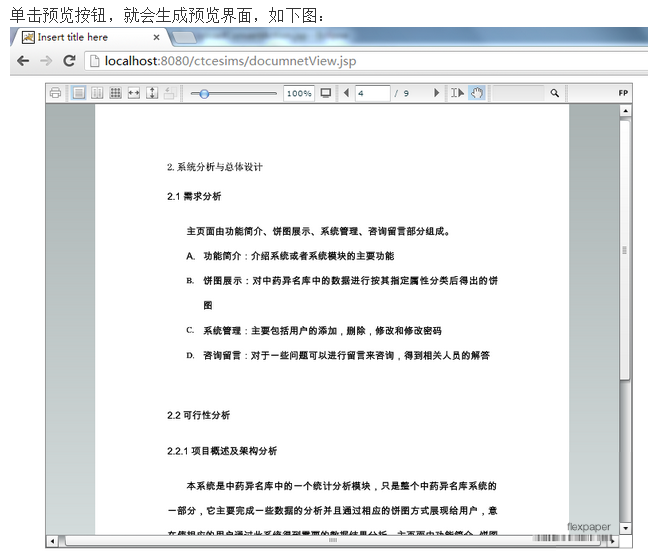
啟動 Tomcat,訪問 https://localhost:8080/.../docUploadConvertLocalAction.jsp 上傳文件預覽。

源碼下載:百度網盤 (密碼 3v3q)