本文適合剛接觸 GitHub、急於看到效果的同學。原文地址:cnblogs。
sudo apt-get install git
訪問 GitHub 註冊,創建公共倉庫 (免費用戶僅支持公共)。我的主頁:https://github.com/yudongwu。
cd ~/mygithub/ProjectEuler
ssh-keygen -t rsa -C "your_email@youremail.com"
一路回車,生成 ~/.ssh/id_rsa.pub,複製公鑰內容。注意:Ctrl+H 顯示隱藏文件夾。
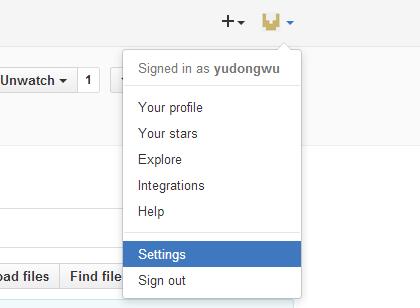
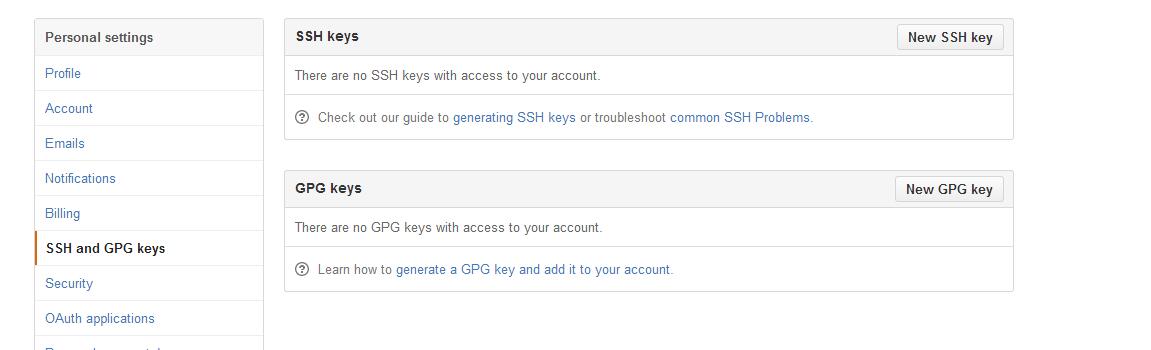
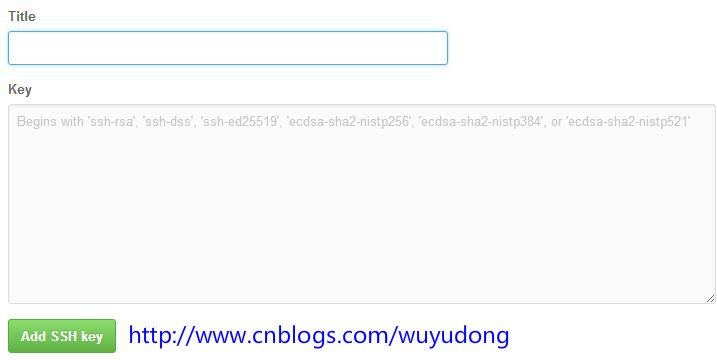
Settings → SSH and GPG keys → New SSH Key,Title 隨意,Key 粘貼公鑰。
ssh -T git@github.com
首次輸入 yes,顯示 You've successfully authenticated... 即成功。
git config --global user.name "your name"
git config --global user.email "your_email@youremail.com"
git add .
git commit -m "add new files"
git remote add origin git@github.com:yudongwu/ProjectEuler.git
# 若報錯 remote origin already exists:
git remote rm origin
git remote add origin git@github.com:yudongwu/ProjectEuler.git
git push origin master
| 命令 | 說明 |
|---|---|
| git init | 初始化本地倉庫 |
| git add . | 暫存當前目錄所有變更 |
| git commit -m "msg" | 提交並附註釋 |
| git remote -v | 查看遠程倉庫地址 |
| git push origin master | 推送到遠程 master 分支 |
| git fetch origin | 獲取遠程更新 (不合併) |
| git merge origin/master | 合併遠程更新到本地 |
| git pull origin master | fetch + merge (分步更安全) |