利用 Graphics.copyArea() 實現垂直方向無限星空滾動,支持上下鍵動態調整滾動速度,展示 GameCanvas 雙緩衝、離屏渲染、showNotify/hideNotify 生命週期管理的最佳實踐。

sleepTime (幀間隔),實現滾動加速/減速showNotify 啟動線程,hideNotify 安全停止,避免資源洩漏
public class StarField extends GameCanvas implements Runnable {
    // 配置常量
    private static final int SLEEP_INITIAL = 150; // 初始幀間隔 ms
    private static final int SLEEP_INCREMENT = 10; // 調速步長
    private static final int SLEEP_MAX = 300;      // 最大間隔 (最慢)

    // 運行時狀態
    private Graphics graphics;      // 離屏緩衝 Graphics
    private Random random;          // 隨機數生成器
    private int sleepTime = SLEEP_INITIAL;
    private volatile Thread thread; // 遊戲線程引用

    public StarField() {
        super(true); // 啟用雙緩衝,抑制系統按鍵事件
        graphics = getGraphics();
        // 初始化全黑背景
        graphics.setColor(0, 0, 0);
        graphics.fillRect(0, 0, getWidth(), getHeight());
    }

    // 遊戲主循環
    public void run() {
        int w = getWidth();
        int h = getHeight() - 1; // 留 1 像素給 copyArea 目標區

        while (thread == Thread.currentThread()) {
            // 1. 輸入處理:上下鍵調速
            int state = getKeyStates();
            if ((state & DOWN_PRESSED) != 0) { // 加速 (縮短間隔)
                sleepTime -= SLEEP_INCREMENT;
                if (sleepTime < 0) sleepTime = 0;
            } else if ((state & UP_PRESSED) != 0) { // 減速 (延長間隔)
                sleepTime += SLEEP_INCREMENT;
                if (sleepTime > SLEEP_MAX) sleepTime = SLEEP_MAX;
            }

            // 2. 滾動渲染核心
            // 將 (0,0) 到 (w, h) 區域向下平移 1 像素
            graphics.copyArea(0, 0, w, h, 0, 1, Graphics.TOP | Graphics.LEFT);

            // 清空新增的頂行 (y=0)
            graphics.setColor(0, 0, 0);
            graphics.drawLine(0, 0, w, 0);

            // 在頂行隨機繪製白色星點
            graphics.setColor(255, 255, 255);
            for (int i = 0; i < w; i++) {
                if ((Math.abs(random.nextInt()) % 100) < 5) { // 5% 概率
                    graphics.drawLine(i, 0, i, 0); // 單像素點
                }
            }

            // 3. 翻屏顯示 (阻塞等待 VSync)
            flushGraphics();

            // 4. 幀率控制
            try {
                Thread.sleep(sleepTime);
            } catch (InterruptedException e) {
                // 線程被中斷 (hideNotify 設置 thread=null) 自然退出循環
                break;
            }
        }
    }

    // Canvas 顯示時自動調用:啟動遊戲線程
    protected void showNotify() {
        random = new Random();
        thread = new Thread(this);
        thread.start();
    }

    // Canvas 隱藏時自動調用:安全停止線程
    protected void hideNotify() {
        thread = null; // run() 循環條件失效,線程自然結束
    }
}
public class GameCanvasTest extends MIDlet implements CommandListener {
    private Display display;
    private static final Command EXIT_CMD = new Command("Exit", Command.EXIT, 1);

    public GameCanvasTest() {}

    public void commandAction(Command c, Displayable d) {
        if (c == EXIT_CMD) exitMIDlet();
    }

    protected void destroyApp(boolean unconditional) throws MIDletStateChangeException {
        exitMIDlet();
    }

    public void exitMIDlet() {
        notifyDestroyed();
    }

    public Display getDisplay() { return display; }

    protected void initMIDlet() {
        GameCanvas canvas = new StarField();
        canvas.addCommand(EXIT_CMD);
        canvas.setCommandListener(this);
        getDisplay().setCurrent(canvas);
    }

    protected void pauseApp() {}

    protected void startApp() throws MIDletStateChangeException {
        if (display == null) {
            display = Display.getDisplay(this);
            initMIDlet();
        }
    }
}
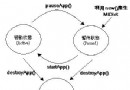
Graphics.copyArea(int srcX, int srcY, int w, int h, int dx, int dy, int anchor)(srcX, srcY) 寬 w 高 h 的矩形區域,平移 (dx, dy) 像素繪製到同一緩衝區anchor 定義源矩形參考點:TOP|LEFT 表示源矩形左上角對齊y=0..h-1 目標 y=1..h 重疊,但向下平移通常安全showNotify() / hideNotify() 生命週期| 方法 | 觸發時機 | 標準操作 |
|---|---|---|
| showNotify | Canvas 成為當前顯示 (setCurrent) | 初始化資源、啟動遊戲線程、恢復音頻 |
| hideNotify | Canvas 失去顯示 (來電、切換應用、退出) | 停止線程、釋放大內存資源、暫停音頻 |
| 場景 | 修改要點 |
|---|---|
| 水平滾動地平線 | copyArea(0, 0, w, h, -1, 0, ...) 向左平移,右側生成地形切片 |
| 俯視射擊背景 | 雙層星場 (遠/近) + 雲層 copyArea 不同速度 |
| UI 列表滾動 | 項目區域 copyArea 位移,邊緣淡入淡出 Mask |
| 文字跑馬燈 | 單行文本區域 copyArea 水平位移 |
StarField 示例以 < 50 行核心代碼展示了 GameCanvas 的精髓:
這種「算法特效」思維在 J2ME 受限環境下尤為寶貴,同樣適用於現代 WebGL/Canvas 2D/小遊戲引擎的特效層開發。