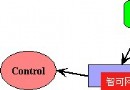
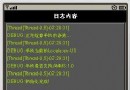
JSR 184 (Mobile 3D Graphics API / M3G) 定義了兩種開發模式:
| 工具 | 授權 | M3G 匯出 | 適用對象 |
|---|---|---|---|
| 3ds Max | 商業(昂貴) | 官方支援 | 專業工作室、大型專案 |
| Superscape Swerve | 商業/授權 | 原生支援 | 企業級 3D 應用開發 |
| Blender | 開源免費 | 需匯出腳本/外掛 | 獨立開發者、學習研究 |
建議:預算有限首選 Blender + 社群維護的 M3G 匯出腳本(如 io_export_m3g.py),流程驗證通過後再評估商業工具。
try {
    World world = (World) Loader.load("/pogoroo.m3g")[0];
    // 後續初始化...
} catch (Exception e) { e.printStackTrace(); }
Loader.load() 回傳 Object[],索引 0 通常為場景根節點 World。
// 建模階段在 3ds Max/Blender 為各物件設定 User Properties 整數 ID
static final int POGOROO = 554921620;  // 袋鼠模型群組
static final int CAMERA  = 769302310;  // 攝影機
static final int TRANSFORM = 347178853; // 動畫變換節點
static final int ROO = 418071423;      // 動畫控制器

Group rooGroup = (Group) world.find(POGOROO);
Group camGroup = (Group) world.find(CAMERA);
Group animTransform = (Group) world.find(TRANSFORM);
AnimationController animCtrl = (AnimationController) world.find(ROO);關鍵點:User ID 需在美術與程式協定階段確定,避免硬編碼魔術數字散落代碼各處。
AnimationTrack track = animTransform.getAnimationTrack(0);
int animDuration = 1000; // 預設 1 秒
if (track != null) {
    KeyframeSequence ks = track.getKeyframeSequence();
    if (ks != null) animDuration = ks.getDuration(); // 取得實際毫秒長度
}void setupAspectRatio() {
viewportWidth = canvas.getWidth();
viewportHeight = canvas.getHeight();
Camera cam = world.getActiveCamera();
float[] params = new float[4];
int projType = cam.getProjection(params);
if (projType != Camera.GENERIC) {
float aspect = (float) viewportWidth / viewportHeight;
cam.setProjection(projType, params[0], params[1], params[2], params[3], aspect);
}
}// 使用 TimerTask 固定 20 FPS (50ms)
Timer timer = new Timer();
timer.scheduleAtFixedRate(new TimerTask() {
public void run() {
if (canvas != null && g3d != null && world != null) {
int time = (int) System.currentTimeMillis();
world.animate(time); // 推進動畫時間
canvas.repaint(viewportX, viewportY, viewportWidth, viewportHeight);
}
}
}, 0, 50);protected void paint(Graphics g) {
Graphics3D g3d = Graphics3D.getInstance();
g3d.bindTarget(g); // 綁定 2D Graphics 作為渲染目標
g3d.render(world); // 一鍵渲染整個場景
g3d.releaseTarget();
}public class Game3DMIDlet extends MIDlet {
private Display display;
private GameCanvas3D canvas; // 繼承 Canvas 實作 paint()
private World world;
private Graphics3D g3d = Graphics3D.getInstance();
private AnimationController animCtrl;
private int animDuration;
public void startApp() {
display = Display.getDisplay(this);
canvas = new GameCanvas3D(this);
display.setCurrent(canvas);
loadWorld();
setupAspectRatio();
startRenderLoop();
}
private void loadWorld() { /* ... Loader.load + find() ... */ }
private void setupAspectRatio() { /* ... */ }
private void startRenderLoop() { /* ... Timer.schedule ... */ }
}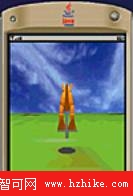
圖中展示 WTK 2.2 模擬器成功渲染 pogoroo.m3g:袋鼠模型、彈簧跳竿、草地貼圖完整呈現,動畫流暢運行。
下一篇將深入:
保留模式讓 J2ME 3D 開發邁入「資料驅動」新紀元,掌握 M3G 管線,小團隊也能產出商業級 3D 手機遊戲。