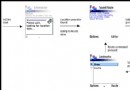
MIDP 1.0 僅提供固定組件 (ChoiceGroup, DateField, Gauge, ImageItem, StringItem, TextField),外觀行為受限於原生實作。MIDP 2.0 引入 CustomItem,賦予開發者像素級繪製控制、自定義佈局、專屬命令、觸控/導航交互的完整能力,並無縫融入 Form 佈局體系。
功能:多行文字、縮進層級、折疊/展開、拖拽排序、指標點擊切換、命令上下文敏感。
public OutlineItem(int inIndent, String inText) {
    super(null); // 無系統標籤
    indent = inIndent;
    text = inText;
    hiddenChildren = null;

    // 佈局指令:水平展滿 | 頂端對齊 | 後換行
    setLayout(LAYOUT_EXPAND | LAYOUT_TOP | LAYOUT_NEWLINE_AFTER);

    // 基礎編輯命令
    addCommand(editCommand);
    addCommand(insertCommand);
}
public void paint(Graphics g, int w, int h) {
    // 1. 必須填滿背景 (可移植性要求)
    g.setColor(getDisplay().getColor(Display.COLOR_BACKGROUND));
    g.fillRect(0, 0, w, h);

    // 2. 前景色繪製內容
    g.setColor(getDisplay().getColor(Display.COLOR_FOREGROUND));

    // 3. 繪製折疊指示器:實心圓=已折疊,空心圓=展開
    int cx = indent * INDENT_MARGIN + 2;
    int cy = 2;
    int r = FONT_HEIGHT - 7;
    if (isCollapsed()) g.fillArc(cx, cy, r, r, 0, 360);
    else g.drawArc(cx, cy, r, r, 0, 360);

    // 4. 繪製文字 (指示器右側)
    g.drawString(text, indent * INDENT_MARGIN + FONT_HEIGHT, 0, Graphics.TOP | Graphics.LEFT);
}
public int getMinContentHeight() { return FONT_HEIGHT; }
public int getMinContentWidth()  { return indent * INDENT_MARGIN + FONT_HEIGHT; }
public int getPrefContentWidth(int h)  { return indent * INDENT_MARGIN + FONT.stringWidth(text) + FONT_HEIGHT; }
public int getPrefContentHeight(int w) { return FONT_HEIGHT; }
getMin*:佈局器保證給予的最小空間getPref*:內容最佳顯示所需空間 (未被 setPreferred* 鎖定時生效)setLayout(int directives) 以位元組合:
| 水平對齊 | 垂直對齊 | 換行控制 |
|---|---|---|
| LAYOUT_LEFT LAYOUT_RIGHT LAYOUT_CENTER LAYOUT_SHRINK LAYOUT_EXPAND | LAYOUT_TOP LAYOUT_BOTTOM LAYOUT_VCENTER LAYOUT_VSHRINK LAYOUT_VEXPAND | LAYOUT_NEWLINE_BEFORE LAYOUT_NEWLINE_AFTER |
本例組合:EXPAND | TOP | NEWLINE_AFTER → 每項獨佔一行、寬度撐滿表單、頂端對齊。
protected boolean traverse(int dir, int vw, int vh, int[] visRect) {
    // 進入項目:標記並保持焦點
    if (traversingItem != this) {
        traversingItem = this;
        return true;
    }

    // 處理導航鍵
    switch (dir) {
        case Canvas.RIGHT: if (isIndentable()) indent(); repaint(); return true;
        case Canvas.LEFT:  if (isOutdentable()) outdent(); repaint(); return true;
        case NONE: repaint(); return true; // 佈局變更等非導航事件
        default: return false; // UP/DOWN 交還表單處理焦點移動
    }
}
true:保持焦點在本項目,下一鍵繼續呼叫 traverse()false:焦點移動至下一個/上一個項目traversingItem 區分「剛進入」與「已在項目內」
private void updateCommands() {
    // 指標支援時隱藏展開/折疊命令 (改用點擊)
    if (!hasPointerPress()) {
        removeCommand(expandCommand); removeCommand(collapseCommand);
        if (isCollapsed()) addCommand(expandCommand); else addCommand(collapseCommand);
    }

    // 水平遍歷支援時隱藏縮進/凸出命令 (改用左右鍵)
    if (!hasHorizontalTraversal()) {
        removeCommand(indentCommand); removeCommand(outdentCommand);
        if (isIndentable()) addCommand(indentCommand);
        if (isOutdentable()) addCommand(outdentCommand);
    }

    // 移動命令視位置動態顯示
    removeCommand(upCommand); removeCommand(downCommand);
    if (canMoveUp()) addCommand(upCommand);
    if (canMoveDown()) addCommand(downCommand);

    // 刪除命令:根節點不可刪除
    removeCommand(deleteCommand);
    if (getIndex() > 0) addCommand(deleteCommand);
}
策略:先全刪再選加,簡化邏輯,效能影響可忽略。
protected void pointerPressed(int x, int y) {
    if (x < FONT_HEIGHT) { // 點擊區域在指示器範圍內
        if (isCollapsed()) expand(); else collapse();
    }
}
hasPointerPress() 檢測裝置能力 (P900, Tungsten 等觸控機型)
private boolean hasPointerPress() {
    return (getInteractionModes() & CustomItem.POINTER_PRESS) != 0;
}
private boolean hasHorizontalTraversal() {
    return (getInteractionModes() & CustomItem.TRAVERSE_HORIZONTAL) != 0;
}
位遮罩常數:KEY_PRESS, KEY_RELEASE, KEY_REPEAT, POINTER_PRESS, POINTER_DRAG, POINTER_RELEASE, TRAVERSE_HORIZONTAL, TRAVERSE_VERTICAL
Outliner MIDlet
  └─ Form (主容器)
       ├─ OutlineItem (根節點)
       │    ├─ OutlineItem (子節點 1)
       │    │    └─ OutlineItem (孫節點)
       │    └─ OutlineItem (子節點 2)
       └─ ... (動態增減)
| MIDP 2.0 CustomItem | Android View | iOS UIView | Flutter Widget | React Component |
|---|---|---|---|---|
| paint(Graphics, w, h) | onDraw(Canvas) | drawRect(CGContext) | paint(PaintingContext) | render() 返回 JSX |
| getMin/Preferred* | onMeasure(wSpec, hSpec) | sizeThatFits/intrinsicContentSize | constraints/BoxConstraints | CSS flex/grid |
| traverse(dir...) | onKeyDown/DPad | pressesBegan/Move/Ended | FocusTraversalGroup | onKeyDown/autoFocus |
| addCommand/ItemCommandListener | ContextMenu/OnLongClick | UIMenuController/UIAction | ContextMenu/MenuItemButton | onContextMenu |
| pointerPressed(x,y) | onTouchEvent | touchesBegan/Moved/Ended | GestureDetector | onMouseDown/TouchStart |
CustomItem 是 MIDP 2.0 最具前瞻性的 API 設計,其核心思想——組件自繪、佈局協商、交互多態、能力查詢——構成了現代聲明式/命令式 UI 框架的共同祖先基因。