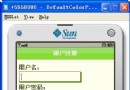
在 J2ME 開發中,若要將手機螢幕上 Canvas 繪製的內容保存為 Image 物件,直接獲取 Canvas 像素是不可行的。解決思路是採用離屏緩衝(雙緩衝)機制:先將所有繪圖操作導向一個不顯示的 Image,繪製完成後再一次性繪製到 Canvas 上。這樣既能避免閃爍,又能隨時透過該 Image 取得當前畫面內容。
建立一個繼承自 Canvas 的類別 SimpleCanvas,在建構子中依據螢幕寬高建立一個等大的可變更 Image(offImage)。在 paint(Graphics g) 方法中,先將 Graphics 導向 offImage 進行所有繪圖,最後再呼叫 save.drawImage(offImage, 0, 0, Graphics.TOP|Graphics.LEFT) 將結果貼到實際 Canvas 上。對外提供 printMe() 方法即可取得該 Image 物件。
class SimpleCanvas extends Canvas {
    int w, h;
    private Image offImage = null;
    private boolean buffered = true;

    public SimpleCanvas(boolean _buffered) {
        buffered = _buffered;
        w = getWidth();
        h = getHeight();
        if (buffered) offImage = Image.createImage(w, h);
    }

    protected void paint(Graphics g) {
        int color = g.getColor();
        g.setColor(0xFFFFFF);
        g.fillRect(0, 0, w, h);
        g.setColor(color);

        Graphics save = g;
        if (offImage != null) g = offImage.getGraphics();

        // 繪製測試圖形到離屏 Image
        g.setColor(128, 128, 0);
        g.fillRoundRect((w - 100) / 2, (h - 60) / 2, 100, 60, 5, 3);

        // 將離屏 Image 繪製到 Canvas
        save.drawImage(offImage, 0, 0, Graphics.TOP | Graphics.LEFT);
    }

    public Image printMe() {
        return offImage;
    }
}撰寫一個簡單的 MIDlet,在畫面上放置一個「Print」指令,點選時呼叫 canvas.printMe() 取得 Image 並附加到 Form 顯示,即可驗證擷取功能。
public class PrintScreen extends MIDlet implements CommandListener {
    private Display display;
    private SimpleCanvas canvas = new SimpleCanvas(true);
    private Command printCommand = new Command("Print", Command.OK, 1);

    public void startApp() {
        if (display == null) display = Display.getDisplay(this);
        canvas.addCommand(printCommand);
        canvas.setCommandListener(this);
        display.setCurrent(canvas);
    }

    public void commandAction(Command c, Displayable d) {
        if (c == printCommand) {
            Form form = new Form("screen");
            form.append(canvas.printMe());
            display.setCurrent(form);
        }
    }
    // pauseApp, destroyApp 略
}
此技巧廣泛應用於遊戲截圖、繪圖工具等需保存畫面的場景,屬於 J2ME 經典離屏繪製模式。