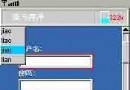
在《Java ME 連載(三)——也說 MVC 設計模式》中提到 TextEdit 類,但未給出具體實現。TextEdit 採用 GameCanvas 繪製的文本編輯器。本文結合實例給出實現方法。
Graphics、GameCanvas 繪製文本框與光標。TextBox,由系統調用輸入法完成輸入。TextBox 輸入的值返回給 TextEdit 對象。此過程類似裝飾模式:實際輸入仍由 TextBox 完成,只是為其「裝飾」一個漂亮外觀。
package com.token.view.components;

import javax.microedition.lcdui.Font;
import javax.microedition.lcdui.Graphics;
import javax.microedition.lcdui.game.GameCanvas;

public class TextEdit extends GameCanvas {
    private Font ft;
    public int width;
    public int height;

    public TextEdit(GameCanvas canvas) { super(false); }

    public void drawTextBox(GameCanvas canvas, Graphics graphics, String text, int x, int y, boolean cursorBlinkOn) {
        int padding = 4;
        int margin = 2;
        ft = Font.getFont(Font.FACE_PROPORTIONAL, Font.STYLE_PLAIN, Font.SIZE_MEDIUM);
        graphics.setFont(ft);
        width = 3 * canvas.getWidth() / 5 + 2 * padding;
        height = ft.getHeight() + 2 * padding;
        graphics.setColor(Color.frame);
        graphics.fillRect(x + 1, y + 1, width + margin, height + margin);
        graphics.setColor(Color.frameBg);
        graphics.drawRect(x, y, width, height);
        graphics.setColor(Color.background);
        graphics.fillRect(x + 1, y + 1, width - 1, height - 1);
        graphics.setColor(Color.text);
        graphics.drawString(text, x + padding, y + padding, Graphics.TOP | Graphics.LEFT);
        drawCursor(graphics, x + ft.stringWidth(text) + padding, y + padding, 1, ft.getHeight(), cursorBlinkOn);
        canvas.flushGraphics(x, y, width, height);
    }

    public void drawCursor(Graphics graphics, int x, int y, int width, int height, boolean cursorBlinkOn) {
        if (cursorBlinkOn) {
            ft = Font.getFont(Font.FACE_PROPORTIONAL, Font.STYLE_PLAIN, Font.SIZE_MEDIUM);
            graphics.setFont(ft);
            graphics.setColor(0x000000);
            graphics.drawLine(x + width, y, x + width, y + height);
        }
    }
}
package com.token.view;

import javax.microedition.lcdui.Command;
import javax.microedition.lcdui.CommandListener;
import javax.microedition.lcdui.Displayable;
import javax.microedition.lcdui.TextBox;
import com.token.util.UIController;

public class PopUpTextBox extends TextBox {
    private UIController controller;
    protected String canvasText = "";
    private Command okCommand;
    private Command cancelCommand;
    private String object_name = null;
    private String editor = null;
    private Object args_t[];
    private Object[] args;

    public PopUpTextBox(UIController control, String title, String text, int maxsize, int constraints) {
        super(title, text, maxsize, constraints);
        controller = control;
        args = new Object[6];
        okCommand = new Command("確定", Command.OK, 1);
        cancelCommand = new Command("取消", Command.CANCEL, 1);
        this.addCommand(okCommand);
        this.addCommand(cancelCommand);
        this.setCommandListener(new TextBoxListener());
    }

    public void init(Object[] args) {
        object_name = ((String)args[0] != null) ? (String)args[0] : "";
        editor = ((String)args[1] != null) ? (String)args[1] : "";
        args_t = args;
        this.setString("");
    }

    protected void closeTextBox(boolean update) {
        if (update) canvasText = this.getString();
        if (object_name.equals("registScreen")) {
            if (editor.equals("regist_name")) {
                if (args_t[3] != "" || args_t[3] != null || args_t[4] != "" || args_t[4] != null) {
                    args[0] = object_name; args[1] = editor; args[2] = this.canvasText;
                    args[3] = args_t[3]; args[4] = args_t[4];
                }
                controller.handleEvent(UIController.EventID.EVENT_USER_REGIST_EDIT_BACK, args);
            } else if (editor.equals("regist_passwd")) {
                if (args_t[2] != "" || args_t[2] != null || args_t[4] != "" || args_t[4] != null) {
                    args[0] = object_name; args[1] = editor; args[2] = args_t[2];
                    args[3] = this.canvasText; args[4] = args_t[4];
                }
                controller.handleEvent(UIController.EventID.EVENT_USER_REGIST_EDIT_BACK, args);
            } else if (editor.equals("regist_passwd_re")) {
                if (args_t[2] != "" || args_t[2] != null || args_t[3] != "" || args_t[3] != null) {
                    args[0] = object_name; args[1] = editor; args[2] = args_t[2];
                    args[3] = args_t[3]; args[4] = this.canvasText;
                }
                controller.handleEvent(UIController.EventID.EVENT_USER_REGIST_EDIT_BACK, args);
            }
        }
    }

    private class TextBoxListener implements CommandListener {
        public void commandAction(Command command, Displayable disp) {
            if (command == okCommand) closeTextBox(true);
            else if (command == cancelCommand) closeTextBox(false);
        }
    }
}