Java ME Graphics.drawString 不支援文本換行,繪製較長字串時會在同一行顯示,超出螢幕部分被截斷。如何讓繪製的文本自動換行?
drawString 無法自動換行,但可定位繪製。策略:將文本拆分為多個子串再繪製。拆分規則:
\n 拆分;private String info;
private String info_wrap[];
package com.token.util;

import java.util.Vector;
import javax.microedition.lcdui.Font;

public class StringDealMethod {
    public StringDealMethod() {}

    public static String[] format(String text, int maxWidth, Font ft) {
        String[] result = null;
        Vector tempR = new Vector();
        int lines = 0;
        int len = text.length();
        int index0 = 0, index1 = 0;
        boolean wrap;
        while (true) {
            int widthes = 0;
            wrap = false;
            for (index0 = index1; index1 < len; index1++) {
                if (text.charAt(index1) == '\n') {
                    index1++; wrap = true; break;
                }
                widthes += ft.charWidth(text.charAt(index1));
                if (widthes > maxWidth) break;
            }
            lines++;
            if (wrap) tempR.addElement(text.substring(index0, index1 - 1));
            else tempR.addElement(text.substring(index0, index1));
            if (index1 >= len) break;
        }
        result = new String[lines];
        tempR.copyInto(result);
        return result;
    }

    public static String[] split(String original, String separator) {
        Vector nodes = new Vector();
        int index = original.indexOf(separator);
        while (index >= 0) {
            nodes.addElement(original.substring(0, index));
            original = original.substring(index + separator.length());
            index = original.indexOf(separator);
        }
        nodes.addElement(original);
        String[] result = new String[nodes.size()];
        if (nodes.size() > 0) {
            for (int loop = 0; loop < nodes.size(); loop++)
                result[loop] = (String) nodes.elementAt(loop);
        }
        return result;
    }
}
int width = getWidth();
Font ft = Font.getFont(Font.FACE_PROPORTIONAL, Font.STYLE_BOLD, Font.SIZE_LARGE);
info = "歡迎使用!\n" + "1 MVC測試;\n" + "2 自動換行測試,繪製可自動識別換行的字符串。\n";
info_wrap = StringDealMethod.format(info, width - 10, ft);
graphics.setColor(Color.text);
graphics.setFont(ft);
for (int i = 0; i < info_wrap.length; i++) {
    graphics.drawString(info_wrap[i], 5, i * ft.getHeight() + 40, Graphics.TOP | Graphics.LEFT);
}
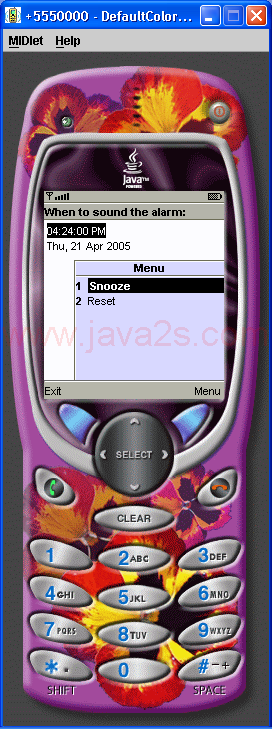
繪製效果如圖所示:
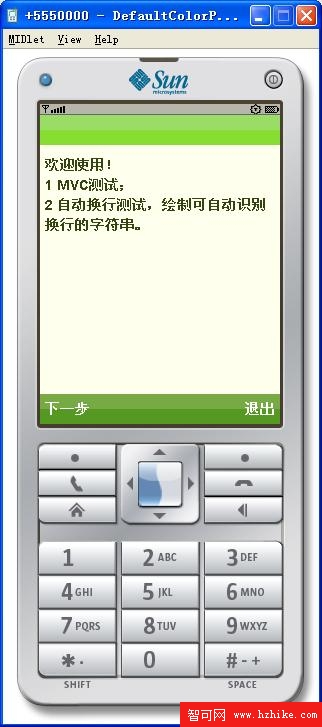
圖 1 自動換行字符串繪製效果