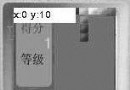
我們常見滾動顯示實例,如 UC 瀏覽器顯示網頁內容。當內容較多時,採用滾動分頁顯示合理。在 Canvas 繪圖中,多餘內容會被截斷。如何實現滾動分頁顯示?
Java ME 擁有座標變換功能。當觸發相應按鍵事件時,讓其顯示相應頁面,並使滾動條滾動至對應位置。
package com.token.view;

import javax.microedition.lcdui.Font;
import javax.microedition.lcdui.Graphics;
import javax.microedition.lcdui.game.GameCanvas;
import com.token.util.StringDealMethod;
import com.token.util.UIController;
import com.token.view.components.*;

public class ShowHelp extends GameCanvas {
    private UIController controller;
    private Graphics graphics;
    private Font ft;
    private int width;
    private int height;
    private Menu menu;
    private Head head;
    private BackGround backGround;
    private int page = 0;
    private int currentPageIndex = 0;
    private int bodyHeight;
    private int dir = 0;

    public ShowHelp(UIController control) {
        super(false);
        this.controller = control;
        setFullScreenMode(true);
        width = getWidth();
        height = getHeight();
        menu = new Menu(this);
        head = new Head(this);
        backGround = new BackGround(this);
    }

    public void show() {
        int margin = 0;
        graphics = getGraphics();
        graphics.clipRect(0, 0, width, height);
        backGround.drawBackGround(this, graphics);
        head.drawHead(this, graphics, "幫助");
        menu.drawMenu(this, graphics, "", "返回");
        ft = Font.getFont(Font.FACE_PROPORTIONAL, Font.STYLE_BOLD, Font.SIZE_MEDIUM);
        String info = "1 滾動分頁顯示;\n" +
                      "2 滾動分頁顯示;\n" +
                      // ... 省略中間行 ...
                      "34 滾動分頁顯示;\n";
        String info_wrap1[] = StringDealMethod.format(info, width - 15, ft);
        page = info_wrap1.length * ft.getHeight() / (height - head.menuHeight - menu.menuHeight - 2 * margin) + 1;
        bodyHeight = ((int) (height - head.menuHeight - menu.menuHeight) / ft.getHeight()) * ft.getHeight();
        margin = (height - head.menuHeight - menu.menuHeight - bodyHeight) / 2;
        graphics.setFont(ft);
        graphics.setColor(Color.text);
        graphics.clipRect(0, head.menuHeight + margin, width, bodyHeight);
        graphics.translate(0, dir * currentPageIndex * bodyHeight);
        for (int i = 0; i < info_wrap1.length; i++) {
            graphics.drawString(info_wrap1[i], 5, i * ft.getHeight() + head.menuHeight + margin, Graphics.TOP | Graphics.LEFT);
        }
        graphics.translate(0, -dir * currentPageIndex * bodyHeight);
        drawScrollBar();
        flushGraphics();
    }

    private void drawScrollBar() {
        int barHeight = height - head.menuHeight - menu.menuHeight;
        graphics.setColor(Color.menuFrame);
        graphics.fillRect(width - 3, head.menuHeight, 2, barHeight);
        graphics.setColor(Color.selectBg);
        graphics.fillRect(width - 4, head.menuHeight + (currentPageIndex) * barHeight / page, 4, barHeight / page);
    }

    protected void keyPressed(int keyCode) {
        switch (keyCode) {
            case KeyID.SOFT_RIGHT: {
                String flag = "0";
                Object[] args = {flag, ""};
                controller.handleEvent(UIController.EventID.EVENT_MAIN_SCREEN, args);
                break;
            }
            default: ;
        }
        keyCode = getGameAction(keyCode);
        switch (keyCode) {
            case UP: {
                dir = -1;
                if (currentPageIndex > 0) currentPageIndex--;
                show();
                break;
            }
            case DOWN: {
                dir = 1;
                if (currentPageIndex < page - 1) currentPageIndex++;
                show();
                break;
            }
        }
    }
}
* UIController 請參考《Java ME 連載(三)——也說 MVC 設計模式》,此處不再贅述。