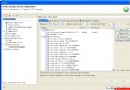
本範例展示一個完整的 JavaBeans 元件 Loan,包含 GUI 介面、自訂屬性編輯器 LoanEditor、LoanBeanInfo 中繼資料與 JAR 部署清單,示範標準 Bean 開發全流程。
public class Loan extends JPanel implements ActionListener {
    private JLabel lType, lAmount, lMonth, lInstlmnt;
    private JTextField tAmount, tMonth, tInstlmnt;
    private JList tType;
    private JButton submit;
    private String loanType;
    private String[] interestRates = {"5", "5", "4"}; // Car, Personal, Housing

    public Loan() {
        // GUI 初始化:GridLayout 5x2,標籤/輸入框/下拉清單/按鈕
        // 利率陣列對應 Car/Personal/Housing
        // 按鈕事件觸發計算月付額
    }

    // 屬性:interestRates (String[])
    public String[] getInterestRates() { return interestRates; }
    public void setInterestRates(String[] rates) { this.interestRates = rates; }

    @Override
    public void actionPerformed(ActionEvent evt) {
        // 讀取輸入金額、月數、選擇貸款類型
        // 依 interestRates 計算月付額並顯示
    }
}
public class LoanEditor extends JPanel implements PropertyEditor, ActionListener {
    private JTextField tCar, tPersonal, tHouse;
    private String[] interestRates = {"", "", ""};

    // PropertyEditor 介面實作
    public Object getValue() { return interestRates; }
    public void setValue(Object val) {
        interestRates = (String[]) val;
        tCar.setText(interestRates[0]);
        tPersonal.setText(interestRates[1]);
        tHouse.setText(interestRates[2]);
    }
    public boolean supportsCustomEditor() { return true; }
    public Component getCustomEditor() { return this; } // 回傳自身 JPanel 作為自訂編輯 UI
    // ... 其他介面方法 (paintValue, getAsText 等) 略

    // UI 事件同步更新 interestRates 陣列
    @Override public void actionPerformed(ActionEvent e) { /* 更新陣列 */ }
}
public class LoanBeanInfo extends SimpleBeanInfo {
    @Override
    public PropertyDescriptor[] getPropertyDescriptors() {
        try {
            PropertyDescriptor pd = new PropertyDescriptor("interestRates", Loan.class);
            pd.setPropertyEditorClass(LoanEditor.class); // 關聯自訂編輯器
            pd.setDisplayName("各類貸款利率");
            pd.setShortDescription("設定 Car/Personal/Housing 利率");
            return new PropertyDescriptor[]{pd};
        } catch (IntrospectionException e) { return null; }
    }
}
Name: Loan.class
Java-Bean: True
Name: LoanEditor.class
Java-Bean: False
Name: LoanBeanInfo.class
Java-Bean: False
javac *.java
jar cvfm Loan.jar Loan.mft *.class
產生的 Loan.jar 可直接拖入支援 JavaBeans 的 IDE (如 NetBeans Matisse、JBuilder) 元件調色盤使用。
public、無參建構子、實作 Serializable。PropertyEditor (通常繼承 PropertyEditorSupport),supportsCustomEditor() 回傳 true 並提供 getCustomEditor()。Bean名+BeanInfo,放同套件,覆寫 getPropertyDescriptors() 關聯編輯器。Java-Bean: True 標示可視元件,False 為輔助類別。