JSF 2.0 採用 Facelets (View Declaration Language) 作為標準頁面描述語言。Facelets 以 XHTML 撰寫,跨平台相容,解決 JSP 渲染順序與 JSF 生命週期不匹配問題,支援模板重用,大幅減少 UI 開發時間。
<html xmlns="https://www.w3.org/1999/xhtml"
      xmlns:h="https://java.sun.com/jsf/html"
      xmlns:f="https://java.sun.com/jsf/core"
      xmlns:ui="https://java.sun.com/jsf/facelets">
  <h:form>
    <h:inputText id="userNo" value="#{userNumberBean.userNumber}" />
    <h:commandButton id="submit" action="success" value="submit" />
    <h:message for="userNo" style="color:red" />
  </h:form>
</html>
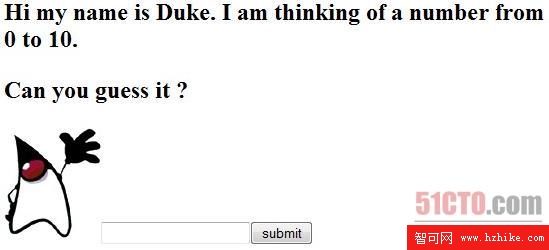
渲染效果見圖:
以 <ui:insert> 定義模板頁面,客戶端頁面用 <ui:composition template="..."> 參考,並以 <ui:define> 填充內容,統一視覺風格並避免重複結構。
任意 XHTML 頁面可轉為複合元件,封裝標記、驗證器、轉換器、監聽器。範例登入面板:
<composite:interface>
  <composite:actionSource name="loginEvent"/>
</composite:interface>
<composite:implementation>
  <table>...<h:commandButton id="loginEvent" value="Login"/>...</table>
</composite:implementation>
儲存為 resources/ezcomp/loginPanel.xhtml,頁面引用:
<html xmlns:ez="https://java.sun.com/jsf/composite/ezcomp">
  <ez:loginPanel>
    <f:actionListener for="loginEvent" type="example01.LoginActionListener"/>
  </ez:loginPanel>
</html>
<f:actionListener> 綁定行為監聽器,處理登入事件。