JavaMail 核心組件
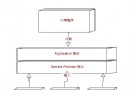
Session:郵件會話,載入屬性配置 (SMTP 主機、認證、SSL 等)Message (抽象) / MimeMessage:郵件實體,含頭部、內容、附件Transport:傳輸協議實現 (SMTP)Authenticator:認證回調提供用戶名密碼
Maven 依賴
<dependency>
    <groupId>com.sun.mail</groupId>
    <artifactId>javax.mail</artifactId>
    <version>1.6.2</version>
</dependency>

<dependency>
    <groupId>com.sun.mail</groupId>
    <artifactId>jakarta.mail</artifactId>
    <version>2.0.1</version>
</dependency>
同步發送完整實現
@Component
public class MailService {
    @Value("${mail.host:smtp.qq.com}") private String host;
    @Value("${mail.port:465}") private int port;
    @Value("${mail.username}") private String username;
    @Value("${mail.password}") private String password; // 授權碼
    @Value("${mail.from}") private String from;
    @Value("${mail.protocol:smtps}") private String protocol; // smtp/smtps

    public void sendHtmlMail(String to, String subject, String htmlContent) throws MessagingException {
        Properties props = new Properties();
        props.put("mail.transport.protocol", protocol);
        props.put("mail.smtp.host", host);
        props.put("mail.smtp.port", port);
        props.put("mail.smtp.auth", "true");
        if ("smtps".equals(protocol) || port == 465) {
            props.put("mail.smtp.ssl.enable", "true");
            props.put("mail.smtp.socketFactory.class", "javax.net.ssl.SSLSocketFactory");
        } else if (port == 587) {
            props.put("mail.smtp.starttls.enable", "true");
        }
        props.put("mail.debug", "false");

        Session session = Session.getInstance(props, new Authenticator() {
            @Override protected PasswordAuthentication getPasswordAuthentication() {
                return new PasswordAuthentication(username, password);
            }
        });

        MimeMessage message = new MimeMessage(session);
        message.setFrom(new InternetAddress(from));
        message.setRecipients(Message.RecipientType.TO, InternetAddress.parse(to));
        message.setSubject(subject, "UTF-8");
        message.setContent(htmlContent, "text/html;charset=UTF-8");
        message.setSentDate(new Date());

        Transport.send(message);
    }

    // 發送帶附件郵件
    public void sendWithAttachment(String to, String subject, String htmlContent, File attachment) throws MessagingException, IOException {
        MimeMessage message = new MimeMessage(session);
        // ... 設定發件人、收件人、主題
        MimeBodyPart htmlPart = new MimeBodyPart();
        htmlPart.setContent(htmlContent, "text/html;charset=UTF-8");

        MimeBodyPart attachPart = new MimeBodyPart();
        attachPart.attachFile(attachment);

        MimeMultipart multipart = new MimeMultipart();
        multipart.addBodyPart(htmlPart);
        multipart.addBodyPart(attachPart);
        message.setContent(multipart);
        Transport.send(message);
    }
}
異步發送 (Spring @Async)
@Configuration
@EnableAsync
public class AsyncConfig {
    @Bean("mailExecutor")
    public Executor mailExecutor() {
        ThreadPoolTaskExecutor executor = new ThreadPoolTaskExecutor();
        executor.setCorePoolSize(5);
        executor.setMaxPoolSize(20);
        executor.setQueueCapacity(100);
        executor.setThreadNamePrefix("MailSender-");
        executor.initialize();
        return executor;
    }
}

@Service
public class AsyncMailService {
    @Autowired private MailService mailService;

    @Async("mailExecutor")
    public CompletableFuture<Void> sendAsync(String to, String subject, String htmlContent) {
        try {
            mailService.sendHtmlMail(to, subject, htmlContent);
            return CompletableFuture.completedFuture(null);
        } catch (MessagingException e) {
            return CompletableFuture.failedFuture(e);
        }
    }
}

// Controller 調用
@PostMapping("/register")
public ResponseEntity<String> register(@RequestBody UserDTO dto) {
    userService.register(dto);
    asyncMailService.sendAsync(dto.getEmail(), "歡迎註冊", buildWelcomeHtml(dto.getName()));
    return ResponseEntity.ok("註冊成功,歡迎郵件已異步發送");
}
Spring Boot 自動配置 (application.yml)
spring:
  mail:
    host: smtp.qq.com
    port: 465
    username: your@qq.com
    password: your_auth_code
    protocol: smtps
    properties:
      mail:
        smtp:
          ssl:
            enable: true
          socketFactory:
            class: javax.net.ssl.SSLSocketFactory
            fallback: false
    default-encoding: UTF-8

# 註入 JavaMailSender (Spring 封裝)
@Autowired private JavaMailSender mailSender;

public void sendSimple(String to, String subject, String text) {
    SimpleMailMessage msg = new SimpleMailMessage();
    msg.setFrom("your@qq.com");
    msg.setTo(to);
    msg.setSubject(subject);
    msg.setText(text);
    mailSender.send(msg);
}
常見問題排查
| 錯誤 | 原因 | 解決 |
|---|
| 535 Error: authentication failed | 用戶名/授權碼錯誤、未開啟 SMTP 服務 | 郵箱設定開啟 SMTP、生成授權碼、檢查防火牆 |
| Could not connect to SMTP host | 主機/埠錯誤、網路不通、SSL 協議不匹配 | telnet 測試連通性、確認 465/587、檢查 ssl.enable |
| javax.net.ssl.SSLHandshakeException | 憑證不信任、JDK 版本 TLS 協議不支援 | 更新 JDK、或設定 mail.smtp.ssl.trust=* (僅測試) |
| 郵件進垃圾箱 | 缺 SPF/DKIM/DMARC、內容觸發規則、IP 信譽差 | 配置域名解析、使用正規郵件服務商 (SendGrid, Amazon SES) |
| 中文附件檔名亂碼 | RFC 2231 編碼未正確 | 使用 MimeUtility.encodeWord(filename, "UTF-8", "B") |
最佳實踐清單
- 生產環境必須異步發送,避免阻塞業務執行緒。
- 使用連線池 (
mail.smtp.connectionpool) 減少握手開銷。
- 實作重試機制 (指數退避) + 死信隊列 (持久化失敗郵件供人工補發)。
- 敏感資訊 (授權碼) 存於配置中心/密碼庫,不入代碼倉庫。
- 大量發送時限流 (如每秒 20 封),避免被封禁。
- 郵件模板引擎 (Thymeleaf/FreeMarker) 分離內容與邏輯。
- 關鍵業務郵件 (驗證碼、重設密碼) 加入幂等性與頻率限制。