WinForms 透過 TransparencyKey 與 BackgroundImage 實現異形視窗:
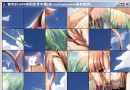
FormBorderStyle = None(移除標題列)BackgroundImage = 你的位圖TransparencyKey = 背景色(如藍色)this.Close()、拖曳移動視窗(ReleaseCapture() + SendMessage(WM_NCLBUTTONDOWN, HTCAPTION))控件無 TransparencyKey,改用 GraphicsPath 定義區域:
private void CustomButton_Paint(object sender, PaintEventArgs e) {
    GraphicsPath path = new GraphicsPath();
    path.AddString("Click Me!", new FontFamily("Arial"), (int)FontStyle.Bold, 35, new PointF(0,0), StringFormat.GenericDefault);
    CustomButton.Region = new Region(path);
}GraphicsPath:幾何路徑集合(直線、曲線、文字)Region:控件可見/可點擊區域// Load 事件
Graphics g = pictureBox.CreateGraphics();
// Paint 事件
Graphics g = e.Graphics;
// OnPaint 覆寫
protected override void OnPaint(PaintEventArgs e) { e.Graphics.DrawRectangle(...); }FontFamily:字體家族(如 Arial、微軟正黑體)Font:具體字型(大小、粗體、斜體)StringFormat:對齊、行距、垂直排版GraphicsPath gp = new GraphicsPath();
gp.AddEllipse(20,20,300,200);
gp.AddPie(50,100,300,100,45,200);
gp.AddRectangle(new Rectangle(100,30,100,80));
g.DrawPath(Pens.Blue, gp);
g.FillPath(Brushes.GreenYellow, gp);// 線性漸層
LinearGradientBrush lgb = new LinearGradientBrush(new Point(0,10), new Point(150,10), Color.Red, Color.Green);
g.FillRectangle(lgb, 10,150,370,30);
// 路徑漸層
GraphicsPath gp = new GraphicsPath(); gp.AddEllipse(10,10,200,100);
PathGradientBrush pgb = new PathGradientBrush(gp);
ColorBlend blend = new ColorBlend();
blend.Colors = new[] {Color.Red, Color.Gray, Color.Green, Color.Blue};
blend.Positions = new[] {0.0f, 0.3f, 0.6f, 1.0f};
pgb.InterpolationColors = blend;
g.FillRectangle(pgb, 0,0,210,110);g.TranslateTransform(dx, dy); // 平移
g.RotateTransform(angle); // 旋轉
g.ScaleTransform(sx, sy); // 縮放
// 全域轉換影響所有後續繪製
// 局部轉換:GraphicsPath.Transform(matrix)// Alpha:Color.FromArgb(alpha, r, g, b) 0=全透明 255=不透明
// 抗鋸齒
g.SmoothingMode = SmoothingMode.AntiAlias;TransparencyKey 顏色不可與前景重疊,否則前景會變透明Graphics、Brush、Pen、GraphicsPath 用畢須 Dispose() 或 using 釋放非託管資源this.SetStyle(ControlStyles.AllPaintingInWmPaint | ControlStyles.OptimizedDoubleBuffer, true)