使用 Java AWT(Abstract Window Toolkit)構建簡易記事本,包含菜單欄(檔案/編輯)、文本編輯區、檔案開啟/儲存/關閉功能。JDK 1.7+ 可直接運行。
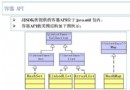
PadFrame (extends Frame)
├── MenuBar + Menu (File, Edit)
├── MenuItem[] (Open, Close, Exit)
├── TextArea (編輯區)
├── 內部類事件處理器
│   ├── EventExit -> System.exit(0)
│   ├── SystemExit (WindowAdapter) -> 關閉視窗退出
│   ├── EventMenuClose -> 清空文本
│   └── EventOpenFile -> FileDialog 開啟檔案讀取
└── main() 啟動入口
import java.io.*;
import java.awt.*;
import java.awt.event.*;

class PadFrame extends Frame {
    private MenuBar mb;
    private Menu menuFile, menuEdit;
    private MenuItem[] miFile;
    private TextArea ta;
    private final Frame frame = this;

    // 事件處理內部類
    class EventExit implements ActionListener {
        public void actionPerformed(ActionEvent e) { System.exit(0); }
    }

    class SystemExit extends WindowAdapter {
        public void windowClosing(WindowEvent e) { System.exit(0); }
    }

    class EventMenuClose implements ActionListener {
        public void actionPerformed(ActionEvent e) { ta.setText(null); }
    }

    class EventOpenFile implements ActionListener {
        public void actionPerformed(ActionEvent e) {
            FileDialog dlg = new FileDialog(frame, "Open Files", FileDialog.LOAD);
            dlg.setVisible(true); // show() 已棄用

            String dir = dlg.getDirectory();
            String file = dlg.getFile();
            if (dir != null && file != null) {
                String path = dir + file;
                try (FileInputStream fis = new FileInputStream(path);
                     BufferedInputStream bis = new BufferedInputStream(fis)) {
                    byte[] buf = new byte[3000];
                    int len = bis.read(buf);
                    ta.append(new String(buf, 0, len));
                } catch (Exception ex) { ex.printStackTrace(); }
            }
        }
    }

    public PadFrame(String title) {
        super(title);
        setLocation(400, 200);
        setSize(900, 630);

        // 菜單構建
        mb = new MenuBar();
        menuFile = new Menu("File");
        menuEdit = new Menu("Edit");
        miFile = new MenuItem[]{new MenuItem("Open"), new MenuItem("Close"), new MenuItem("Exit")};

        setMenuBar(mb);
        mb.add(menuFile); mb.add(menuEdit);
        for (MenuItem item : miFile) menuFile.add(item);

        // 事件綁定
        miFile[0].addActionListener(new EventOpenFile());
        miFile[1].addActionListener(new EventMenuClose());
        miFile[2].addActionListener(new EventExit());
        addWindowListener(new SystemExit());

        // 文本區域
        ta = new TextArea(30, 30);
        add(ta);
    }

    public static void main(String[] args) {
        new PadFrame("NotePad").setVisible(true); // show() 已棄用
    }
}
FileDialog dlg = new FileDialog(parent, title, FileDialog.LOAD); // LOAD/SAVE
dlg.setVisible(true);
String path = dlg.getDirectory() + dlg.getFile(); // 組合完整路徑
try (FileInputStream fis = new FileInputStream(path);
     BufferedInputStream bis = new BufferedInputStream(fis)) {
    byte[] buf = new byte[3000];
    int len = bis.read(buf);
    textArea.append(new String(buf, 0, len)); // 注意編碼問題
} catch (IOException e) { ... }
⚠️ 注意:直接用平台預設編碼解碼位元組,中文可能亂碼。生產環境應指定編碼或用字符流。
| 現狀 | 建議升級 | 理由 |
|---|---|---|
| AWT | Swing / JavaFX | 組件豐富、外觀現代、支援 MVC |
| byte[] + 預設編碼 | BufferedReader + 指定 UTF-8 | 正確處理中文、大檔案分行讀取 |
| 固定 3000 位元組 | 逐行讀取或動態緩衝 | 支援任意大小檔案 |
| 無儲存功能 | FileDialog.SAVE + FileOutputStream | 完整記事本需求 |
| 無編碼選擇 | 編碼下拉選單 | 跨平台相容性 |