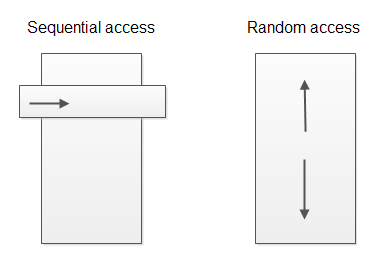
需求:遠程執行 Shell 腳本,將輸出實時寫入日誌文件,前端頁面需實時展示日誌新增內容(類似 `tail -f`)。本文提供基於 `RandomAccessFile` 的完整解決方案,通過記錄文件指針位置,實現增量讀取、編碼處理、定時輪詢,附帶生產者-消費者模擬代碼。
package com.example.logmonitor;

import java.io.File;
import java.io.FileWriter;
import java.io.IOException;
import java.io.Writer;
import java.text.SimpleDateFormat;
import java.util.Date;
import java.util.concurrent.*;

public class LogProducer {
    private final File logFile;
    private final SimpleDateFormat sdf = new SimpleDateFormat("yyyy-MM-dd HH:mm:ss");
    private final ScheduledExecutorService scheduler = Executors.newSingleThreadScheduledExecutor();

    public LogProducer(File logFile) {
        this.logFile = logFile;
        if (!logFile.exists()) {
            try { logFile.createNewFile(); } catch (IOException e) { throw new RuntimeException(e); }
        }
    }

    public void start() {
        scheduler.scheduleAtFixedRate(() -> {
            try (Writer writer = new FileWriter(logFile, true)) {
                String msg = sdf.format(new Date()) + "\t業務處理成功,訂單號: " + System.currentTimeMillis() + "\n";
                writer.write(msg);
                writer.flush();
                System.out.println("[生產] " + msg.trim());
            } catch (IOException e) {
                throw new RuntimeException(e);
            }
        }, 0, 5, TimeUnit.SECONDS); // 每 5 秒寫一行
    }

    public void stop() { scheduler.shutdown(); }

    public static void main(String[] args) throws Exception {
        File logFile = new File("monitor.log");
        LogProducer producer = new LogProducer(logFile);
        producer.start();
        // 主線程保持運行
        Thread.currentThread().join();
    }
}
package com.example.logmonitor;

import java.io.File;
import java.io.IOException;
import java.io.RandomAccessFile;
import java.util.concurrent.*;

public class LogConsumer {
    private final File logFile;
    private long lastPosition = 0; // 上次讀取位置
    private final ScheduledExecutorService scheduler = Executors.newSingleThreadScheduledExecutor();

    public LogConsumer(File logFile) {
        this.logFile = logFile;
    }

    public void start() {
        scheduler.scheduleAtFixedRate(() -> {
            try (RandomAccessFile raf = new RandomAccessFile(logFile, "r")) {
                // 文件被截斷/旋轉:長度小於上次位置,重置為 0
                if (raf.length() < lastPosition) {
                    lastPosition = 0;
                }
                raf.seek(lastPosition);
                String line;
                while ((line = raf.readLine()) != null) {
                    // 關鍵:readLine() 返回 ISO-8859-1 編碼的字符串,需轉碼
                    String decoded = new String(line.getBytes("ISO-8859-1"), "UTF-8");
                    System.out.println("[消費] " + decoded);
                }
                lastPosition = raf.getFilePointer(); // 或 raf.length()
            } catch (IOException e) {
                System.err.println("讀取日誌異常: " + e.getMessage());
            }
        }, 0, 1, TimeUnit.SECONDS); // 每 1 秒輪詢一次
    }

    public void stop() { scheduler.shutdown(); }

    public static void main(String[] args) throws Exception {
        File logFile = new File("monitor.log");
        LogConsumer consumer = new LogConsumer(logFile);
        consumer.start();
        Thread.currentThread().join();
    }
}
"r":只讀模式,消費者足夠,避免意外修改日誌。"rw":讀寫模式,若需在同一進程內寫入並讀取可用。// 錯誤:直接打印 line,中文會亂碼
System.out.println(line);
// 正確:readLine() 按 ISO-8859-1 解碼字節,需轉回原編碼
String decoded = new String(line.getBytes("ISO-8859-1"), "UTF-8");
// 或指定日誌寫入編碼為 UTF-8,讀取時同樣用 UTF-8 解碼
if (raf.length() < lastPosition) {
    // 文件被 logrotate 移動/截斷,長度變小
    lastPosition = 0; // 從頭讀取新文件
}
`RandomAccessFile` + `seek(lastPosition)` + `readLine()` 循環 + 編碼轉換,構成了 Java 實現 `tail -f` 功能的核心模式。關鍵細節:記錄字節偏移量而非行號、處理文件截斷、正確轉換 `readLine()` 的 ISO-8859-1 編碼。該方案輕量、無第三方依賴,適合中小型項目快速集成實時日誌查看功能。