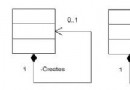
Statement (介面)
    ↑ 繼承
PreparedStatement (介面) — 預編譯 SQL、參數化查詢、防 SQL 注入
    ↑ 繼承
CallableStatement (介面) — 預存程序呼叫、OUT/INOUT 參數支援Connection conn = DriverManager.getConnection(url, user, pass);
// 1. Statement:簡單靜態 SQL
Statement stmt = conn.createStatement();
ResultSet rs = stmt.executeQuery("SELECT * FROM users WHERE active = 1");
int rows = stmt.executeUpdate("UPDATE users SET last_login = NOW() WHERE id = 1");
// 2. PreparedStatement:參數化 SQL (核心推薦)
PreparedStatement pstmt = conn.prepareStatement(
"INSERT INTO users (username, email, created_at) VALUES (?, ?, ?)");
pstmt.setString(1, "john_doe");
pstmt.setString(2, "john@example.com");
pstmt.setTimestamp(3, new Timestamp(System.currentTimeMillis()));
int affected = pstmt.executeUpdate();
// 3. CallableStatement:預存程序
CallableStatement cstmt = conn.prepareCall("{call get_user_stats(?, ?)}");
cstmt.setInt(1, userId); // IN 參數
cstmt.registerOutParameter(2, Types.INTEGER); // OUT 參數
cstmt.execute();
int totalOrders = cstmt.getInt(2);| 方法 | 回傳值 | 適用 SQL | Statement 版本參數 | PreparedStatement/CallableStatement 版本參數 |
|---|---|---|---|---|
executeQuery() | ResultSet | SELECT、可返回結果集的預存程序 | SQL 字串 | 無參數 (SQL 已預編譯) |
executeUpdate() | int (影響筆數) | INSERT/UPDATE/DELETE、DDL (CREATE/DROP) | SQL 字串 | 無參數 |
execute() | boolean (true=ResultSet, false=update count) | 未知類型、多結果集、複雜預存程序 | SQL 字串 | 無參數 |
setXxx(index, value) 編譯期檢查型別。addBatch() + executeBatch() 大幅提升大量寫入效能。conn.setAutoCommit(false); // 手動控制事務
try (PreparedStatement pstmt = conn.prepareStatement(
"INSERT INTO logs (level, message, created_at) VALUES (?, ?, ?)")) {
for (LogEntry entry : largeBatch) {
pstmt.setString(1, entry.getLevel());
pstmt.setString(2, entry.getMessage());
pstmt.setTimestamp(3, new Timestamp(entry.getTimestamp()));
pstmt.addBatch();
}
int[] results = pstmt.executeBatch(); // 每個元素對應一條 SQL 影響筆數
conn.commit();
} catch (BatchUpdateException e) {
conn.rollback();
int[] updateCounts = e.getUpdateCounts(); // 部分成功資訊
}格式:{keyword ...},驅動程式轉換為目標資料庫原生語法。
| 關鍵字 | 用途 | 範例 |
|---|---|---|
escape | LIKE 逸出字元 | {escape '\'} → WHERE name LIKE '\_%' {escape '\'} |
fn | 標量函數 | {fn concat('Hello', 'World')}, {fn now()} |
d | 日期常值 | {d '2024-12-31'} |
t | 時間常值 | {t '23:59:59'} |
ts | 時間戳常值 | {ts '2024-12-31 23:59:59.999'} |
call | 預存程序呼叫 | {call proc(?, ?)}, {? = call func(?)} |
oj | 外部聯結 | {oj table1 LEFT OUTER JOIN table2 ON table1.id = table2.id} |
注意:Statement.setEscapeProcessing(false) 可關閉掃描以提升效能,但 PreparedStatement 不支援 (預編譯階段已處理)。
cstmt.setString(1, "input_value"); // 同 PreparedStatementcstmt.registerOutParameter(1, Types.VARCHAR); // 或 Types.INTEGER 等
cstmt.execute();
String result = cstmt.getString(1); // 取得 OUT 參數值cstmt.setInt(1, 100); // 設定 IN 值
cstmt.registerOutParameter(1, Types.INTEGER); // 註冊 OUT 型別 (必須相容)
cstmt.execute();
int newValue = cstmt.getInt(1); // 取得 OUT 值// 預存程序返回 ResultSet + OUT 參數
cstmt.execute(); // 或 executeQuery()
// 1. 先處理所有 ResultSet
ResultSet rs = cstmt.getResultSet();
while (rs != null) {
while (rs.next()) { /* ... */ }
rs.close();
if (!cstmt.getMoreResults()) break;
rs = cstmt.getResultSet();
}
// 2. 再取 OUT 參數
int outParam = cstmt.getInt(1);executeQuery:讀完所有列 → 語句完成 → 自動提交。executeUpdate:執行完成 → 語句完成 → 自動提交。execute:所有結果集/更新計數處理完 → 語句完成 → 自動提交。conn.setAutoCommit(false);
try {
stmt.executeUpdate(sql1);
pstmt.executeUpdate(sql2);
conn.commit();
} catch (SQLException e) {
conn.rollback();
throw e;
} finally {
conn.setAutoCommit(true); // 歸還連線池前恢復預設
}// 標準模式 (JDK 7+)
try (Connection conn = ds.getConnection();
PreparedStatement pstmt = conn.prepareStatement(sql);
ResultSet rs = pstmt.executeQuery()) {
// 使用資源
} // 自動按 rs → pstmt → conn 順序關閉
// 手動模式 (舊版維護)
Connection conn = null;
PreparedStatement pstmt = null;
ResultSet rs = null;
try {
conn = ds.getConnection();
pstmt = conn.prepareStatement(sql);
rs = pstmt.executeQuery();
// ...
} finally {
closeQuietly(rs);
closeQuietly(pstmt);
closeQuietly(conn); // 歸還連線池
}現代專案建議使用 HikariCP 連線池 + MyBatis/JOOQ/Spring JDBC 封裝層,極少直接操作 Statement。但理解底層機制對排查連線洩漏、死鎖、執行計畫問題至關重要。