Eclipse 以其開放擴充架構深受開發者喜愛,Hibernate 則是 ORM 領域的佼佼者 (EJB 3 普及前更是首選)。本文示範如何在 Eclipse 3.0.1 中安裝與使用 Hibernate Synchronizer 外掛,從資料庫逆向生成映射檔、POJO 及 DAO 類,大幅提升開發效率。
Hibernate plugin,URL 填 https://www.binamics.com/hibernatesync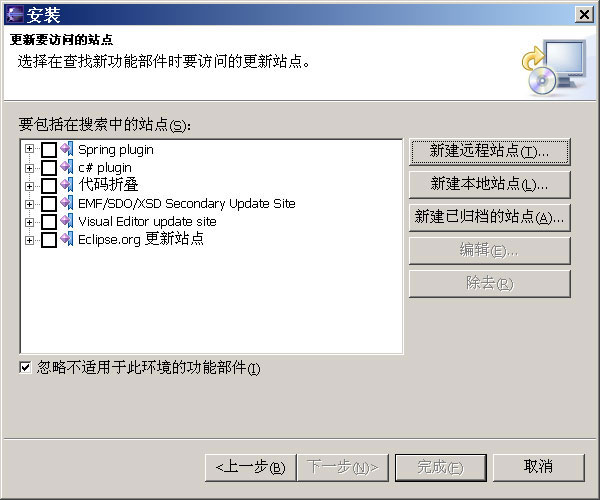
使用 MySQL,建立 user_info 表:
CREATE TABLE `user_info` (
 `id` int(11) NOT NULL auto_increment,
 `name` varchar(100) NOT NULL default '',
 `password` varchar(100) NOT NULL default '',
 PRIMARY KEY (`id`)
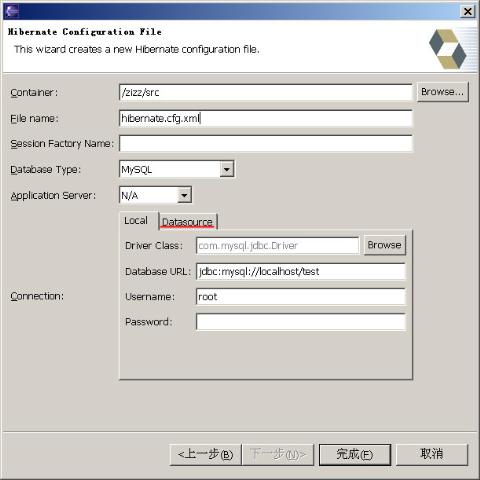
);src 目錄右鍵 New → Other → Hibernate → Hibernate Configuration Filehibernate.cfg.xml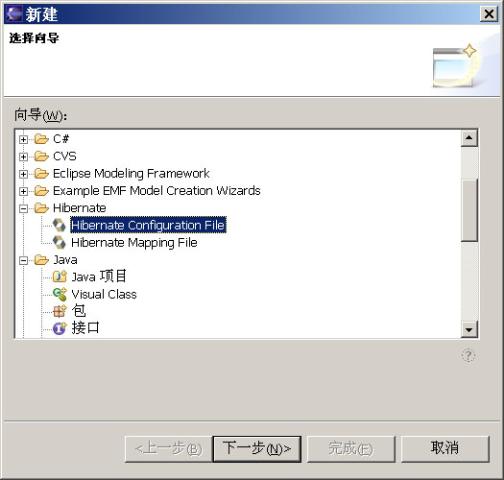
org.bromon.zizz.pojouser_info,指定 POJO 套件UserInfo.hbm.xml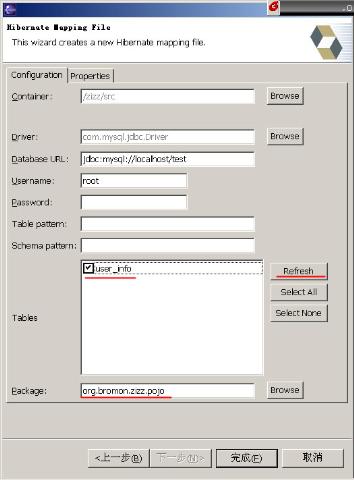
UserInfo.hbm.xml 右鍵選擇 Hibernate Synchronizer → Synchronize files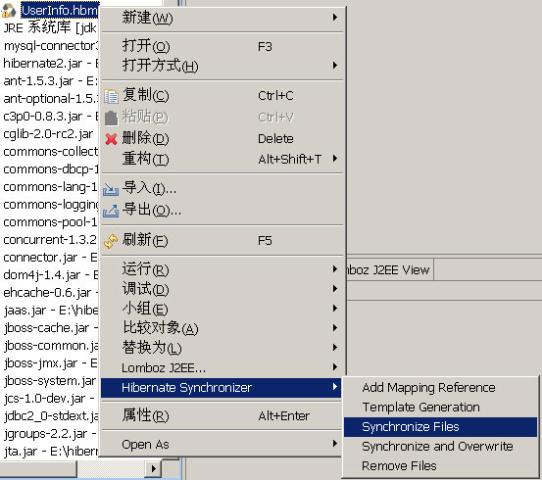
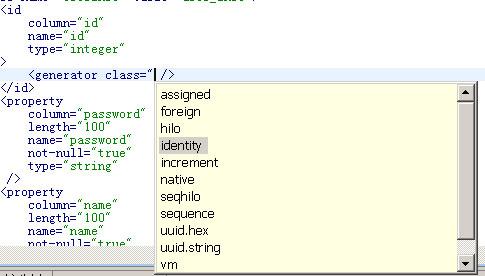
UserInfo.hbm.xml 右鍵 Synchronizer → Add Mapping Referencehibernate.cfg.xml 自動新增 <mapping resource="..."/>在 org.bromon.zizz.pojo.dao.UserInfoDAO 中加入 main 方法 (此類不會被外掛覆寫):
public static void main(String args[]) {
 try {
     _RootDAO.initialize();
     UserInfoDAO uid = new UserInfoDAO();
     org.bromon.zizz.pojo.UserInfo ui = new org.bromon.zizz.pojo.UserInfo();
     ui.setName("bromon");
     ui.setPassword("123");
     uid.save(ui);
 } catch (Exception e) {
     e.printStackTrace();
 }
}UserInfo.hbm.xml,將 ID generator 改為 identity (對應 MySQL auto_increment)hibernate.cfg.xml 必須使用 Eclipse 內建文字編輯器,外部工具可能導致不同步錯誤<!--
<property name="hibernate.transaction.factory_class">
net.sf.hibernate.transaction.JTATransactionFactory
</property>
<property name="jta.UserTransaction">
java:comp/UserTransaction
</property>
-->
Run 專案,資料成功寫入資料庫。
當資料表結構變更時,只需修改 .hbm.xml 檔案,再執行 Synchronize and Overwrite,外掛重新生成存根檔,開發者僅需調整業務邏輯即可。
Hibernate Synchronizer 將 Session 管理、事務處理等樣板代碼自動化,配合視覺化編輯器,讓開發者專注於業務邏輯,極大提升開發效率與程式碼品質。