在 MIDP 1.0 時代,遊戲開發者若想繪製精美圖形,只能在沒有浮點數支援的 CLDC 1.0 上從頭打造 3D 引擎,開發成本極高。MIDP 2.0 引入的 JSR 184(Mobile 3D Graphics API),是首個基於 Java 標準的行動裝置 3D 圖形套件,提供保留模式與立即模式雙重架構,讓開發者能專注於遊戲邏輯而非底層渲染。
Graphics3D.render() 繪製幾何體,完全掌控渲染管線,效能更高、彈性更大,適合高效能遊戲迴圈。本文重點示範立即模式。| 類別 | 用途 |
|---|---|
Graphics3D | 唯一 3D 圖形上下文,所有著色操作在 render() 中完成 |
VertexBuffer / VertexArray | 儲存頂點位置、法線、顏色、材質座標 |
IndexBuffer / TriangleStripArray | 定義頂點連接方式形成幾何體 |
Appearance / Material / Texture2D | 封裝著色屬性:材質、貼圖、混合模式等 |
Camera | 定義觀察者位置、視野角、投影矩陣 |
Light | 光源屬性:顏色、強度、類型 |
Transform | 4x4 浮點數矩陣,處理平移、旋轉、縮放 |
Background | 定義視圖清除方式(顏色、圖片、深度) |
Loader | 載入 .m3g 場景檔(從 3D 建模工具匯出) |
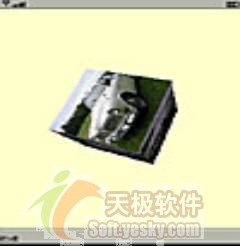
import javax.microedition.midlet.*;
import javax.microedition.lcdui.*;
import java.util.*;

public class MIDletMain extends MIDlet {
    static MIDletMain midlet;
    MyCanvas d = new MyCanvas();
    Timer iTimer = new Timer();

    public MIDletMain() { this.midlet = this; }

    public void startApp() {
        Display.getDisplay(this).setCurrent(d);
        iTimer.schedule(new MyTimerTask(), 0, 40); // ~25 FPS
    }
    public void pauseApp() {}
    public void destroyApp(boolean unconditional) {}

    public static void quitApp() {
        midlet.destroyApp(true);
        midlet.notifyDestroyed();
        midlet = null;
    }

    class MyTimerTask extends TimerTask {
        public void run() { if (d != null) d.repaint(); }
    }
}import javax.microedition.lcdui.*;
import javax.microedition.m3g.*;
public class MyCanvas extends Canvas {
private Graphics3D graphics3d;
private Camera camera;
private Light light;
private float angle = 0.0f;
private Background background = new Background();
private VertexBuffer vbuffer;
private IndexBuffer indexbuffer;
private Appearance appearance;
private Material material = new Material();
private Image image;
public MyCanvas() {
setCommandListener(new CommandListener() {
public void commandAction(Command c, Displayable d) {
if (c.getCommandType() == Command.EXIT) MIDletMain.quitApp();
}
});
try { init(); } catch (Exception e) { e.printStackTrace(); }
}
private void init() throws Exception {
addCommand(new Command("Exit", Command.EXIT, 1));
graphics3d = Graphics3D.getInstance();
// 相機:透視投影
camera = new Camera();
camera.setPerspective(60.0f, (float)getWidth()/(float)getHeight(), 1.0f, 1000.0f);
// 光源
light = new Light();
light.setColor(0xffffff);
light.setIntensity(1.25f);
// ── 立方體頂點 ──
short[] vert = { /* 24 個頂點,共 72 個 short */ };
VertexArray vertArray = new VertexArray(vert.length/3, 3, 2);
vertArray.set(0, vert.length/3, vert);
// ── 法線 ──
byte[] norm = { /* 24 個法線 */ };
VertexArray normArray = new VertexArray(norm.length/3, 3, 1);
normArray.set(0, norm.length/3, norm);
// ── 材質座標 ──
short[] tex = { /* 24 個 UV */ };
VertexArray texArray = new VertexArray(tex.length/2, 2, 2);
texArray.set(0, tex.length/2, tex);
// 索引緩衝:6 個面,每面 4 頂點三角條帶
int[] stripLen = {4,4,4,4,4,4};
vbuffer = new VertexBuffer();
vbuffer.setPositions(vertArray, 1.0f, null);
vbuffer.setNormals(normArray);
vbuffer.setTexCoords(0, texArray, 1.0f, null);
indexbuffer = new TriangleStripArray(0, stripLen);
// 貼圖載入與設定
image = Image.createImage("/pic1.png");
Image2D image2D = new Image2D(Image2D.RGB, image);
Texture2D texture = new Texture2D(image2D);
texture.setFiltering(Texture2D.FILTER_NEAREST, Texture2D.FILTER_NEAREST);
texture.setWrapping(Texture2D.WRAP_CLAMP, Texture2D.WRAP_CLAMP);
texture.setBlending(Texture2D.FUNC_MODULATE);
// 外觀組合
appearance = new Appearance();
appearance.setTexture(0, texture);
appearance.setMaterial(material);
material.setColor(Material.DIFFUSE, 0xFFFFFFFF);
material.setColor(Material.SPECULAR, 0xFFFFFFFF);
material.setShininess(100.0f);
background.setColor(0xffffcc);
}
protected void paint(Graphics g) {
graphics3d.bindTarget(g, true, Graphics3D.DITHER | Graphics3D.TRUE_COLOR);
graphics3d.clear(background);
// 相機位置:Z=30 往原點看
Transform transform = new Transform();
transform.postTranslate(0.0f, 0.0f, 30.0f);
graphics3d.setCamera(camera, transform);
// 光源同步相機
graphics3d.resetLights();
graphics3d.addLight(light, transform);
// 旋轉動畫
angle += 1.0f;
transform.setIdentity();
transform.postRotate(angle, 1.0f, 1.0f, 1.0f);
// 核心繪圖呼叫
graphics3d.render(vbuffer, indexbuffer, appearance, transform);
graphics3d.releaseTarget();
}
}VertexBuffer 聚合位置、法線、UV;TriangleStripArray 以索引方式定義三角條帶,減少頂點重複傳輸。Texture2D → Appearance → Material 組合,支援多層貼圖、混合模式、光照計算。Camera.setPerspective(fov, aspect, near, far) 建立透視投影。TimerTask 觸發 repaint(),在 paint() 中更新 Transform 矩陣實現旋轉。Loader.load() 載入,分離美術與程式工作流。