承接前兩部分,本文繼續探討org.eclipse.swt.custom與org.eclipse.swt.widgets包中的進階控件,並在TabFolder1App應用中演示。
TableTree(custom包)結合Tree層級結構與Table列式顯示。Eclipse 3.1增強Tree可替代之,故TableTree被棄用,但舊版本仍可使用。圖1展示表格式樹示例,創建邏輯同Tree與Table結合,不再贅述。
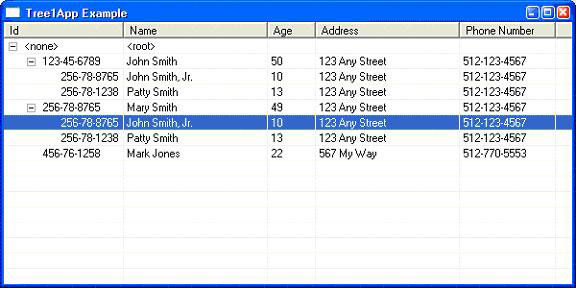
圖 1. 表樹的例子
TabFolder以有限空間承載複雜GUI,分多個分頁(TabItem),每頁為獨立GUI(通常為Composite),一次顯示一頁。CTabFolder(custom包)為增強版,外觀更佳,支持分頁關閉按鈕。樣式互斥:TOP、BOTTOM;CTabFolder額外支持FLAT、BORDER、CLOSE。清單1為創建輔助方法,圖2、3對比兩者效果(注意CTabFolder分頁上的關閉鈕)。
protected TabFolder createTabFolder(Composite parent, int style) {
    return new TabFolder(parent, style);
}
protected TabItem createTabItem(TabFolder parent, int style,
    String text, Image icon, Control ctl) {
    TabItem ti = new TabItem(parent, style);
    if (text != null) ti.setText(text);
    if (icon != null) ti.setImage(icon);
    if (ctl != null) ti.setControl(ctl);
    return ti;
}
清單 1. 創建 TabFolder 與 TabItem 的方法
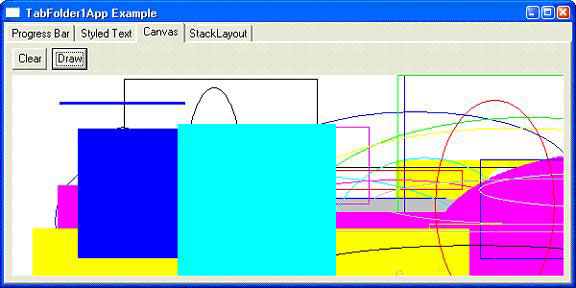
圖 2. 帶有 4 個選項卡的 TabFolder
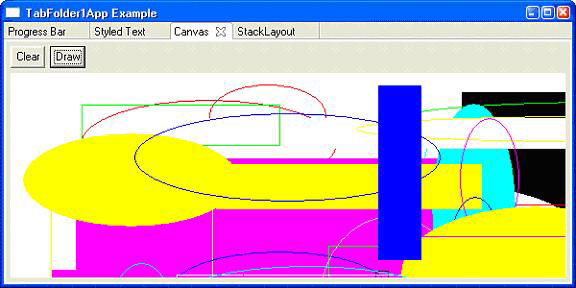
圖 3. 帶有 4 個選項卡的 CTabFolder
Canvas為最基礎繪圖控件,可構建自定義控件。圖2、3中Canvas繪製重疊矩形與橢圓(隨機顏色、填充)。繪圖需添加PaintListener,在paintControl中使用GC(圖形上下文)繪製。兩種模式:直接繪圖(簡單但重繪不穩定)與模型驅動繪圖(構建模型再按模型重繪,推薦)。清單2為創建方法,清單3定義繪圖模型層次(PaintItem、BaseRectItem、ElipseItem、RectangleItem),清單4為PaintListener實現,清單5處理清除/生成隨機圖形邏輯。
protected Canvas createCanvas(Composite parent, int style, PaintListener pl) {
    Canvas c = new Canvas(parent, style);
    if (pl != null) c.addPaintListener(pl);
    return c;
}
清單 2. 創建 Canvas 的方法
四類控件處理離散值:Scale(小範圍整數)、Slider(大範圍整數、滾動條式)、Spinner(Eclipse 3.1新增,支持按鈕/鍵盤輸入浮點數)、ProgressBar(只輸出,顯示增量進度)。均須指定HORIZONTAL或VERTICAL。Spinner額外支持WRAP、READ_ONLY;ProgressBar支持SMOOTH、INDETERMINATE。清單6-9為創建方法,圖4展示組合界面。清單10展示後台線程BarUpdater同步更新標籤、進度條與滑塊(注意syncExec確保線程安全)。
protected Slider createSlider(Composite parent, int style,
    int min, int current, int max, int inc, int pageinc, int thumb,
    String callback) { ... }
清單 6. 創建 Slider 的方法
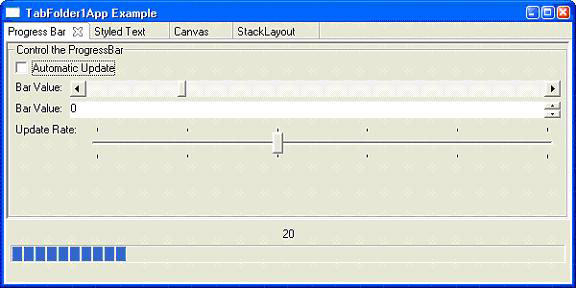
圖 4. 控件的例子
StyledText(custom包)支持字體、顏色、下劃線、刪除線、粗體、斜體等屬性(Eclipse 3.1+支持下劃線/刪除線)。樣式互斥:MULTI、SINGLE;可選WRAP、READ_ONLY。清單11為創建方法,清單12演示用類XML語法定義樣式範圍(TextContent輔助類解析生成StyleRange數組)。圖5展示效果。
protected StyledText createStyledText(Composite parent, int style) {
    return new StyledText(parent, style);
}
清單 11. 創建 StyledText 的方法
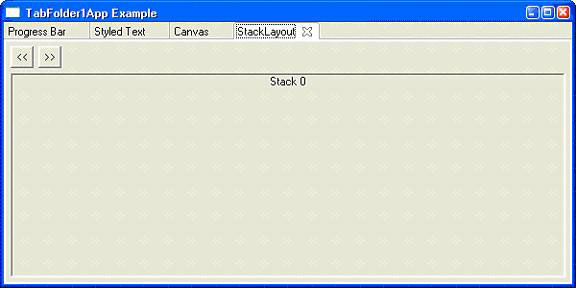
圖 5. StyledText 的例子
PopupList無需創建菜單即可彈出選項列表。圖6展示在StyledText右鍵彈出「全選/剪切/複製/貼上」。清單13為processPopup實現(注意定位邏輯)。
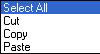
圖 6. PopupList 的例子
StackLayout(custom包)類似無分頁的TabFolder,一次顯示一個控件。圖7、8展示五個標籤疊層,通過「>>」「<<」按鈕切換。清單14創建疊層與標籤,清單15實現切換邏輯。
StackLayout stackLayout = new StackLayout();
Composite clabels = createComposite(body, SWT.BORDER, stackLayout);
Label[] labels = new Label[5];
for (int i = 0; i < labels.length; i++) {
    labels[i] = new Label(clabels, SWT.CENTER);
    labels[i].setText("Stack " + i);
}
stackLayout.topControl = labels[0];
清單 14. StackLayout 的例子
圖 7. StackLayout 的例子 1
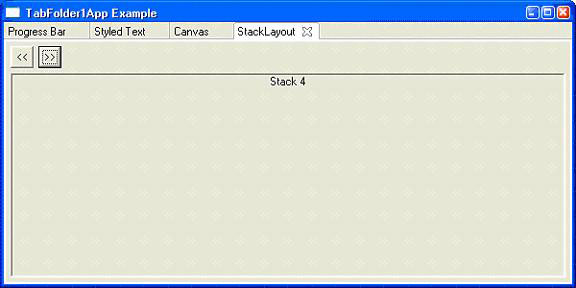
圖 8. StackLayout 的例子 2
本文介紹TableTree、TabFolder/CTabFolder、Canvas、數值輸入控件(Slider/Spinner/Scale/ProgressBar)、StyledText、PopupList與StackLayout。下期將展示更多SWT控件。
來源:IBM developerWorks