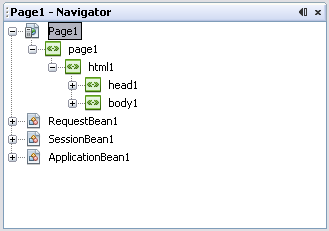
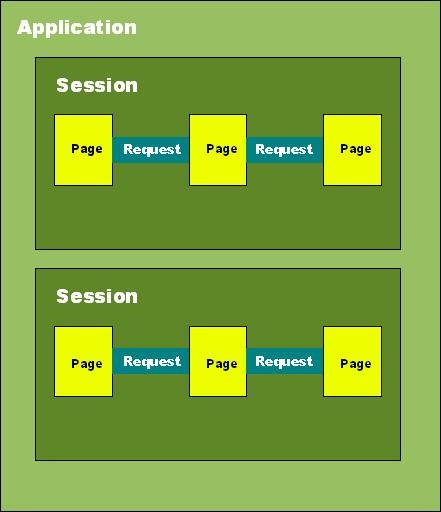
在 JSF 應用中,資料存儲範圍決定了資料的存活時間與可見性。NetBeans Visual Web 自動建立三個預設受管 Bean:
| 作用域 | 開始時間 | 結束時間 | 典型用途 |
|---|---|---|---|
| Application | 應用啟動 | 應用關閉 | 下拉選單選項、系統配置、快取資料 |
| Session | 用戶首次訪問 | 會話逾時/失效 | 用戶登入資訊、購物車、偏好設定 |
| Request | 提交頁面 | 回應完成 | 表單暫存資料、單次計算結果 |
建立 Scopes 專案(Visual Web JSF),完成四個受管 Bean 屬性配置:
private Option[] ballotOptions;  // 投票選項陣列
private HashMap tally;           // 計票統計

// init() 初始化
ballotOptions = new Option[] {
    new Option("java", "Java Programming Language"),
    new Option("cpp", "C++"),
    new Option("fortran", "Fortran")
};
tally = new HashMap();
for (int i = 0; i < ballotOptions.length; i++) {
    tally.put(ballotOptions[i].getValue(), "0");
}

// 業務方法
public void incrementTallyFor(String category) { ... }
public int getTallyFor(String category) { ... }private boolean hasVoted; // 防止重複投票
// init()
setHasVoted(false);private java.util.Date timestamp; // 投票時間戳記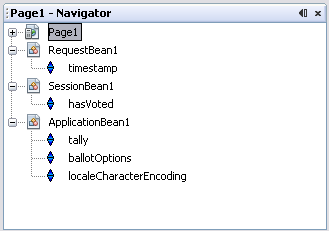
voteRBGroup 綁定 ApplicationBean1.ballotOptionsdisabled 綁定 SessionBean1.hasVoted,動作處理投票邏輯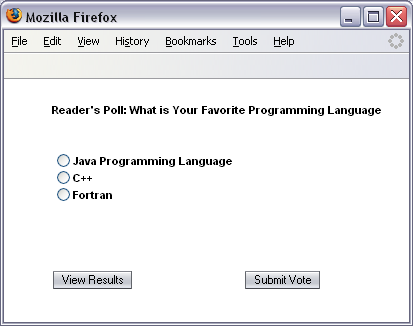
public String voteButton_action() {
    if (voteRBGroup.getSelected() == null) return null;
    String votedFor = voteRBGroup.getSelected().toString();
    getApplicationBean1().incrementTallyFor(votedFor);
    getSessionBean1().setHasVoted(true);
    getRequestBean1().setTimestamp(new Date());
    return null;
}resultsST(HTML 表格顯示統計)、messageST(投票時間)escape 設為 false 允許 HTML 輸出prerender() 動態生成統計表格與時間顯示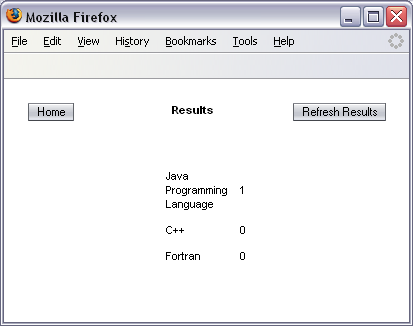
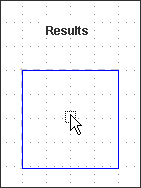
public void prerender() {
ApplicationBean1 appBean = getApplicationBean1();
Option[] choices = appBean.getBallotOptions();
String str = "";
for (int i = 0; i < choices.length; i++) {
int count = appBean.getTallyFor(choices[i].getValue().toString());
str += "" + choices[i].getLabel() + " " + count + "
";
resultsST.setText(str);
RequestBean1 reqBean = getRequestBean1();
Date timestamp = (Date) reqBean.getTimestamp();
if (timestamp != null) {
messageST.setText("Your vote was recorded at " +
DateFormat.getTimeInstance(DateFormat.LONG).format(timestamp));
}
}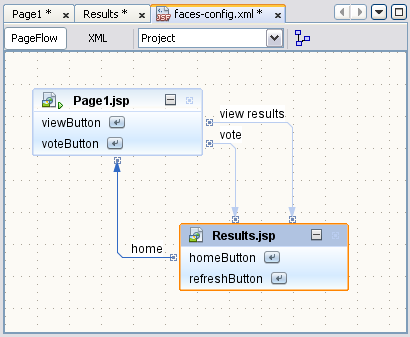
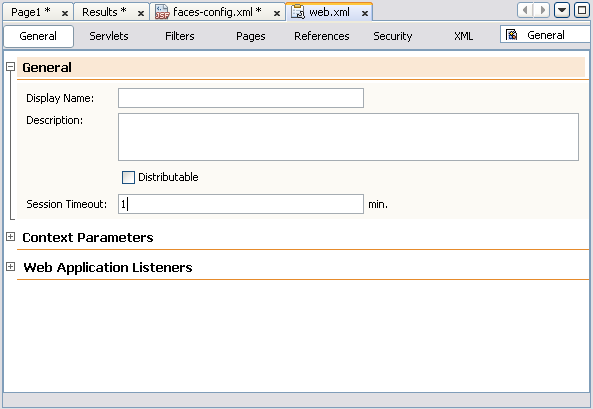
Page1.jsp → Results.jsp(view results / vote)Results.jsp → Page1.jsp(home)web.xml 設定會話逾時 1 分鐘: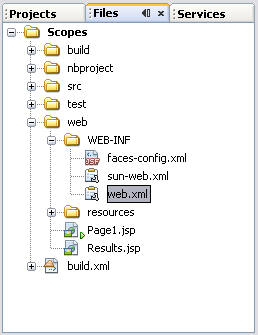
Submit Vote 變灰(Session 作用域生效)View Results 不顯示時間(Request Bean 已重建)
導航規則包含 <redirect/> 時,不可使用 Request Bean——重導向會在目標頁面可用前結束請求,導致 Request Bean 資料遺失。
New → Other → JavaServer Faces → Managed Bean)