WebSphere Portal V5 提供 JSP 標籤庫支援 Portlet 頁面導航,Struts 1.1 的多模組機制則能有效組織複雜導航邏輯。本文結合範例應用,詳細說明如何將 Portal 導航標籤與 Struts 多模組結合,實現跨頁面、跨 Portlet 的無縫導航。
<wps:urlGeneration>該標籤屬於 engine.tld,透過 contentNode 屬性指定目標頁面的唯一標識或自定義名稱,生成導航 URL。使用步驟:
Struts_Test_Page)。<%@ taglib uri="/WEB-INF/tld/engine.tld" prefix="wps" %><wps:urlGeneration contentNode="Struts_Receiver_Page">
<a href="<% wpsURL.write(out); %>" style="text-decoration:none">
<bean:write name="overviewFormBean" property="addressLinkName" />
</a>
</wps:urlGeneration>
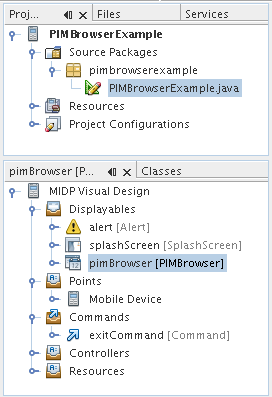
範例應用劃分四個模組:default、overview、address、phone-numbers。每個模組擁有獨立的 struts-config.xml、Action、Form Bean、JSP。
<init-param>
  <param-name>config</param-name>
  <param-value>WEB-INF/struts-config.xml</param-value>
</init-param>
<init-param>
  <param-name>config/overview</param-name>
  <param-value>WEB-INF/overview/struts-config.xml</param-value>
</init-param>
<init-param>
  <param-name>config/address</param-name>
  <param-value>WEB-INF/address/struts-config.xml</param-value>
</init-param>
<init-param>
  <param-name>config/phone-numbers</param-name>
  <param-value>WEB-INF/phone-numbers/struts-config.xml</param-value>
</init-param>
default 模組的 DisplayAction 讀取 portlet.xml 中的 view.forward 參數,決定轉發到哪個模組:
PortletSettings settings = request.getPortletSettings();
String viewForward = settings.getAttribute("view.forward");
ActionForward forward = mapping.findForward(viewForward);
return forward;
portlet.xml 中為每個 Portlet 實例配置對應的 view.forward 值(overview、address、phone-numbers),實現同一 WAR 部署多個 Portlet 實例,各自進入不同模組流程。
overview 模組的 OverviewAction 設定表單欄位,轉發至 Overview.jsp,頁面使用 <wps:urlGeneration> 生成導航至 address、phone-numbers 頁面的連結。address、phone-numbers 模組同理,並在 JSP 中用 <logic:iterate> 顯示集合資料,提供返回 Overview 頁面的導航。
將 WAR 部署至 WebSphere Portal,建立三個頁面並放置對應 Portlet 實例。配置自定義名稱後,即可在瀏覽器中驗證跨頁面、跨 Portlet 導航流程。
Portal 導航標籤解決「跨頁面連結生成」,Struts 多模組解決「複雜業務流程組織與並行開發」。兩者結合,既保持 JSP 部署獨立性(使用自定義名稱而非內部 ID),又能支援大型複雜應用的導航需求。