接手老項目時,Spring 整合 DWR 配置文件報錯:schema_reference.4: Failed to read schema document 'https://www.directwebremoting.org/schema/spring-dwr-2.0.xsd',且 dwr:remote 元素無聲明。本文記錄從網上找方案失效、求助同事、閱讀錯誤信息、最終通過 IDE 本地註冊 Schema 徹底解決的完整思路,並總結通用故障排查方法論。
Multiple annotations found at this line:
- schema_reference.4: Failed to read schema document 'https://www.directwebremoting.org/schema/spring-dwr-2.0.xsd', because
  1) could not find the document; 2) the document could not be read; 3) the root element of the document is not <xsd:schema>.
- cvc-complex-type.2.4.c: The matching wildcard is strict, but no declaration can be found for element 'dwr:remote'.環境:MyEclipse / Eclipse + Spring 2.x + DWR 2.x + Maven。
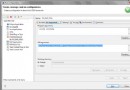
dwr:remote 用法,無特殊發現。META-INF/schemas/ 找,找不到再按 URL 下載。若兩條路都不通 (JAR 缺 Schema / 網絡不通/官網失效),則報此錯。原理:將 spring-dwr-2.0.xsd 下載到本地,告訴 Eclipse/MyEclipse:「當遇到命名空間 https://www.directwebremoting.org/schema/spring-dwr-2.0.xsd 時,直接讀取本地文件」。
spring-dwr-2.0.xsd (從 DWR 官網、GitHub 或項目依賴 JAR 中解壓 org/directwebremoting/spring/spring-dwr-2.0.xsd)。spring-dwr-2.0.xsd。https://www.directwebremoting.org/schema/spring-dwr-2.0.xsd (錯誤信息中的 URL)。while (遇到問題) {
if (以前遇到過) {
根據記憶/筆記解決;
} else if (沒遇到過) {
上網找方案;
} else if (網上找不到 或 方案無效) {
求助身邊大神;
} else if (大神也搞不定) {
停下來,跳出原有思路;
認真分析錯誤信息 (日志/堆疊/錯誤碼);
換個角度思考 (如: 是環境問題? 是版本不匹配? 是網絡不通?);
嘗試最小化復現 / 二分法定位;
}
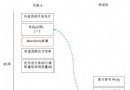
}核心心法:錯誤信息是第一手線索,不要只盯著「現象」找「現象」的方案,要看懂「報錯邏輯」。本例中 schema_reference.4 直接指向「Schema 文件讀取失敗」,解決讀取路徑即治本。
若依賴 JAR (如 dwr-spring-2.0.x.jar) 內確實缺少 META-INF/schemas/spring-dwr-2.0.xsd,可考慮:
src/main/resources/META-INF/schemas/ 下放入 Schema 文件,打包進應用 JAR,運行時類加載器也能找到。spring.schemas 映射機制在項目中覆蓋映射。Spring XML 命名空間驗證依賴 Schema 文件,IDE 雙重查找機制 (JAR 內 → URL) 任一斷裂即報錯。本地註冊 XML Catalog 是最快、最穩妥的繞過網絡/JAR 缺陷的方案。養成「讀懂錯誤碼 → 定位機制 → 精準打擊」的排查習慣,比盲目搜索高效百倍。