Java Web 開發中亂碼問題無處不在,本文針對表單提交場景,提供徹底解決 GET/POST 請求參數亂碼及響應輸出亂碼的代碼模式。
public class ChuliServlet extends HttpServlet {
    protected void doGet(HttpServletRequest req, HttpServletResponse resp)
            throws ServletException, IOException {

        // 1. 設置請求編碼(僅對 POST 生效,GET 需 Tomcat 配置)
        req.setCharacterEncoding("UTF-8");

        // 2. 獲取參數
        String name = req.getParameter("name");
        String age = req.getParameter("age");

        // 3. GET 請求額外處理(ISO-8859-1 → UTF-8 轉碼)
        // name = new String(name.getBytes("ISO-8859-1"), "UTF-8");

        // 4. 設置響應編碼(雙重保險)
        resp.setHeader("Content-Type", "text/html; charset=UTF-8");
        resp.setCharacterEncoding("UTF-8");

        // 5. 輸出
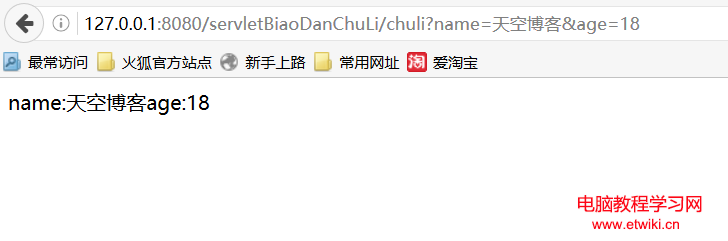
        resp.getWriter().write("name:" + name + " age:" + age);

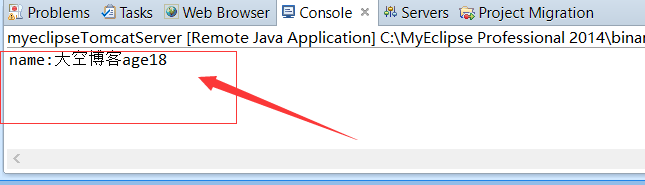
        System.out.println("name:" + name + " age:" + age);
    }

    protected void doPost(HttpServletRequest req, HttpServletResponse resp)
            throws ServletException, IOException {
        doGet(req, resp); // 統一處理
    }
}
| 場景 | 問題 | 解決方案 |
|---|---|---|
| POST 請求 | 參數亂碼 | req.setCharacterEncoding("UTF-8") 必須在 getParameter() 前調用 |
| GET 請求 | 參數亂碼 | Tomcat server.xml 添加 URIEncoding="UTF-8" 或手動轉碼 new String(bytes, "ISO-8859-1", "UTF-8") |
| 響應輸出 | 頁面亂碼 | 雙重設置:setHeader + setCharacterEncoding,或 setContentType("text/html;charset=UTF-8") |
修改 conf/server.xml 中 <Connector> 元素:
<Connector port="8080" protocol="HTTP/1.1"
           connectionTimeout="20000"
           redirectPort="8443"
           URIEncoding="UTF-8"
           useBodyEncodingForURI="true" />
重啟 Tomcat 後,所有 GET 請求參數自動按 UTF-8 解碼。
@WebFilter("/*")
public class EncodingFilter implements Filter {
    public void doFilter(ServletRequest req, ServletResponse resp, FilterChain chain)
            throws IOException, ServletException {
        req.setCharacterEncoding("UTF-8");
        resp.setCharacterEncoding("UTF-8");
        resp.setContentType("text/html;charset=UTF-8");
        chain.doFilter(req, resp);
    }
}
配置在 web.xml 或註解掃描中,攔截所有請求統一編碼。
控制台與頁面均正常顯示中文:name:測試 age:25