| 特性 | SWT | JFace |
|---|---|---|
| 來源 | Eclipse 子項目(IBM 主導) | 基於 SWT 的高層封裝 |
| 底層 | C 調用原生 GUI API | 委託 SWT |
| 外觀 | 原生系統風格 | 同 SWT |
| 編程模型 | 較底層、面向過程 | 面向對象、MVC 風格 |
| 發布依賴 | .dll/.so + swt.jar | + 5 個 JFace JAR 包 |
swt-awt-win32-3305.dllswt-gdip-win32-3305.dllswt-wgl-win32-3305.dllswt-win32-3305.dllswt.jarDLL 放入 PATH 或 -Djava.library.path,JAR 放入 CLASSPATH。
org.eclipse.core.runtime_3.1.2.jar
org.eclipse.jface_3.1.1.jar
org.eclipse.jface.text_3.1.2.jar
org.eclipse.osgi_3.1.2.jar
org.eclipse.text_3.1.1.jarDisplay:系統層橋梁,管理事件循環、資源Shell:用戶層窗口,承載控件Button、Text、FileDialog、MessageBox// 主循環
Display display = new Display();
Shell shell = new Shell(display, SWT.DIALOG_TRIM);
shell.setText("第一個 SWT 程序");
shell.setSize(400, 300);
// 控件創建
Button newButton = new Button(shell, SWT.PUSH);
newButton.setLocation(2, 5); newButton.setSize(50, 20); newButton.setText("新建");
// ... openButton, saveButton 同理
Text text = new Text(shell, SWT.MULTI | SWT.BORDER | SWT.V_SCROLL | SWT.WRAP);
text.setLocation(2, 30);
text.setSize(shell.getClientArea().width - 4, shell.getClientArea().height - 35);
// 事件監聽(SelectionAdapter 匿名內部類)
newButton.addSelectionListener(new SelectionAdapter() {
public void widgetSelected(SelectionEvent e) {
fn = ""; shell.setText("第一個 SWT 程序"); text.setText("");
}
});
// 事件循環
shell.open();
while (!shell.isDisposed()) {
if (!display.readAndDispatch()) display.sleep();
}
display.dispose();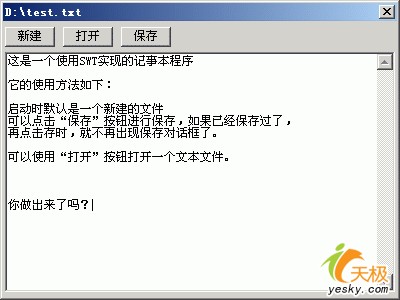
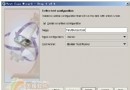
圖 1:SWT 記事本界面
ApplicationWindowcreateContents(Composite parent) 回調中Shell 由父類管理,用 parent 替代public class FirstJFace extends ApplicationWindow {
public FirstJFace() { super(null); }
protected Control createContents(Composite parent) {
// 同 SWT 代碼,將 shell → parent
Button newButton = new Button(parent, SWT.PUSH);
// ...
return parent;
}
public static void main(String[] args) {
FirstJFace aw = new FirstJFace();
aw.setBlockOnOpen(true);
aw.open();
Display.getCurrent().dispose();
}
}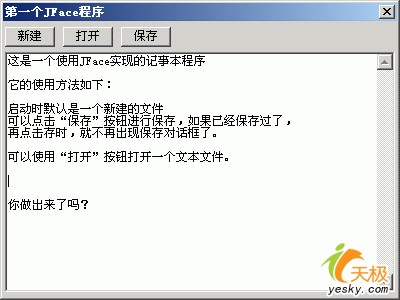
圖 2:JFace 記事本界面(外觀一致)