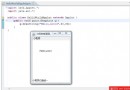
JDK 5.0 引入 ProcessBuilder 替代 Runtime.exec(),提供更靈活的進程控制:環境變數隔離、工作目錄指定、輸入輸出流重定向。本文以獲取本機網卡 MAC 地址為例,展示 ProcessBuilder 核心用法與跨平台適配要點。
package com.kuaff.jdk5package;

import java.io.IOException;
import java.io.InputStream;
import java.util.ArrayList;
import java.util.List;

public class ProcessBuilderShow {

    public static List<String> getPhysicalAddress() {
        Process process = null;
        List<String> addresses = new ArrayList<>();

        try {
            // Windows: ipconfig /all
            process = new ProcessBuilder("ipconfig", "/all").start();
        } catch (IOException e) {
            return addresses;
        }

        // 讀取進程輸出
        StringBuilder output = new StringBuilder();
        try (InputStream in = process.getInputStream()) {
            byte[] buffer = new byte[1024];
            int len;
            while ((len = in.read(buffer)) > 0) {
                output.append(new String(buffer, 0, len));
            }
        } catch (IOException e) {
            // 忽略讀取異常,嘗試解析已獲取內容
        }

        // 解析輸出提取 MAC 地址
        String content = output.toString();
        int index = content.indexOf("Physical Address");
        while (index >= 0) {
            // 定位到冒號後的地址部分
            int colon = content.indexOf(':', index);
            if (colon >= 0) {
                String candidate = content.substring(colon + 1).trim();
                // MAC 格式: XX-XX-XX-XX-XX-XX (17 字符含分隔符)
                if (candidate.length() >= 17) {
                    addresses.add(candidate.substring(0, 17).toUpperCase());
                }
            }
            index = content.indexOf("Physical Address", index + 1);
        }

        return addresses;
    }

    public static void main(String[] args) {
        List<String> macs = getPhysicalAddress();
        for (String mac : macs) {
            System.out.printf("物理網卡地址: %s%n", mac);
        }
    }
}
| 特性 | Runtime.exec() | ProcessBuilder |
|---|---|---|
| 命令參數傳遞 | 單一字符串,需手動處理空格/引號 | List<String> 或 可變參數,自動處理 |
| 環境變數控制 | 繼承 JVM 進程環境,難以隔離 | environment() 返回 Map,可增刪改 |
| 工作目錄 | 固定為 JVM 啟動目錄 | directory(File) 任意指定 |
| 輸入輸出重定向 | 需手動管道連接 | redirectInput/Output/Error() 支援文件/PIPE/INHERIT |
| 啟動管道鏈 | 極其繁瑣 | ProcessBuilder.startPipeline() (JDK 9+) |
MAC 獲取命令因作業系統而異:
// 偽代碼邏輯
String os = System.getProperty("os.name").toLowerCase();
List<String> cmd;
if (os.contains("win")) {
    cmd = Arrays.asList("ipconfig", "/all");
    parsePattern = "Physical Address.*: ([0-9A-F-]{17})";
} else if (os.contains("linux") || os.contains("mac")) {
    cmd = Arrays.asList("sh", "-c", "ip link show | grep -oE '([0-9a-f]{2}:){5}[0-9a-f]{2}'");
    parsePattern = "([0-9a-f]{2}:){5}[0-9a-f]{2}";
} else {
    // 兜底:Java 6+ NetworkInterface API (純 Java 無外部依賴)
    return getMacByNetworkInterface();
}
強烈建議優先使用 java.net.NetworkInterface,無外部進程開銷、跨平台穩定、無解析風險:
import java.net.NetworkInterface;
import java.net.SocketException;
import java.util.Collections;
import java.util.List;

public class MacAddressUtil {
    public static List<String> getAllMacAddresses() throws SocketException {
        List<String> macs = new ArrayList<>();
        for (NetworkInterface ni : Collections.list(NetworkInterface.getNetworkInterfaces())) {
            if (!ni.isUp() || ni.isLoopback() || ni.isVirtual()) continue;
            byte[] mac = ni.getHardwareAddress();
            if (mac != null) {
                StringBuilder sb = new StringBuilder();
                for (int i = 0; i < mac.length; i++) {
                    sb.append(String.format("%02X%s", mac[i], (i < mac.length - 1) ? "-" : ""));
                }
                macs.add(sb.toString());
            }
        }
        return macs;
    }
}
// 非阻塞讀取,避免緩衝區滿導致子進程阻塞
new Thread(() -> {
    try (BufferedReader reader = new BufferedReader(
            new InputStreamReader(process.getInputStream(), StandardCharsets.UTF_8))) {
        String line;
        while ((line = reader.readLine()) != null) {
            // 即時處理每行輸出
            handleLine(line);
        }
    } catch (IOException e) { /* handle */ }
}).start();

// 同樣處理 error stream,防止死鎖
ProcessBuilder 是 JDK 5+ 執行外部命令的標準方式,功能完善、API 清晰startPipeline()、toCommand()、redirectOutput(Redirect.appendTo(file)) 等實用增強