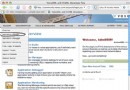
D:\BEA,拒絕 Windows Service 模式。startWebLogic.cmd:設置 CLASSPATH、STARTMODE=true(生產模式,自動部署 applications 目錄)。ejb-jar.xml、weblogic-ejb-jar.xml(指定 <jndi-name>com.helloworld</jndi-name>)。applications 目錄,控制台 Deployments → EJB → Install。CLASSPATH。jdbc:oracle:thin:@host:1521:sidoracle.jdbc.driver.OracleDriver建議使用 Tx Data Source 支持分布式事務,綁定 JNDI 名,EJB 中 ctx.lookup("jdbc/MyDS") 獲取 Connection。
// 發布者
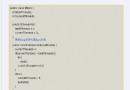
Context ctx = new InitialContext();
TopicConnectionFactory tcf = (TopicConnectionFactory) ctx.lookup("TopicCF");
Topic topic = (Topic) ctx.lookup("WeatherReport");
TopicConnection tc = tcf.createTopicConnection();
TopicSession ts = tc.createTopicSession(false, Session.AUTO_ACKNOWLEDGE);
TopicPublisher pub = ts.createPublisher(topic);
TextMessage msg = ts.createTextMessage("Storm warning!");
pub.publish(msg);
tc.start();

// 訂閱者
TopicSubscriber sub = ts.createSubscriber(topic);
sub.setMessageListener(new MsgListener()); // 實現 onMessage()
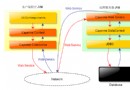
tc.start();創建 JMS Server → 創建 Topic/Queue → 設置 JNDI 名 → 綁定連接工廠 JNDI 名。