VoiceXML (VXML) 讓普通電話也能成為 Web 客戶端,用戶以語音或按鍵與應用互動。本文示範如何在 Java Servlet 容器中由「靜態 VXML 檔案」漸進至「動態生成 VXML」,並解決時區、快取、架構決策等實務陷阱。適用於 PHP、Ruby 等同理可轉。
最小 VXML 文件:
<?xml version="1.0" encoding="UTF-8"?>
<vxml version="2.1">
  <form>
    <block><prompt>Things are working correctly! Congratulations.</prompt></block>
  </form>
</vxml>
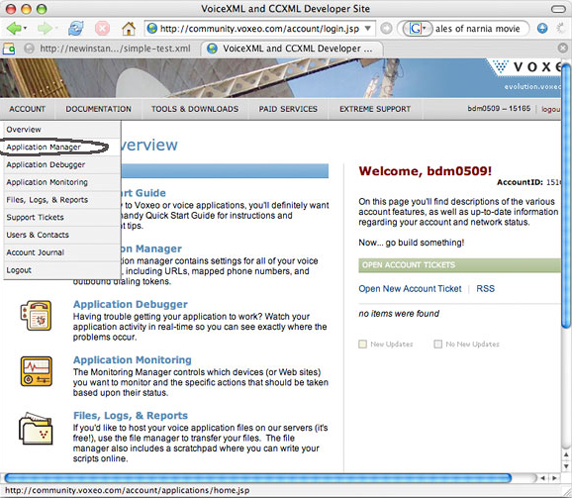
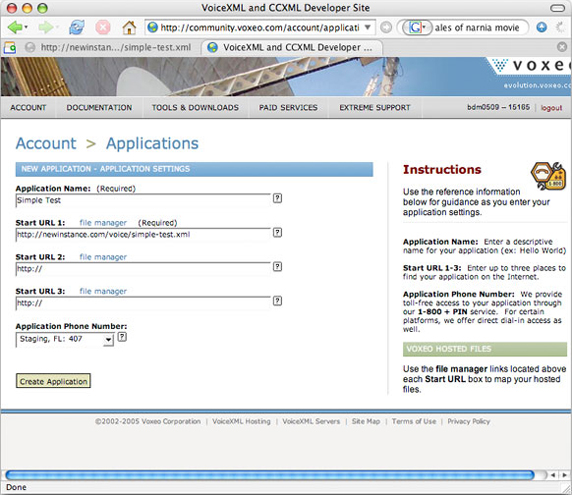
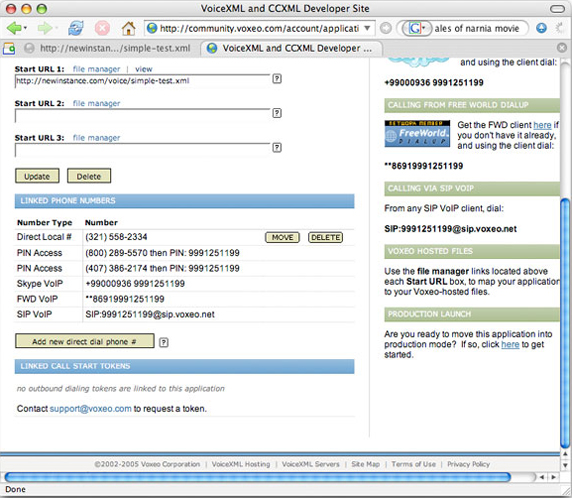
先寫好可運行的 VXML 檔,再用 Servlet 讀取並輸出,避免同時除錯 XML 語法與 Java 邏輯。
public class VoiceXMLServlet extends HttpServlet {
  private static final String VXML_FILENAME = "simple-voice_recog.xml";
  protected void doGet(HttpServletRequest req, HttpServletResponse res) throws ServletException, IOException {
    String vxmlDir = getServletContext().getInitParameter("vxml-dir");
    File vxml = new File(vxmlDir, VXML_FILENAME);
    res.setContentType("text/xml");
    res.setContentLength((int)vxml.length());
    try (FileInputStream fis = new FileInputStream(vxml);
         BufferedInputStream bis = new BufferedInputStream(fis);
         ServletOutputStream out = res.getOutputStream()) {
      byte[] buf = new byte[4096];
      int len;
      while ((len = bis.read(buf)) != -1) out.write(buf, 0, len);
    }
  }
  protected void doPost(HttpServletRequest req, HttpServletResponse res) throws ServletException, IOException {
    doGet(req, res);  // 支援 POST
  }
}
web.xml 設定 vxml-dir context-param,部署後瀏覽 Servlet 應見原始 XML,再映射電話號碼測試語音播放。
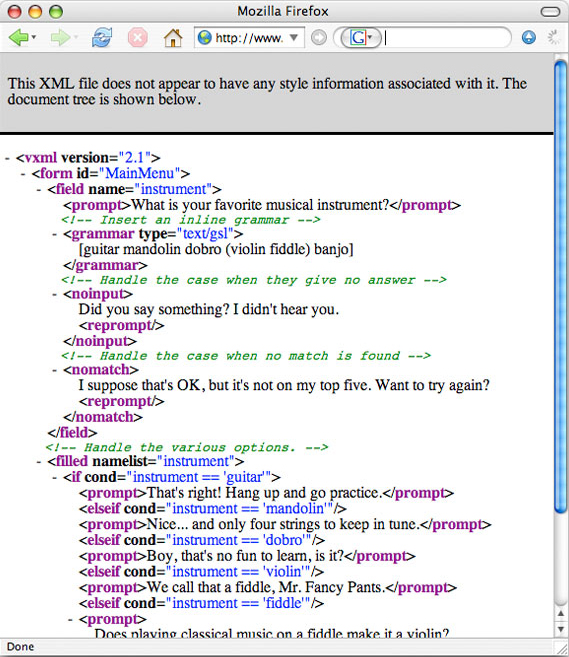
改用 PrintWriter 直接寫入字串,支援動態內容(如問候語依時間變化)。
public class DynamicVoiceXMLServlet extends HttpServlet {
  protected void doGet(HttpServletRequest req, HttpServletResponse res) throws ServletException, IOException {
    res.setContentType("text/xml");
    PrintWriter out = res.getWriter();
    out.println("<?xml version=\"1.0\" encoding=\"UTF-8\"?>");
    out.println("<vxml version=\"2.1\">");
    out.println(" <form><block><prompt>");
    Calendar cal = Calendar.getInstance();
    int hour = cal.get(Calendar.HOUR_OF_DAY);
    if (hour < 6) out.println("You're up early. Good morning.");
    else if (hour < 12) out.println("Good morning. How's your day so far?");
    else if (hour < 18) out.println("Half the day is done... good afternoon!");
    else out.println("Hope you are enjoying your evening.");
    out.println(" </prompt></block></form>");
    out.println("</vxml>");
  }
  protected void doPost(HttpServletRequest req, HttpServletResponse res) throws ServletException, IOException {
    doGet(req, res);
  }
}
伺服器在丹佛 (MDT),用戶從紐西蘭 (NZST) 來電,伺服器傍晚 6 PM 卻對用戶說「Good morning」。解法三選一:
最佳實務:除非業務強相關(如鬧鐘、行程提醒),否則避免在 VXML 中使用伺服器端日期/時間。改用相對時間(「稍後 30 分鐘」)、或由客戶端(電話網關)提供時間資訊。
.vxml 檔於 Web 根目錄,效能最好、零維護。<if>/<filled> 邏輯即可處理。<prompt xml:lang="zh-TW"> 或多檔案切換。將語音辨識 <grammar> 存於 DB,Servlet 依業務類型動態組裝,多應用共享、熱更新、免重編譯。
Session 存放用戶 ID/角色,Servlet 依權限輸出不同 <menu>、<field>,同一套 Java 驗證/授權代碼同時服務 Web 與語音通道。
Servlet 呼叫 EJB/Web Service 取得即時資料,內插 VXML 回應,實現「語音版 Mashup」。
PrintWriter 而非 out.println() 拼接字串,維護性較佳。下一篇將示範:資料庫驅動動態 Grammar、Session 狀態跨語音/網頁同步、VoiceXML 錯誤處理與日誌審計。