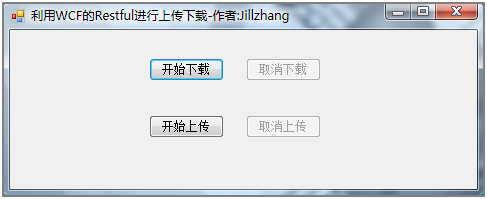
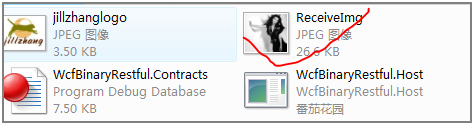
WCF REST 不僅支援 XML/JSON,還支援 原生資料。當回傳值或參數為 System.IO.Stream(或衍生類型),並搭配 HTTP Content-Type 標頭,即可實作二進位檔案上傳/下載,保持資料原始格式不變。
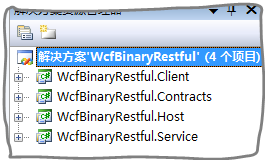
方案 WcfBinaryRestful 包含四個專案:
| 專案 | 說明 |
|---|---|
| WcfBinaryRestful.Contracts | 服務合約 |
| WcfBinaryRestful.Service | 服務實作 |
| WcfBinaryRestful.Host | Console 裝載程式 |
| WcfBinaryRestful.Client | WinForms 客戶端 |
[ServiceContract]
public interface IService
{
    [OperationContract]
    System.IO.Stream ReadImg();          // 下載
    [OperationContract]
    void ReceiveImg(System.IO.Stream stream); // 上傳
}public class Service : Contracts.IService
{
[WebInvoke(Method = "*", UriTemplate = "ReadImg")]
public System.IO.Stream ReadImg()
{
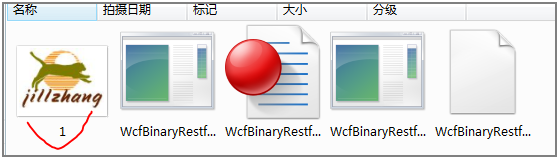
string path = Path.Combine(Environment.CurrentDirectory, "jillzhanglogo.jpg");
FileStream fs = new FileStream(path, FileMode.Open);
Thread.Sleep(2000); // 模擬延遲
WebOperationContext.Current.OutgoingResponse.ContentType = "image/jpeg";
return fs;
}
[WebInvoke(Method = "*", UriTemplate = "ReceiveImg")]
public void ReceiveImg(System.IO.Stream stream)
{
Debug.WriteLine(WebOperationContext.Current.IncomingRequest.ContentType);
Thread.Sleep(3000);
string path = Path.Combine(Environment.CurrentDirectory, "ReceiveImg.jpg");
Image bmp = Bitmap.FromStream(stream);
bmp.Save(path);
}
}關鍵點:設定 OutgoingResponse.ContentType = "image/jpeg";使用 Bitmap.FromStream 直接處理上傳串流。
<endpoint address="" binding="webHttpBinding"
    contract="WcfBinaryRestful.Contracts.IService"
    behaviorConfiguration="WcfBinaryRestfulBehavior" />
<behavior name="WcfBinaryRestfulBehavior">
    <webHttp/>
</behavior>
使用 webHttpBinding + <webHttp/> 行為啟用 REST。
使用 System.Net.WebClient 非同步上傳/下載:
DownloadFileAsync + DownloadFileCompleted 事件UploadDataAsync + UploadDataCompleted,需加 Headers.Add("Content-Type", "image/jpeg")